Manual · Norand
PEN*KEY 6100 Computer Programmer's Reference Guide
Manual328 pagesPDF 1.2 MB
Programmer's reference guide for the Norand PEN*KEY 6100 hand-held computer: DOS and Windows drivers, flash updates and system data.
Covers · 1 model
The models it covers
Summary
What is in it
Programmer's reference guide for the PEN*KEY 6100 hand-held computer, updated for flash version 1.16. It introduces the 6100 hardware, then covers reprogramming flash memory, development environments and PC setup, DOS and Windows drivers (pen, scanner, printing, power management), communications and device support, conversions and interfaces, and system reference information, with sample configuration files.
Its parts
- Preface
- Getting Started
- Supporting DOS Applications
- Supporting Windows Applications
- Power Management
- Communications and Device Support
- Conversions and Interfaces
- Reference, System Information
- Reference, Open Systems Publications
From the manual
Key facts from this manual
Each line names its page in the PDF.
Intermec's programmer's reference guide (P/N 977-054-001, Revision B) for the PEN*KEY 6100 hand-held computer, updated for flash version 1.16. It is written for application developers and covers DOS and Windows drivers, power management, communications, BIOS interrupts, flash updates, system messages and beep codes.
- Device
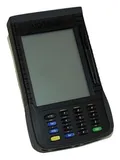
- Rugged, battery-powered hand-held computer with input by finger touch, stylus, keypad or bar code scanner p. 24
- Processor
- AMD ELAN 386, 33 MHz p. 24
- Operating system
- ROM DOS 5 (MS-DOS 5.0) with Windows 3.1 p. 24, 28
- Display
- Backlit touch-sensitive LCD, 1/4 VGA size (240 x 320 pixels), CGA controller p. 24
- Memory
- DRAM up to 16 MB (2, 4, 8 or 16 MB total RAM); 1 MB flash from flash version 1.11 on p. 25, 28
- PC Card slots
- Two type II or one type III p. 26
- Communications
- Standard UART serial ports, IrDA printing, surface and pin connections for charging, printers and scanners p. 26
- Batteries
- One main and one backup battery; main recharges in 2 hours, backup in 14 hours p. 25
- Development minimum
- 2 MB RAM for DOS or 4 MB for Windows, 1 MB flash, a Tool Kit, at least one main battery, a 2 MB SRAM card, a PC Card reader/writer, null modem cable p. 28, 29
- Flash update files
- Archive 61BCxxxx.EXE holds 61FL1000.BIN and PROG.BAT for making an IFL boot card on an SRAM card p. 29, 30
- DOS scanner drivers
- 61PODSCN.EXE for the pod scanner; 61THRSCN.EXE for a tethered scanner on the serial lid p. 60
- Flash version
- Written for the drivers in flash version 1.16 p. 15
- Related manual
- PEN*KEY Model 6100 Hand-Held Computer User's Guide, P/N 961-028-085 p. 114
What this manual walks you through
- Setting up a minimum development configuration p. 28, 29
- Updating older units to flash version 1.16 and the configuration changes it needs p. 29, 30
- Making an IFL boot card and reflashing from drive B p. 30, 31
- Master mode boot when the flash is blank or corrupted p. 31
- Building a custom flash image p. 31
- Installing the DOS pod and tethered scanner drivers p. 60
- Setting up NORAND Utilities communications (NPCP and TTY) p. 114
- Reading power-on system messages and audible error codes p. 251, 252
Good to know
- The main battery must stay installed at all times; the backup battery only keeps RAM alive while main batteries are changed. p. 25
- Keep the unit on charge during any setup, reprogramming or reflashing. p. 29
- Updating an 8 MB system from an older flash: format the RAM drive to size zero, or the system may lock up and need its DRAM board removed. p. 29
- Do not make the IFL card with DOS COPY or XCOPY; use PROG.BAT. p. 30
- A custom flash must not exceed the 1 MB disk limit; the tool does not check. p. 31
Questions this manual answers
What processor does the Norand 6100 use?
An AMD ELAN 386 running at 33 MHz. p. 24
What operating system runs on the PEN*KEY 6100?
ROM DOS 5 with Windows 3.1. p. 28
How much RAM can a 6100 have?
Total RAM of 2, 4, 8 or 16 MB; DRAM can be expanded up to 16 MB. p. 25, 28
How do I reflash a Norand 6100?
Copy 61FL1000.BIN to an SRAM card with PROG.BAT to make an IFL card, put it in drive B (nearest the display), press Reset and follow the prompts. p. 30, 31
How long do the 6100 batteries take to charge?
A discharged main battery takes 2 hours; a discharged backup battery takes 14 hours. p. 25
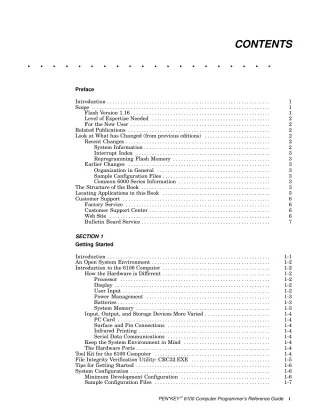
Contents
Chapters and sections
Each line opens the PDF at its page.
- Title1
- Preface15
- Section 1: Getting Started23
- Introduction23
- An Open System Environment24
- Introduction to the 6100 Computer24
- Tool Kit for the 6100 Computer26
- File Integrity Verification Utility: CRC32.EXE27
- Tips for Getting Started28
- System Configuration28
- Reprogramming Flash Memory29
- Development Environments33
- Setup for PC Development38
- Development Resources40
- Section 2: Supporting DOS Applications53
- Section 3: Supporting Windows Applications69
42 more lines, from page 98 on
- IrDA Printing for Windows: NOR6805.DRV98
- Section 4: Power Management103
- Section 5: Communications and Device Support113
- Section 6: Conversions and Interfaces137
- Introduction137
- Converting 4000 Series Applications139
- Power Management BIOS Interfaces: ELANAPM.EXE147
- 6100 BIOS Interfaces149
- 4000 Series Programming Interfaces: 4000API.EXE155
- 4000 Series Screen Emulation: VROTATE.EXE, FONTSEL.EXE160
- ATA BIOS: ATABIOS.SYS164
- Cross-Reference by Interrupt Numbers164
- Interrupt Definitions170
- Section 7: Reference, System Information245
- Section 8: Reference, Open Systems Publications259
- Appendix A: Sample Configuration Files263
- Appendix B: Common PEN*KEY 6000 Series Information281
- General Index313
- Files Index319
- Interrupt Index321
The whole text · 38 parts
Read the manual here as text
Its text as extracted from the PDF, unedited, in parts; each page opens the PDF at that page.
- Pages 1 to 71-7
- Pages 8 to 148-14
- Preface15-22
- Section 1: Getting Started, pages 23 to 3223-32
- Section 1: Getting Started, pages 33 to 4233-42
- Section 1: Getting Started, pages 43 to 5243-52
- Section 2: Supporting DOS Applications, pages 53 to 6053-60
- Section 2: Supporting DOS Applications, pages 61 to 6861-68
- Section 3: Supporting Windows Applications, pages 69 to 7769-77
- Section 3: Supporting Windows Applications, pages 78 to 8678-86
- Section 3: Supporting Windows Applications, pages 87 to 9587-95
- Section 3: Supporting Windows Applications, pages 96 to 10296-102
- Section 4: Power Management103-112
- Section 5: Communications and Device Support, pages 113 to 120113-120
- Section 5: Communications and Device Support, pages 121 to 128121-128
- Section 5: Communications and Device Support, pages 129 to 136129-136
- Section 6: Conversions and Interfaces, pages 137 to 146137-146
- Section 6: Conversions and Interfaces, pages 147 to 156147-156
- Section 6: Conversions and Interfaces, pages 157 to 166157-166
- Section 6: Conversions and Interfaces, pages 167 to 176167-176
- Section 6: Conversions and Interfaces, pages 177 to 186177-186
- Section 6: Conversions and Interfaces, pages 187 to 196187-196
- Section 6: Conversions and Interfaces, pages 197 to 206197-206
- Section 6: Conversions and Interfaces, pages 207 to 216207-216
- Section 6: Conversions and Interfaces, pages 217 to 226217-226
- Section 6: Conversions and Interfaces, pages 227 to 236227-236
- Section 6: Conversions and Interfaces, pages 237 to 244237-244
- Section 7: Reference, System Information245-258
- Section 8: Reference, Open Systems Publications259-262
- Appendix A: Sample Configuration Files, pages 263 to 271263-271
- Appendix A: Sample Configuration Files, pages 272 to 280272-280
- Appendix B: Common PEN*KEY 6000 Series Information, pages 281 to 288281-288
- Appendix B: Common PEN*KEY 6000 Series Information, pages 289 to 296289-296
- Appendix B: Common PEN*KEY 6000 Series Information, pages 297 to 304297-304
- Appendix B: Common PEN*KEY 6000 Series Information, pages 305 to 312305-312
- General Index313-318
- Pages 319 to 326319-326
- Pages 327 to 328327-328
The file