Spec sheet · MSA
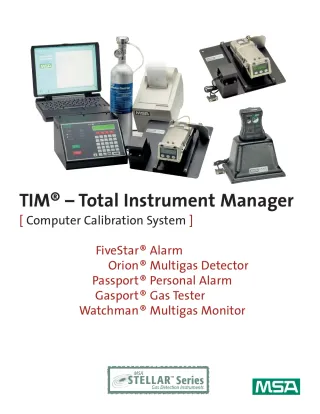
TIM - Total Instrument Manager Computer Calibration System
Spec sheet8 pagesPDF 301 KB
Product bulletin for the MSA TIM Total Instrument Manager calibration system and TIM Control Center for MSA gas detectors.
Covers · 1 model
The models it covers
Summary
What is in it
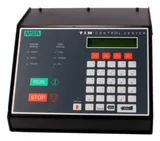
A product bulletin for the MSA TIM (Total Instrument Manager) computer calibration system, which bump tests and calibrates MSA gas instruments such as the Passport, Gasport, Watchman, FiveStar and Orion through TIM Control Centers connected to a PC. It describes features such as calibrating four instruments at once, auto-recognition, stored calibration records and reports, computer requirements, the pre-configured kits and assemble-to-order options, holster and docking accessories, and the TIM Control Center hardware and setup.
From the sheet · read page by page
Key facts from this sheet
Each line names its page in the PDF.
MSA's eight-page bulletin (ID 0818-02-MC, Oct 2001) for TIM, the Total Instrument Manager computer calibration system built around the TIM Control Center (TCC). It explains how the system bump tests and calibrates Passport, Gasport, Watchman, FiveStar and Orion gas instruments and keeps their records. It also gives the TCC specifications, computer requirements, kit contents, holsters, regulators and accessory part numbers.
- Device
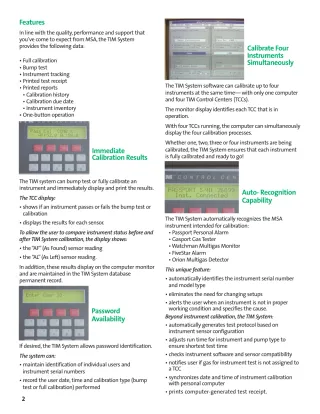
- Calibration station that bump tests or fully calibrates MSA gas instruments under PC control p. 2
- Size and weight
- 11" x 9" x 6"; less than 7 pounds p. 7
- Power
- 1.5 Amp, 115/220 VAC; built to stay on continuously p. 7
- Connections
- Six-port calibration gas input manifold with barbed tubing connections; RS 232 (short range) and RS 422 (long range) connectors p. 7
- Housing and controls
- .090 aluminum with epoxy paint; illuminated display; membrane alpha/numeric keyboard p. 7
- Instruments supported
- Passport Personal Alarm (software 4.0), Watchman Multigas Monitor (4.0), Gasport Gas Tester (2.0), FiveStar Alarm (3.0), Orion Multigas Detector (1.5) p. 2, 3
- Capacity
- One computer runs up to four TCCs, calibrating four instruments at the same time p. 2, 3
- Computer requirements
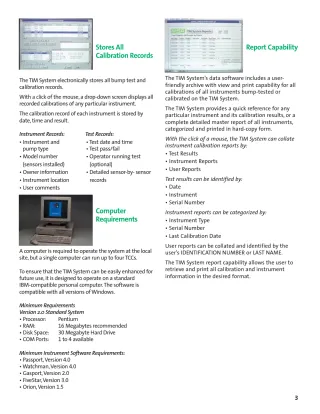
- Version 2.0 Standard System: Pentium; 16 Megabytes RAM recommended; 30 Megabyte hard drive; 1 to 4 COM ports p. 3
- Basic system parts
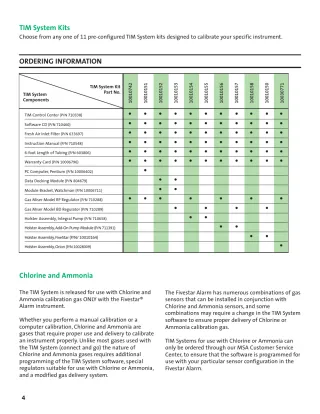
- TIM Control Center (P/N 710338), Software CD (P/N 710460), Fresh Air Inlet Filter (P/N 633697), Instruction Manual (P/N 710548), 6-foot tubing (P/N 603806) p. 4
- Holsters and docking
- Integral Pump holster (P/N 710658); Add-On Pump Module holster (P/N 711391); FiveStar holster (P/N 10010164); Orion holster (P/N 10028009); Data Docking Module (P/N 804679) p. 4
- Regulators
- Gas Miser, Model BD (P/N 710289); Gas Miser, Model RP (P/N 710288); Natural Gas Regulator (P/N 710545) p. 5
- Options
- A/B Switchbox (P/N 10010168) for two holsters on one TCC; TCC Printer (P/N 10010167) for 3" x 5" test receipts p. 6
- TCC display
- Pass or fail for each test, results per sensor, and As Found and As Left readings p. 2
- Records
- Every bump test and calibration stored by date, time and result; reports by test results, instrument or user p. 3
What this sheet walks you through
- Setting up the TCC: power, computer cable, test stand and calibration tubing p. 7
- Calibrating up to four instruments at once from one computer p. 2
- Printing calibration reports by test result, instrument or user p. 3
- Ordering a pre-configured kit or an assemble-to-order system p. 4, 5
- Choosing the holster or docking module for each instrument p. 6
Good to know
- Chlorine and Ammonia calibration gas is released for use only with the FiveStar Alarm, and needs special regulators and programming. p. 4
- Each instrument needs a holster assembly or the data docking module to talk to the TCC. p. 6
- With the A/B Switchbox only one instrument can be calibrated at a time. p. 6
- The bulletin is only a general description; the products are not for untrained users and the product instructions must be read first. p. 8
Questions this sheet answers
Which MSA instruments can the TIM Control Center calibrate?
Passport, Watchman (software 4.0 or later), FiveStar (3.0), Gasport (2.0) and Orion (1.5). p. 7
What power does the MSA TIM Control Center need?
1.5 Amp at 115/220 VAC. It has an on/off switch but is designed to stay on. p. 7
How many instruments can TIM calibrate at once?
Up to four, with one computer and four TIM Control Centers. p. 2
What is the part number of the TIM Control Center?
P/N 710338. p. 4
How does the TIM Control Center connect to a computer?
Through its RS 232 connector for short range or RS 422 connector for long range. p. 7
The whole text · 1 part
Read the sheet here as text
Its text as extracted from the PDF, unedited, in parts; each page opens the PDF at that page.
The file