Manual · Motorola
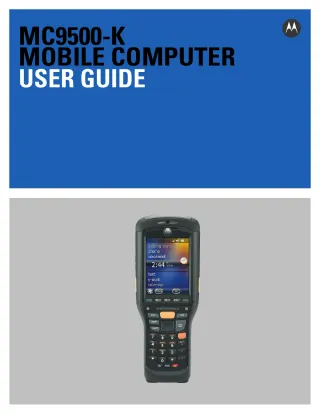
MC9500-K Mobile Computer User Guide
Manual284 pagesPDF 17 MB
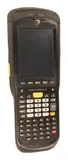
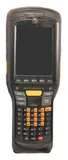
User guide for the Motorola MC9500-K mobile computer family, including the MC9596 and MC9598 phone-equipped models.
Covers · 2 models
The models it covers
Summary
What is in it
Motorola's user guide for the MC9500-K rugged mobile computer series, which includes the MC9590, MC9596, MC9598 and MC959B configurations. It walks through unpacking, installing the microSD card, SIM card and battery, battery management and charging, using the device and its keypads, laser and imager scanning and the camera, the phone (calls, text messaging, GSM and CDMA data connections), GPS navigation, Bluetooth, accessories, and maintenance and troubleshooting.
Its parts
- About This Guide
- Getting Started
- Battery Management
- Using the MC9500-K
- Data Capture
- Using the Phone
- Using GPS Navigation
- Using Bluetooth
- Accessories
- Maintenance & Troubleshooting
From the manual
Key facts from this manual
Each line names its page in the PDF.
User guide for the Motorola MC9500-K series of hand-held mobile computers, covering the MC9590, MC9596, MC9598 and MC959B configurations. It explains getting started, batteries, data capture with the laser scanner, imager and camera, the phone, GPS, Bluetooth, accessories, maintenance and troubleshooting. Appendices give technical specifications for the computer and its cradles and chargers.
- Device
- Hand-held mobile computer of the MC9500-K series p. 19
- Operating system
- MC9596 and MC9598: Microsoft Windows Mobile 6.1 or 6.5.3 Professional p. 208
- Processor
- Marvell PXA320 at 806 MHz p. 208
- Memory
- 128 MB RAM/512 MB Flash or 256 MB RAM/1 GB Flash p. 208
- Display
- 3.7 in transflective color VGA TFT-LCD, 480 x 640 pixels, resistive touch panel p. 207
- Battery
- Rechargeable lithium-ion 3.7V, 4800 mAh smart battery; spare BTRY-MC95IABA0 (10-pack BTRY-MC95IABA0-10) p. 175, 207
- Cellular radio
- MC9596: GSM GPRS/HSDPA (850, 900, 1800, 1900, 2100 MHz); MC9598: CDMA EvDO Rev. A (850 and 1900 MHz) p. 208
- WLAN and Bluetooth
- Tri-mode IEEE 802.11a/b/g; Bluetooth Class II, v2.1 with EDR p. 208, 209
- Data capture
- 1D laser scanner (SE950) or 2D imager (SE4500-SR), each also offered with a 2 megapixel color camera p. 210, 211
- Interfaces
- USB 2.0 client/USB 1.1 host; microSD slot up to 16 GB; IrDA infrared port p. 207, 208, 209
- Keypads
- Alpha Primary, Alpha Numeric, Calculator Numeric, Telephony Numeric p. 207
- Size and weight
- 23.36 x 8.89 x 5.08 cm (9.2 x 3.5 x 2.0 in); 623.7 g (22 oz) p. 207
- Operating temperature
- -20°C to 50°C (-4°F to 122°F); charging 0°C to 40°C p. 208
- Cradles and chargers
- Single bay USB cradle CRD9500-1000UR; four bay charge only CRD9500-4000CR; four bay Ethernet CRD9500-4000ER; vehicle cradle VCD9500-1000R; battery chargers SAC9500-1000CR (1 slot), SAC9500-4000CR (4 slot) p. 175
What this manual walks you through
- Charging the battery with the USB/charge or auto charge cable p. 191
- Fixing a unit that will not turn on, shuts off or does not respond p. 198, 199
- Fixing bar code reading problems p. 200
- Fixing Bluetooth connection problems p. 200
- Fixing cradle and battery charger problems p. 201, 202, 203
- Finding the AKU, OEM and phone software versions p. 17, 18
- Choosing accessories by part number p. 175, 176
- Specifications of the cradles, chargers and magnetic stripe reader p. 213, 214, 215, 216, 217
- Bar codes each data capture option can decode p. 212
Good to know
- The battery does not charge below 0°C (32°F) or above 40°C (104°F). p. 198
- When the battery is low, the scanner shuts off before the low battery warning appears. p. 200
- If a four bay cradle does not charge because it is too warm, move it where the ambient temperature is 0°C to 35°C (32°F to 95°F). p. 203
- On battery power the automatic shutoff can be set from 1 to 5 minutes; on external power to 1, 2, 5, 10, 15 or 30 minutes. p. 199
Questions this manual answers
What battery does the MC9596 or MC9598 use?
A 3.7V, 4800 mAh lithium-ion smart battery; the spare is BTRY-MC95IABA0. It charges in less than six hours. p. 175, 191, 207
What is the difference between the MC9596 and the MC9598?
The cellular radio: the MC9596 has GSM GPRS/HSDPA and the MC9598 has CDMA EvDO Rev. A. p. 208
Which cradle syncs the MC9500-K with a PC?
The Single Bay USB Cradle, CRD9500-1000UR, charges the main battery and synchronizes with a host computer over USB. p. 175
My MC9596 will not turn on. What should I try?
Charge or replace the battery and check it is installed properly, then perform a warm boot and, if needed, a cold boot. p. 198
What operating system runs on the MC9596 and MC9598?
Microsoft Windows Mobile 6.1 or 6.5.3 Professional. p. 208
Contents
Chapters and sections
Each line opens the PDF at its page.
90 more lines, from page 73 on
- Using Voice-Over-IP73
- Data Capture77
- Using the Phone89
- Introduction89
- Accessing the Phone Keypad89
- Turning the Phone On and Off90
- Audio Modes91
- Hearing Aid Compatibility Setting93
- Making a Call94
- Making an Emergency Call98
- Answering a Call98
- Smart Dialing99
- Muting a Call100
- Taking Notes100
- Using Speed Dial101
- Using Call History104
- Swapping Calls on an MC9596108
- Swapping Calls on an MC9598108
- Conference Calling on an MC9596109
- Three-way Calling on an MC9598111
- Text Messaging112
- Establishing a GSM Data Connection (MC9596-K and MC959B-K)116
- Establishing an CDMA Data Connection (MC9598-K and MC959B-K)118
- Switching Carrier Networks119
- Using GPS Navigation121
- Using Bluetooth125
- Accessories175
- Maintenance & Troubleshooting193
- Technical Specifications207
- Voice Quality Manager219
- Keypads223
- Windows Mobile 6.5243
- Glossary265
- Index277
The whole text · 33 parts
Read the manual here as text
Its text as extracted from the PDF, unedited, in parts; each page opens the PDF at that page.
- Pages 1 to 41-4
- Revision History, pages 5 to 115-11
- Revision History, pages 12 to 1412-14
- About This Guide15-22
- Getting Started23-34
- Battery Management, pages 35 to 4235-42
- Battery Management, pages 43 to 5043-50
- Using the MC9500-K, pages 51 to 5951-59
- Using the MC9500-K, pages 60 to 6860-68
- Using the MC9500-K, pages 69 to 7669-76
- Data Capture77-88
- Using the Phone, pages 89 to 9689-96
- Using the Phone, pages 97 to 10497-104
- Using the Phone, pages 105 to 112105-112
- Using the Phone, pages 113 to 120113-120
- Using GPS Navigation121-124
- Using Bluetooth, pages 125 to 134125-134
- Using Bluetooth, pages 135 to 144135-144
- Using Bluetooth, pages 145 to 154145-154
- Using Bluetooth, pages 155 to 164155-164
- Using Bluetooth, pages 165 to 174165-174
- Accessories, pages 175 to 183175-183
- Accessories, pages 184 to 192184-192
- Maintenance & Troubleshooting193-206
- Technical Specifications207-218
- Voice Quality Manager219-222
- Keypads, pages 223 to 232223-232
- Keypads, pages 233 to 242233-242
- Windows Mobile 6.5, pages 243 to 250243-250
- Windows Mobile 6.5, pages 251 to 258251-258
- Windows Mobile 6.5, pages 259 to 264259-264
- Glossary265-276
- Index277-284
The file