Manual · Motorola
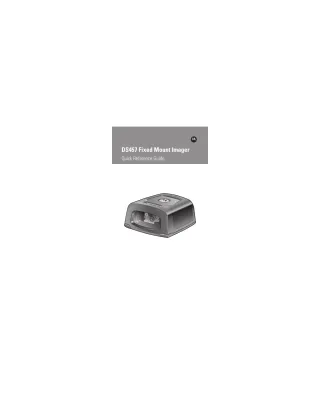
DS457 Fixed Mount Imager Quick Reference Guide
Manual24 pagesPDF 1.3 MB
Quick reference guide for the Motorola DS457 fixed mount 1D/2D imager: connecting, scanning, host types, trigger modes and troubleshooting.
Covers · 1 model
The models it covers
Summary
What is in it
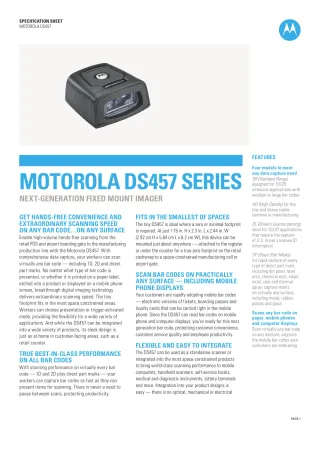
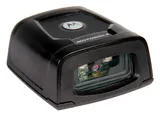
Motorola's quick reference guide for the DS457, a compact fixed mount imager for 1D and 2D bar codes used in kiosks, embedded medical equipment, conveyor lines and retail POS. It shows how to connect the imager to a host and capture data, and gives frequently used programming bar codes for defaults, USB and serial host types, trigger modes and motion enhancement. It also covers beeper and LED indications, troubleshooting and regulatory information.
Its parts
- Warranty
- Introduction
- Programming Bar Codes
- Beeper and LED Indications
- Troubleshooting
- Regulatory Information
From the manual · read page by page
Key facts from this manual
Each line names its page in the PDF.
The Quick Reference Guide (72-144417-01 Revision A, February 2011) for the Motorola DS457 fixed mount imager, which reads 1D and 2D bar codes. It shows how to connect the imager, aim it, scan the most used programming bar codes for host type and trigger mode, read the beeper and LED, and troubleshoot. Regulatory and power supply notes close the guide.
- Device
- Compact fixed mount imager for 1D and 2D bar codes, for standalone and OEM uses such as kiosks p. 3
- Host types
- USB: HID Keyboard Emulation (default), SNAPI with or without imaging interface, CDC COM Port Emulation, SSI over USB CDC; serial: SSI, standard RS-232 (ASCII only) p. 8, 9, 10
- Power supply
- Listed Motorola PWRS-14000 (5.2Vdc, 850mA), or a direct plug-in supply marked Class 2 or LPS; needed for RS-232 p. 4, 18
- Host cable
- 9-pin D-connector, end marked SCANNER into the imager; flying lead with a female stereo connector for an external trigger p. 4
- Symbols read
- 1D bar codes, 2D bar codes and 2D dot peen DPM symbols, in any orientation p. 5
- Aiming and lighting
- Red laser aiming pattern; red LEDs light the bar code when needed p. 5
- Trigger modes
- Presentation (default, triggers on an object in view), Level (trigger on top or external trigger), Host (host command) p. 11, 12
- Display mode
- Mobile Phone/Display Mode for bar codes on phones and electronic displays; off by default p. 13
- Motion enhancement
- Optional tuning for bar codes moving quickly through the field of view; off by default p. 12
- Good read signal
- One beep and a green LED p. 6, 14
What this manual walks you through
- Connecting the DS457 to a host p. 4
- Aiming the imager and capturing bar codes p. 5, 6
- Restoring custom or factory defaults p. 7
- Choosing the USB or serial host type p. 8, 9, 10
- Setting the trigger mode p. 11, 12
- Reading bar codes on mobile phones and screens, or fast-moving ones p. 12, 13
- Reading the beeper and LED indications p. 14
- Troubleshooting power, cabling and read problems p. 15
Good to know
- Do not enable Motion Enhancement when scanning bar codes on mobile phones or electronic displays. p. 12
- Use only the listed power supply; another supply invalidates the unit's approvals and may be dangerous. p. 18
- Set Factory Defaults deletes any custom defaults that were set. p. 7
- In Presentation mode the unit does not enter Low Power mode. p. 11
- The label reads Class 2 laser / 1M LED product: do not stare into the beam. p. 18
Questions this manual answers
What power supply does the Motorola DS457 use?
A listed Motorola PWRS-14000 (5.2Vdc, 850mA) or a direct plug-in supply marked Class 2 or LPS. p. 18
How do I reset the DS457 to factory defaults?
Scan the Set Factory Defaults bar code in the guide; this also deletes any custom defaults. p. 7
Contents
Chapters and sections
Each line opens the PDF at its page.
- Warranty2
- Introduction3
- Programming Bar Codes7
- Beeper and LED Indications14
- Troubleshooting15
- Regulatory Information16
- Health and Safety Recommendations16
- Laser Devices17
- LED Devices18
- Power Supply18
- Radio Frequency Interference Requirements - FCC19
- Radio Frequency Interference Requirements - Canada19
- Marking and European Economic Area (EEA)20
- Japan (VCCI) - Voluntary Control Council for Interference20
- Korea Warning Statement for Class B ITE20
- Waste Electrical and Electronic Equipment (WEEE)21
The whole text · 3 parts
Read the manual here as text
Its text as extracted from the PDF, unedited, in parts; each page opens the PDF at that page.
The file