Spec sheet · Microscan
Microscan IB-150 Spec Sheet
Spec sheet2 pagesPDF 1.1 MB
Both pages are below, each with its text.
Covers · 1 model
The models it covers
From the sheet · read page by page
Key facts from this sheet
Each line names its page in the PDF.
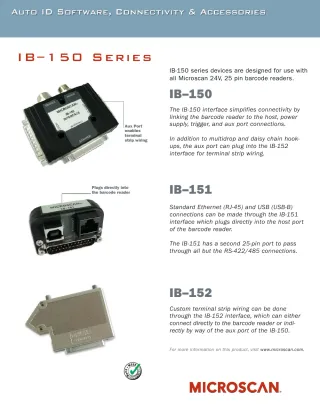
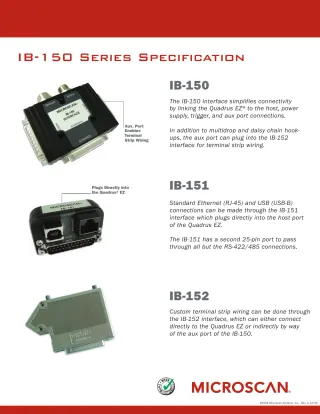
Microscan specification sheet (Rev. A 12/06) for the IB-150 series of interface boxes for the Quadrus EZ reader: the IB-150, the IB-151 Ethernet/USB interface and the IB-152 terminal strip interface. It shows what each box connects, gives the kit part numbers and port pinouts, and lists the steps for wiring the IB-152.
- Device
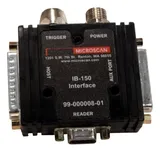
- IB-150: interface linking the Quadrus EZ to host, power supply, trigger and aux port connections p. 1
- IB-150 kit
- 98-000040-02 p. 2
- IB-150 connectors
- Host, power, trigger, reader and aux port p. 2
- Power
- +10 to 28 VDC p. 2
- Aux port
- Multidrop and daisy chain hookups, or plugs into the IB-152 for terminal strip wiring p. 1
- IB-151
- Ethernet (RJ-45) and USB (USB-B) interface, part 99-000009-02, plugging into the Quadrus EZ host port p. 1, 2
- IB-151 pass-through
- Second 25-pin port passes all but the RS-422/485 connections p. 1
- IB-152
- Terminal strip interface kit, part 98-000039-02, including a gender changer p. 2
- USB port pins
- +5VDC, Data (–), Data (+), GND p. 2
What this sheet walks you through
- Connecting the Quadrus EZ to host, power and trigger through the IB-150 p. 1, 2
- Adding Ethernet or USB to the Quadrus EZ with the IB-151 p. 1, 2
- Wiring external wires to the IB-152 terminal strip p. 2
- Looking up the IB-150 port and IB-151 Ethernet and USB pinouts p. 2
Good to know
- The IB-152 gender changer is used only for a direct connection between the IB-152 and the Quadrus EZ. p. 2
- The IB-152 can connect directly to the Quadrus EZ or through the aux port of the IB-150. p. 1
Questions this sheet answers
What does the Microscan IB-150 do?
It plugs into the Quadrus EZ and links the reader to the host, power supply, trigger and aux port connections. p. 1
What is the part number of the IB-150 kit?
98-000040-02. p. 2
How do I connect a Quadrus EZ to Ethernet or USB?
Use the IB-151 Ethernet/USB interface (99-000009-02), which plugs directly into the Quadrus EZ host port and has RJ-45 and USB-B connectors. p. 1, 2
How do I wire the IB-152 terminal strip?
Remove two screws from the top case, pry the cases apart, and connect external wires to the terminals as marked, using the IB-150 host or aux port pinouts. p. 2
The file
Size and text
Every page · 2
Read it here
Each page as it is printed, and its words beside it, so a phone can search and copy them.
Page1of 2
Open in the PDF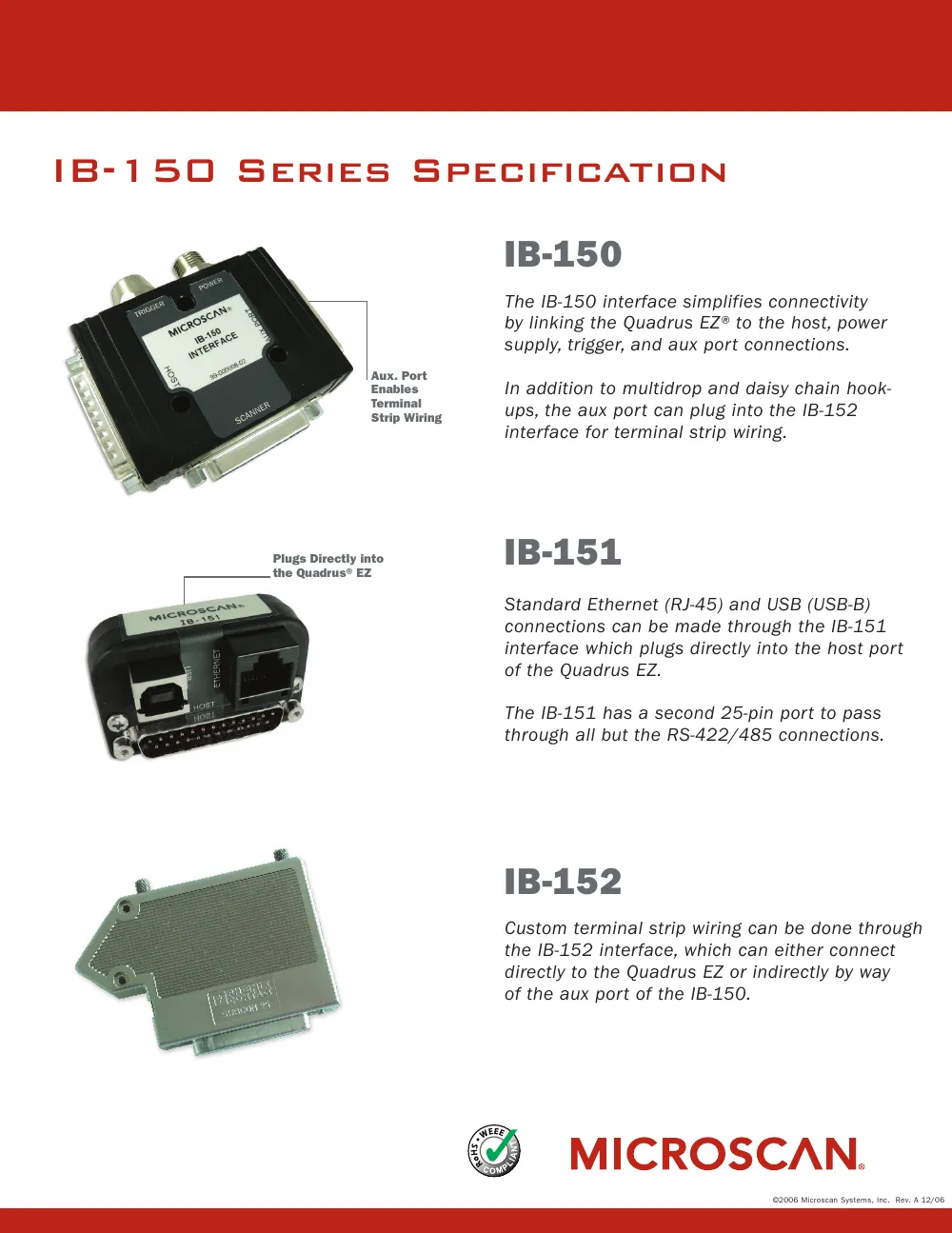
The text of page 1, from the PDF itself
IB-150 Series Specification IB-150 The IB-150 interface simplifies connectivity by linking the Quadrus EZ® to the host, power supply, trigger, and aux port connections. Aux. Port Enables Terminal Strip Wiring
Plugs Directly into the Quadrus® EZ
In addition to multidrop and daisy chain hookups, the aux port can plug into the IB-152 interface for terminal strip wiring.
IB-151 Standard Ethernet (RJ-45) and USB (USB-B) connections can be made through the IB-151 interface which plugs directly into the host port of the Quadrus EZ. The IB-151 has a second 25-pin port to pass through all but the RS-422/485 connections.
IB-152 Custom terminal strip wiring can be done through the IB-152 interface, which can either connect directly to the Quadrus EZ or indirectly by way of the aux port of the IB-150.
©2006 Microscan Systems, Inc. Rev. A 12/06
Page2of 2
Open in the PDF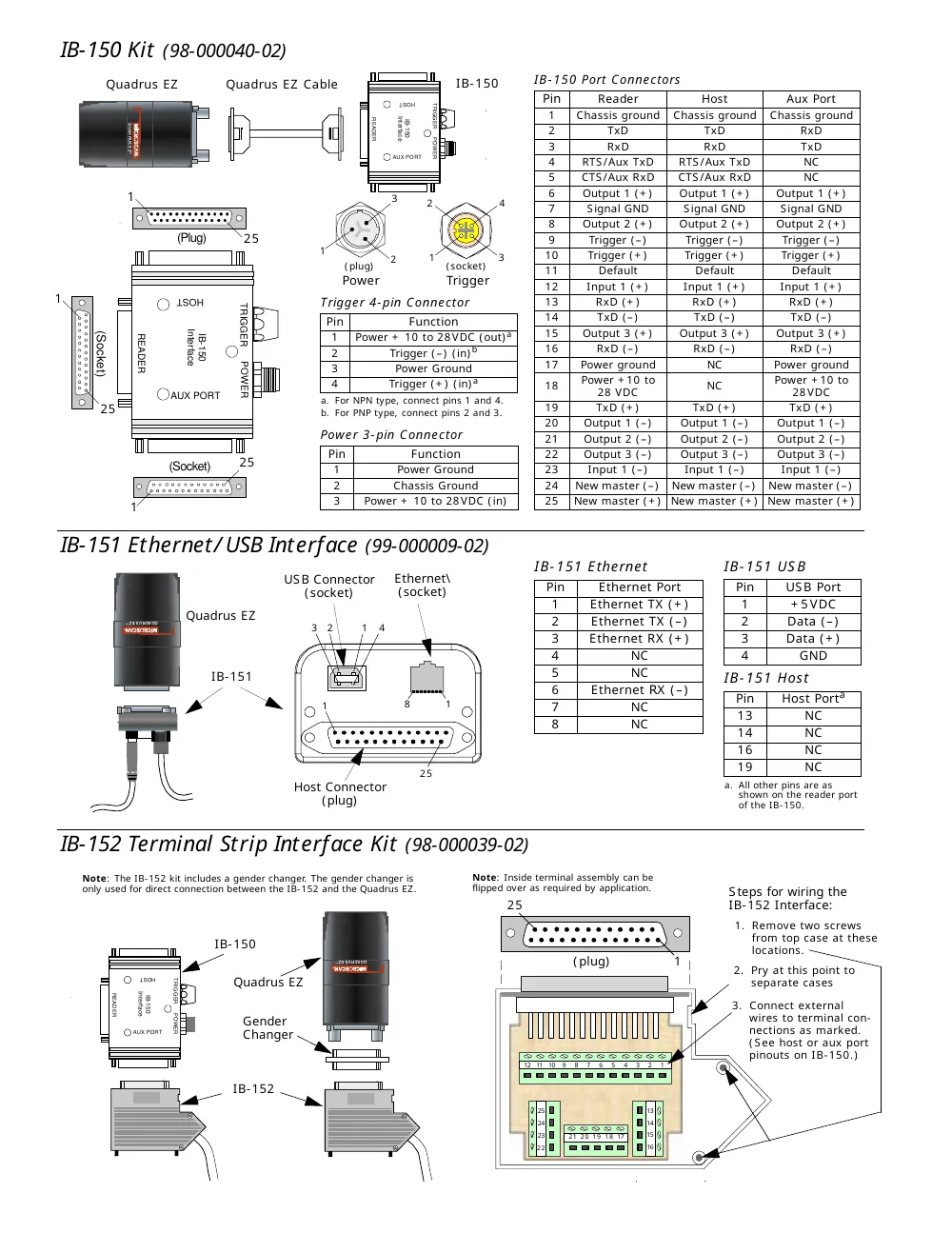
The text of page 2, from the PDF itself
IB-150 Kit (98-000040-02) Quadrus EZ
HOST251 (plug)3221Power1POWERHOST254(socket)3Trigger
Trigger 4-pin Connector
TRIGGERIB-150 InterfaceREADER(Socket)AUX PORT
1 2 3 4 5 6 7 8 9 10 11 12 13 14 15 16 17
PO WER1PinT RIGGERIB-150 InterfaceREADERQUAD RUS EZ ™AUX PO RT(Plug)IB-150 Port ConnectorsIB-150Quadrus EZ CablePinFunction1 2 3 4
Power + 10 to 28VDC (out)a Trigger (–) (in)b Power Ground Trigger (+) (in)a
18
a. For NPN type, connect pins 1 and 4. b. For PNP type, connect pins 2 and 3.
19 20 21 22 23 24 25Power 3-pin Connector(Socket)25PinFunction1 2 3
Power Ground Chassis Ground Power + 10 to 28VDC (in)
1ReaderHost
IB-151 Ethernet/USB Interface (99-000009-02) Quadrus EZ
3 21Pin 1 2 3 4 5 6 7 84QU ADRU S E Z ™IB-151 81Host Connector (plug)IB-151 USBIB-151 EthernetEthernet\ (socket)USB Connector (socket)1Aux Port
Chassis ground Chassis ground Chassis ground TxD TxD RxD RxD RxD TxD RTS/Aux TxD RTS/Aux TxD NC CTS/Aux RxD CTS/Aux RxD NC Output 1 (+) Output 1 (+) Output 1 (+) Signal GND Signal GND Signal GND Output 2 (+) Output 2 (+) Output 2 (+) Trigger (–) Trigger (–) Trigger (–) Trigger (+) Trigger (+) Trigger (+) Default Default Default Input 1 (+) Input 1 (+) Input 1 (+) RxD (+) RxD (+) RxD (+) TxD (–) TxD (–) TxD (–) Output 3 (+) Output 3 (+) Output 3 (+) RxD (–) RxD (–) RxD (–) Power ground NC Power ground Power +10 to Power +10 to NC 28 VDC 28VDC TxD (+) TxD (+) TxD (+) Output 1 (–) Output 1 (–) Output 1 (–) Output 2 (–) Output 2 (–) Output 2 (–) Output 3 (–) Output 3 (–) Output 3 (–) Input 1 (–) Input 1 (–) Input 1 (–) New master (–) New master (–) New master (–) New master (+) New master (+) New master (+)
Ethernet Port Ethernet TX (+) Ethernet TX (–) Ethernet RX (+) NC NC Ethernet RX (–) NC NC
25
Pin 1 2 3 4
USB Port +5VDC Data (–) Data (+) GND
IB-151 Host Pin 13 14 16 19
Host Porta NC NC NC NC
a. All other pins are as shown on the reader port of the IB-150.
IB-152 Terminal Strip Interface Kit (98-000039-02) Note: The IB-152 kit includes a gender changer. The gender changer is only used for direct connection between the IB-152 and the Quadrus EZ.
Note: Inside terminal assembly can be flipped over as required by application.
Steps for wiring the IB-152 Interface:
25IB-150 (plug)QUAD RUS EZ ™TRIGGER POWERHOSTIB-150 InterfaceREADERAUX PORT1
Quadrus EZ Gender Changer 12 11 10 9
8765432IB-152 251324 23 2214 21 20 19 18 1715 161
1. Remove two screws from top case at these locations. 2. Pry at this point to separate cases 3. Connect external wires to terminal connections as marked. (See host or aux port pinouts on IB-150.)