Manual · LXE
MX5 User's Guide (For Microsoft Windows Pocket PC Equipped MX5's)
Manual41 pagesPDF 326 KB
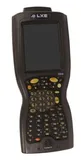
User's guide for the LXE MX5 rugged hand-held computer running Pocket PC 2000 or 2002: setup, batteries, data entry and ports.
Covers · 1 model
The models it covers
Summary
What is in it
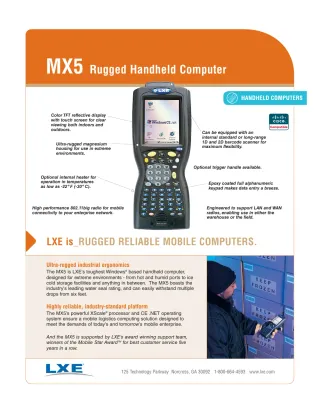
LXE's user's guide for the MX5 rugged hand-held computer running Microsoft Windows for Pocket PC 2000 or 2002. It covers identifying the device, laser and battery warnings, environmental specifications, a quick start, inserting the battery, power key and resets, external power, audio jack, pistol grip and handstrap, backlight and power timers, data entry by keypad, stylus, scanner, voice and RS-232, the touch screen, scan buttons, COM, USB and IR ports, key maps, batteries, chargers and cradles.
Its parts
- Introduction
- Identify Your Device
- Laser Warnings and Labels
- Important Battery Information
- MX5 Environmental Specifications
- Quick Start
- Accessing Files on a CompactFlash Card
- About Lithium-Ion Batteries
- How To
- Entering Data
- Touch Screen Display
- Programmable Buttons
- COM Ports
- The Keypad
- External Power Supply for MX5 and Cradles
From the manual
Key facts from this manual
Each line names its page in the PDF.
The user's guide for the LXE MX5 hand-held computer running Microsoft Windows Pocket PC 2000 or 2002 (not the MX5 CE .NET). It covers the batteries and charging, resets, COM, USB and IR ports, tethered scanners, the keypad, cradles and chargers, and lists accessory part numbers.
- Device
- Rugged hand-held computer running Windows Pocket PC 2000 or 2002, with a 2.4 GHz radio and internal antenna p. 5
- Ports
- COM 1 left RS-232 port (RS-232, USB and AC power connectors); COM 3 IR port; COM 4 right RS-232 port p. 22
- IR port
- Slow IrDA up to 115k baud; range 2 cm (.79 inches) to 15 centimeters (6 inches) p. 23
- Main battery
- Li-Ion pack MX5A379BATT, 2800 mAh; about eight to ten hours per charge p. 5, 25, 29
- Backup battery
- Internal NiMH coin cell, up to 24 hours of power; replaced by LXE p. 25, 26
- Charge time
- First charge on external power: 3 hours main, 7 hours backup; new main pack up to four hours in an LXE MultiCharger p. 25
- Power supplies
- AC/DC MX5A305PSACUS (US cable) or MX5A305PSACWW; 12V bare wire MX5A306PS12V; 24V - 72V bare wire 9000A316PS24V72VMX5 p. 29, 30
- Cradles
- Vehicle MX5A001VMCRADLE; standard desktop MX5A002DESKCRADLE; enhanced desktop (spare battery) MX5A003EDESKCRADLE; Ethernet desktop MX5A004ETHDESKCRADLE p. 28
- Cables
- RS-232 D26 to DA9F MX5A051CBLD26DA9F; USB D26 to USB MX5A052CBLD26USB; PowerScan tethered scanner 3” D26 to DA9M MX5A055CBL3IND26D9M p. 30
- Chargers
- 6 unit charger MX5A385CHGR6US (US cable) or MX5A385CHGR6WW; battery removal tool 9000A508BATTERYTOOL p. 29
- Carrying
- Hand strap MX5A401HANDSTRAP; handle with wrist strap MX5A406HANDLE; cases MX5A402CASE1, MX5A403CASE2; holsters MX5A404HOLSTER1, MX5A405HOLSTER2 p. 29
- Scan engine
- SE1223, SE1224 or SE2223 p. 9
- Environment
- Operating -4°F to 122°F (-20°C to 50°C); -22°F with heater option; storage -22°F to 158°F (-30°C to 70°C); IEC IP67; 75G shock p. 8
- USB
- Non-host USB I/O at 1.5 Mbps through a DB26 to USB cable p. 22
What this manual walks you through
- Inserting and first charging the main battery p. 10
- Suspending, warm reset and cold reset p. 11
- Setting the scanner COM port parameters p. 22
- Connecting tethered scanners p. 22
- Sending data through the IR port p. 23
- Using the 2nd, Ctrl, Alt, Shft and CapsLock keys p. 23, 24
- Hot-swapping the main battery and reading the battery LED p. 26
- Charging batteries in the Multi-Charger p. 27
- Choosing and using the docking cradles p. 27, 28
- Opening files on a CompactFlash card p. 9
Good to know
- The manual states that standard MX5 units, cradles, multichargers and power supplies are not approved for Hazardous Location use. p. 6
- The Ethernet desktop cradle was made for the MX5 CE .NET and cannot be used by the MX5 PC 2002. p. 28
- With a dead main battery at the lowest extended temperature, warm the unit above -20°C (-4°F) before fitting a new pack. p. 11
- Do not connect Symbol tethered scanners directly to the MX5; PowerScan scanners need cable MX5A055CBL3IND26D9M. p. 22
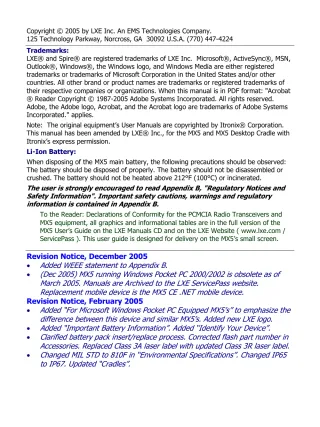
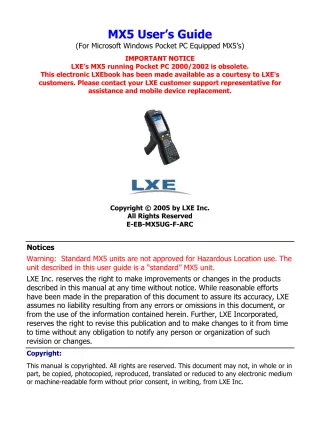
- The guide states the Pocket PC 2000/2002 MX5 became obsolete in March 2005. p. 2
Questions this manual answers
How do I warm reset an LXE MX5?
Hold the Power key and the Orange key for 4 or more seconds until the display blanks; no data is lost. p. 11
What is the battery part number for the LXE MX5?
The Li-Ion battery is MX5A379BATT; the guide gives its capacity as 2800 mAh. p. 5, 29
How long does an LXE MX5 battery take to charge?
On first use, 3 hours for the main battery and 7 hours for the backup on external power; a new main pack takes up to four hours in an LXE MultiCharger. p. 25
What does the green LED on the MX5 mean?
Slow flashing means the main battery is charging, solid on means fully charged, and quick double flashes mean a charge or battery fault. p. 26
Which MX5 desktop cradle charges a spare battery?
The Enhanced Desktop Cradle MX5A003EDESKCRADLE charges the MX5's battery and another pack at the same time. p. 28
Contents
Chapters and sections
Each line opens the PDF at its page.
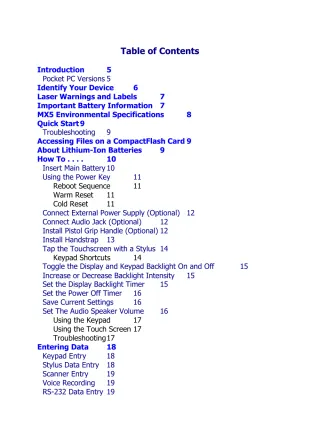
- MX5 User’s Guide1
- Notices1
- Revision Notice, December 20052
- Introduction5
- Identify Your Device6
- Laser Warnings and Labels7
- Important Battery Information7
- MX5 Environmental Specifications8
- Quick Start9
- Accessing Files on a CompactFlash Card9
- About Lithium-Ion Batteries9
- How To . . . .10
- Entering Data18
- Touch Screen Display20
- Programmable Buttons21
- COM Ports22
- The Keypad23
- External Power Supply for MX5 and Cradles25
- Batteries25
- Battery Chargers26
- Cradles26
- Getting Help28
- Appendix A Key Maps31
- Appendix B Regulatory Notices and Safety Information37
The whole text · 5 parts
Read the manual here as text
Its text as extracted from the PDF, unedited, in parts; each page opens the PDF at that page.
The file