Manual · LXE
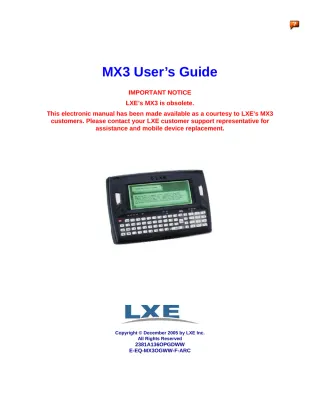
MX3 User's Guide
Manual68 pagesPDF 2.0 MB
User's guide for the LXE MX3 rugged hand-held computer: display, keypads, cradles, batteries, data entry and key maps.
Covers · 1 model
The models it covers
Summary
What is in it
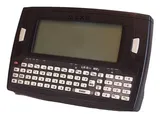
User's guide for the LXE MX3, a rugged hand-held DOS computer with a 900 MHz or 2.4 GHz radio. It describes the display, endcaps and serial and IR ports, the QWERTY and ABCD keypads and overlays, power button functions, the desktop and vehicle mount cradles, and how to insert and charge batteries, power on, adjust the display and enter data by keypad or scanner. Appendices give key maps for batch and IBM 3270/5250 emulation and the regulatory and safety notices.
Its parts
- The MX3 Hand Held Computer
- Operation
- Key Maps
- Regulatory Notices and Safety Information
From the manual
Key facts from this manual
Each line names its page in the PDF.
This is the LXE user's guide for the MX3, a rugged, horizontally held DOS computer that sends data over a 900 MHz or 2.4 GHz radio. It describes the display, endcaps, IR port, keypads, power button and the desktop and vehicle cradles, and lists the manuals and accessories. It also explains the main battery, the power supplies and charging.
- What it is
- Rugged hand-held MS-DOS compatible computer for batch use or terminal emulation (ANSI Plus, LDS Plus, TN3270, TN5250) p. 9
- Radio
- 900 MHz or 2.4 GHz with an internally mounted antenna (the 900MHz radios are obsolete) p. 9
- Display
- Transflective monochrome LCD, 640 x 240 pixels, electroluminescent backlight; optional touch screen on batch and client server units p. 12
- Screen sizes
- 30 rows x 80 columns (8x8 font) or 15 rows x 80 columns (8x16 font) p. 14
- Endcaps
- Standard Range Scanner / Serial Port (scanner COM1, serial COM 2) or Dual Serial Port (COM 1 and COM 2); both with a DC power jack p. 15
- Scan engine
- Integrated SE923 scanner p. 9
- IR port
- COM 2, Slow IrDA up to 19.2k baud; 2 cm (.79 inches) to 1 meter (3.2 feet), 30 degree viewing angle p. 16
- Keypads
- QWERTY or ABCD, phosphorescent; ANSI/LDS/PC, TN3270/3270 and TN5250/5250 overlays p. 17, 18
- Battery
- Lithium-Ion main battery; about eight to ten hours per charge p. 42
- Charge time
- Up to four hours in an LXE Multi-Charger; eight hours on external power in the MX3 p. 35
- Backup battery
- Internal NiCd; keeps data at least five minutes during a main battery hot-swap p. 42
- External power
- UL Listed supply with LPS or Class 2 outputs rated 12V, minimum 1Amp, into the DC jack on the endcap p. 38
- Cradles
- Desktop and vehicle mount cradles charge the unit and turn its IR signals into RS-232 p. 26, 28
- Vehicle cradle power
- Vehicle's 12V battery, or an approved accessory for 24 to 60 VDC batteries p. 30
What this manual walks you through
- Inserting the main battery p. 36
- Turning the unit on and off and using Suspend p. 24
- Reading the status LED p. 25
- Setting up the Scan, Enter and Field Exit buttons beside the display p. 19
- Using the 2nd, Ctrl, Alt, Shft and Caps keys p. 20, 21
- Panning the display around the virtual screen p. 14
- Docking in the desktop cradle and reading its status LED p. 26, 27
- Using the vehicle mount cradle p. 29, 30
- Attaching the hand strap p. 37
- Hot-swapping and deciding when to replace the main battery p. 42
Good to know
- The 900MHz radios and the terminal emulation software used with them are obsolete. p. 9
- A tethered scanner on the serial port does not work until power is switched to that port. p. 16
- Do not slam the unit or slide it sideways into the desktop cradle. p. 26
- Bending the U bracket of the vehicle cradle can make its rubber isolators fail. p. 31
- Print Screen and Sys Req do not work: the unit has only serial ports and is not multi-tasking. p. 21
Questions this manual answers
What battery does the LXE MX3 use?
A Lithium-Ion main battery from LXE, which lasts about eight to ten hours under normal conditions. p. 42
How long does an MX3 battery take to charge?
Up to four hours in an LXE Multi-Charger, or eight hours with an external power source attached to the MX3. p. 35
What power supply does the MX3 need?
A UL Listed supply with LPS or Class 2 outputs rated 12V, minimum 1 Amp, plugged into the DC power jack on the endcap. p. 38
How fast is the MX3 infrared port?
The IR port is COM 2 and uses Slow IrDA at up to 19.2k baud, over 2 cm to 1 meter. p. 16
What does a blinking red status LED mean on the MX3?
The main battery has failed or is depleted and the unit is in Critical Suspend on backup power. Replace the battery or put the unit in a powered cradle before the Off Timer (5 minutes by default) turns it off. p. 25
Contents
Chapters and sections
Each line opens the PDF at its page.
The whole text · 8 parts
Read the manual here as text
Its text as extracted from the PDF, unedited, in parts; each page opens the PDF at that page.
The file