Manual · LXE
MX1 User's Guide
Manual68 pagesPDF 1.7 MB
User's guide for the LXE MX1 rugged hand-held computer: features, keypads, endcaps, batteries, chargers and key maps.
Covers · 1 model
The models it covers
Summary
What is in it
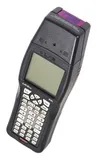
LXE's user's guide for the MX1, a rugged DOS-compatible hand-held computer with a 900 MHz or 2.4 GHz radio. It describes the display, scanner and RS-232 endcaps, IR port, the 60-key and 41-key keypads and power button, then covers inserting the battery, fitting the hand strap and pistol grip, power, display and volume adjustment, data entry, battery hot-swapping and the optional chargers. Appendices give key maps (including IBM 3270 and 5250 emulator keypads) and regulatory notices. The cover notes that the MX1 is obsolete.
Its parts
- Features of the MX1 Hand Held Computer
- Operation
- Appendix A Key Maps
- Appendix B Regulatory Notices and Safety Information
From the manual
Key facts from this manual
Each line names its page in the PDF.
This is the LXE user's guide for the MX1, a rugged hand-held DOS computer that sends data over a 900 MHz or 2.4 GHz radio. It describes the display, keypads, endcaps, IR port and power button, and lists the manuals and accessories for the unit. It also explains the battery pack, the chargers and the docking cradles.
- What it is
- Rugged hand-held, DOS-compatible PC with an Intel 486 processor p. 7
- Radio
- 900 MHz or 2.4 GHz (the 900MHz radios are obsolete) p. 7
- Endcaps
- Scanner, Scanner / RS232, RS-232 and Plain; the endcap port is COM 1 p. 12, 13
- Scan engines
- Integrated SE923, SE1223 or SE2223; High Performance, Long Range, Advanced Long Range and 2D Decoded Raster endcaps p. 12
- IR port
- COM 2, half-duplex IrDA, up to 115k baud (IrDA software limits it to 19.2k baud) p. 15
- Display
- Transflective monochrome backlit LCD with gray scales; pans over a virtual 640 x 480 pixel screen p. 9, 11
- Keypads
- Full alpha-numeric 60 key (also IBM 3270 and IBM 5250 versions) or numeric-alpha 41 key; phosphorescent p. 16, 17
- Battery
- NiMH battery pack, 1500 mAh; about eight hours per charge p. 24, 33
- Charge time
- About three hours in an LXE charger/analyzer; eight hours with the clip-on portable charger p. 25
- Backup battery
- Keeps data at least five minutes during a main battery hot-swap p. 33
- Operating temperature
- -4°F to 122°F (-20°C to 50°C), non-condensing p. 7
- Storage temperature
- -22°F to 140°F (-30°C to 60°C), non-condensing p. 7
- Sealing and drops
- The manual states IEC IP65 with standard endcaps and multiple 4 foot drops to concrete p. 7
- Software
- Runs DOS batch or terminal emulation software such as ANSI Plus, LDS Plus, TN3270 and TN5250 p. 7
What this manual walks you through
- Inserting the battery pack p. 25
- Turning the unit on and off and using Suspend p. 20
- Reading the status LED p. 21
- Using the 2nd, Ctrl, Alt, Shift and Caps keys p. 18, 19
- Panning the display around the virtual screen p. 11
- Hot-swapping the main battery p. 33
- Charging in a charger analyzer p. 34
- Using the clip-on portable charger and reading its LEDs p. 34, 35
- Placing the unit in a docking cradle p. 36, 37
- Cleaning the display and scan aperture p. 9
Good to know
- The 900MHz radios and the terminal emulation software used with them are obsolete. p. 7
- The unit does not work correctly on charger power without a battery installed. p. 34
- Charge only at ambient temperatures above 32°F / 0°C. p. 34
- The RS232 port of the Scanner / RS232 endcap cannot be used with a tethered scanner. p. 13
- 8500 Series tethered scanners must be set to Reduced Power Mode to save MX1 battery life. p. 24
Questions this manual answers
What battery does the LXE MX1 use?
A Nickel Metal Hydride (NiMH) battery pack from LXE; the accessory list names a 1500 mAh NiMH pack. It lasts about eight hours under normal conditions. p. 24, 33
How do I turn the MX1 off?
Hold the Power key down for 4 beeps (3 or more seconds), then release it. p. 20
What does a blinking red status LED mean on the MX1?
The main battery has failed or is depleted and the unit is in Critical Suspend on backup power. Replace the battery or put the unit in a powered charging station before the Off Timer (5 minutes by default) turns it off. p. 21
How long does an MX1 battery take to charge?
About three hours in an LXE Battery Charger/Analyzer and eight hours with the clip-on portable charger attached to the MX1. p. 25
What processor does the MX1 have?
An Intel 486 processor that is PC compatible. p. 7
Contents
Chapters and sections
Each line opens the PDF at its page.
The whole text · 7 parts
Read the manual here as text
Its text as extracted from the PDF, unedited, in parts; each page opens the PDF at that page.
The file