Manual · Janam
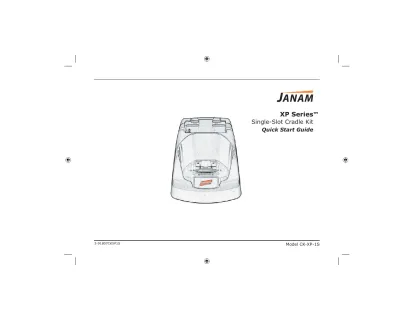
XP Series Single-Slot Cradle Kit Quick Start Guide
Manual9 pagesPDF 112 KB
Quick start guide for the Janam XP Series single-slot cradle kit (CK-XP-1S) that charges and syncs XP20 and XP30 devices.
What this file really is
The old site listed this file as a manual for the Janam CR-XP-1 and CRD-P1. The file is named for the CRD-P1, but it is the quick start guide for the Janam XP Series Single-Slot Cradle Kit (CK-XP-1S, cradle CR-XP-1S) and does not mention the CRD-P1.
Filed with · 2 models
Also filed with these models on the old site
Summary
What is in it
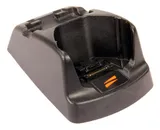
Janam's quick start guide for the XP Series Single-Slot Cradle Kit (CK-XP-1S), made up of the CR-XP-1S cradle, power supply, line cord and USB and serial cables. The cradle charges an XP20 or XP30 mobile computer and a spare battery and syncs the device with Palm Desktop through its synch button. The guide gives a hardware overview, setup and how to seat the device, charging and removing a spare battery, and regulatory information.
Its parts
- Hardware Overview
- Getting Started
- Charging a Spare Battery
- Regulatory Information
From the manual · read page by page
Key facts from this manual
Each line names its page in the PDF.
Quick start guide for the Janam XP Series Single-Slot Cradle Kit, model CK-XP-1S, with the CR-XP-1S cradle for the XP20 and XP30. It shows the kit parts and ports, how to set up the cradle, seat a device and charge a spare battery, and gives regulatory information.
- Device
- Single-slot cradle that charges an XP20 or XP30 and a spare battery p. 5
- Kit contents
- Cradle CR-XP-1S, power supply PS-XP-1, line cord LC-XP-1, USB cable and serial cable p. 4
- Ports
- Power receptacle, USB Type B port, RJ45 jack for the serial cable, synch button p. 4
- Batteries
- Janam BA-XP-1 standard or BA-XP-2 double capacity p. 6
- Spare battery charge time
- BA-XP-1: three hours; BA-XP-2: approximately six hours p. 6
- Software
- HotSync with Palm Desktop using the synch button p. 5
- Kit model
- CK-XP-1S p. 4
- Cables
- USB and serial cables come with the kit and are not separately orderable p. 4
What this manual walks you through
- Connecting the cradle's power supply and USB or serial cable p. 5
- Seating an XP Series device in the cradle p. 5
- Installing a battery in the spare charging well p. 6
- Removing a battery from the spare charging well p. 6
- Disposing of the product under WEEE rules p. 7
Good to know
- Use only Janam batteries, BA-XP-1 or BA-XP-2. p. 6
- The device must be tilted forward while pressed down so its connectors join. p. 5
- Do not force-pull a battery from the spare well. p. 6
- The USB link is selected automatically whenever the USB cable is plugged into the cradle. p. 5
Questions this manual answers
Which Janam handhelds fit the XP Series single-slot cradle?
The cradle charges an XP20 or XP30 device and also a spare battery. p. 5
How long does a spare battery take to charge in the Janam cradle?
The standard BA-XP-1 battery charges in three hours and the double capacity BA-XP-2 in about six hours. p. 6
Can the Janam XP cradle connect by serial?
Yes. The kit includes a serial cable that plugs into the cradle's RJ45 jack, as well as a USB cable. p. 4
Can I order the cradle's USB cable separately?
No. The USB and serial cables come with the cradle kit and are not separately orderable. p. 4
The whole text · 1 part
Read the manual here as text
Its text as extracted from the PDF, unedited, in parts; each page opens the PDF at that page.
The file