


Manual · Itronix
HUSKY MP2500 User Leaflet
Manual12 pagesPDF 98 KB
User leaflet for the Husky MP2500 rugged waterproof hand-held computer: setup, batteries, controls, loading software and care.
Covers · 1 model
The models it covers
Summary
What is in it
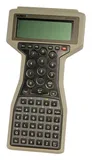
The user leaflet for the Husky MP2500, a rugged and waterproof MS-DOS hand-held computer. It shows the keys and connectors, then walks through first setup: fitting alkaline cells or a NiCd or NiMH pack, resetting, setting time and date and configuring the battery type and charging. It also covers the controls, resetting, loading software from a PC with HCOM, replacing and charging the battery, cleaning, peripherals, problems, the AC adaptor and EMC notices.
From the manual · read page by page
Key facts from this manual
Each line names its page in the PDF.
The HUSKY MP2500 user leaflet (P-2230-0010-01, 1998) for the MP2500 rugged hand-held computer. It walks through first-time setup, the keys and controls, choosing and charging the battery, loading software from a PC, cleaning, peripherals and simple problem checks.
- Device
- Rugged hand-held computer that starts MS-DOS p. 2, 4
- Batteries
- Three AA alkaline cells, or a HUSKY rechargeable pack: NiCd (black) or NiMH high capacity (green, special option) p. 1, 8
- Charger
- HUSKY MP2500 AC Adaptor on the 9 pin connector, or the HUSKY Communications & Charging Rack (CCR) p. 9
- First charge
- 15 hours, for example overnight p. 6
- Battery life
- Designed to last more than a working shift on a full charge p. 8
- Software loading
- Files downloaded from a PC over an approved cable with the HUSKY HCOM file transfer utility p. 7
- Keyboard
- Function keys, numeric keypad, letter keys, cursor keys and two SHIFT keys p. 3
- Screen
- LCD with adjustable contrast; backlight is an option p. 3
- Connector
- Serial port connector p. 3
- Leaflet number
- P-2230-0010-01, WPI HUSKY Computers Ltd, 1998 p. 12
What this manual walks you through
- Setting up a new MP2500 for the first time p. 4, 5, 6
- Setting the time and date from the Utility menu p. 4, 5
- Setting the battery type and the battery charging mode p. 5
- Adjusting screen contrast and using the backlight p. 6
- Resetting the MP2500 when it locks up p. 4, 7
- Replacing the battery or cells p. 8
- Charging the rechargeable pack with the AC adaptor or rack p. 9
- Loading software from a PC p. 7
- Cleaning the unit p. 10
- Connecting and disconnecting peripherals, and basic problem checks p. 10, 11
Good to know
- Non-rechargeable alkaline batteries must never be charged; battery charging must be set to disabled when they are fitted. p. 5
- Lithium batteries must not be fitted. p. 9
- Alkaline batteries are not suited to peripheral loads or low temperature operation. p. 1
- After changing the battery, the battery type and whether it is rechargeable must be set correctly. p. 9
- Do not expose the unit to temperatures above 55°C. p. 10
Questions this manual answers
How do I reset a HUSKY MP2500?
Hold down both SHIFT keys and the POWER key together for at least 5 seconds, then release them. p. 4
What batteries does the MP2500 take?
Three AA alkaline cells or a HUSKY MP2500 rechargeable pack, NiCd (black) or NiMH (green). p. 4, 8
How long does a new MP2500 battery need to charge?
15 hours with the unit turned off on the AC adaptor or rack, for example overnight. p. 6
How do I load software onto the MP2500?
Download files from a PC over an approved cable using the HCOM file transfer utility. p. 7
Why does my MP2500 not show Charging in progress?
Charging may be disabled; the leaflet points to setup steps 6 and 7 to enable it. p. 9
The whole text · 2 parts
Read the manual here as text
Its text as extracted from the PDF, unedited, in parts; each page opens the PDF at that page.
The file