Manual · Itronix
Getting started with your Husky fex21
Manual18 pagesPDF 194 KB
Getting started booklet for the Husky fex21 rugged Windows CE hand-held computer: setup, controls, batteries, care and safety.
Covers · 1 model
The models it covers
Summary
What is in it
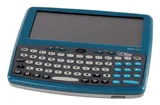
Getting started booklet for the Husky fex21, a rugged and water resistant hand-held computer running Windows CE. It covers first-time setup (fitting the battery pack, switching on, calibrating the touch screen, date and time), screen contrast and backlight, the pen, data entry and cursor keys, soft and hard reset, battery checking, charging and replacement, cleaning, peripherals and infrared, simple problem checks, the AC power adapter and modem regulatory notes.
Its parts
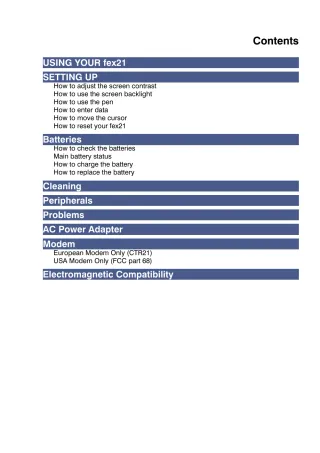
- Using your fex21
- Setting up
- Batteries
- Cleaning
- Peripherals
- Problems
- AC Power Adapter
- Modem
- Electromagnetic Compatibility
From the manual · read page by page
Key facts from this manual
Each line names its page in the PDF.
Getting started booklet (Issue 1.02, 1999) from WPI Husky Technology for the Husky fex21 rugged handheld computer. It covers first-time setup, the screen, pen and keyboard controls, soft and hard resets, the batteries and charging, cleaning, peripherals, simple problem checks, the AC adapter and the modem. It points to the fex21 Developer's Guide on CD-ROM for more detail.
- Device
- Rugged, water resistant handheld computer running Windows CE, with keyboard, touch screen and pen p. 4, 5
- Main battery
- Rechargeable NiMH battery pack or 4 AA-size alkaline cells in a removable holder p. 8
- Backup battery
- Rechargeable backup battery keeps data up to 72 hours when the main pack is removed or flat p. 8
- Charging
- Up to 2 hours with the supplied AC adapter; the unit must be on while charging p. 10
- Charge LED
- Red LED in the IR window: slow flashing means charging, steady on means charging done or not allowed, fast irregular flashing means charging not started or aborted p. 10
- Backlight
- Monochrome units: EL backlight, on or off; color units: CCFL backlight in steps, off only on transflective screens, not on STN p. 6
- Infrared range
- Point the IR window at the peripheral from more than 15 cm to no more than 1 m p. 13
- Cables
- Approved accessories only; cables shielded and normally no longer than 2 metres p. 17
- Pen storage
- Pen stored in the bottom of the unit beside the COM1 serial port p. 7
- Document
- Issue 1.02, HTL Document ID DMA7000-080-02 p. 3
What this manual walks you through
- First-time setup: fitting the battery, switching on, calibrating the touch screen, setting date and time p. 4, 5
- Adjusting screen contrast and the backlight p. 6
- Entering data and moving the cursor from the keyboard p. 7
- Doing a soft or hard reset p. 7, 8
- Checking battery status and setting auto power off p. 8, 9
- Charging the battery and reading the charge LED p. 10
- Replacing the battery pack or the alkaline cells p. 11
- Cleaning the unit p. 12
- Connecting peripherals and using infrared p. 13
- Basic problem checks p. 13
Good to know
- A hard reset erases the Windows CE registry and all data in RAM and needs a new touch screen calibration; PC Card and CompactFlash data are not affected. p. 8
- The AC adapter powers a unit with alkaline cells but does not recharge them; alkaline cells also suit low temperatures poorly. p. 8, 11
- Remove the battery pack if the unit will be stored for more than two months. p. 8
- Take the pen out of the unit before removing the battery pack, or both may be damaged. p. 11
- When drying the unit after cleaning, never expose it to more than 50°C; never use organic solvents or harsh detergents. p. 12
Questions this manual answers
How do I reset a frozen Husky fex21?
Switch it off, hold both contrast keys, then also hold the power key for 6 to 10 seconds for a soft reset, which keeps data. Holding for 16 to 32 seconds gives a hard reset, which erases RAM. p. 7, 8
What batteries does the Husky fex21 take?
A rechargeable NiMH battery pack or four AA-size alkaline cells in the battery holder. p. 8
How long does the fex21 battery take to charge?
Typically up to 2 hours with the supplied AC adapter, and the unit must be powered on while it charges. p. 10
What does fast flashing of the fex21 red LED mean?
The unit is on AC power but charging has not started or was aborted, possibly a battery fault. p. 10
My Husky fex21 will not switch on. What should I check?
Check the battery pack, then try the AC adapter, another charged pack or a new set of alkaline cells. p. 13
Contents
Chapters and sections
Each line opens the PDF at its page.
The whole text · 2 parts
Read the manual here as text
Its text as extracted from the PDF, unedited, in parts; each page opens the PDF at that page.
The file