Manual · Ithaca
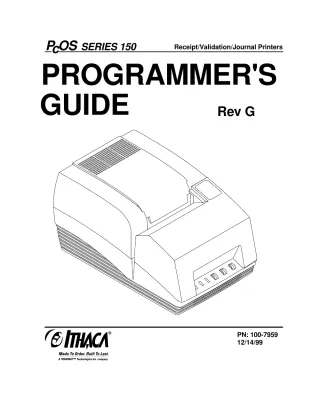
PcOS Series 150 Receipt/Validation/Journal Printers Programmer's Guide
Manual151 pagesPDF 746 KB
Programmer's guide for the Ithaca PcOS Series 150 receipt printers (Models 151 to 154): control codes, emulations, interfaces and setup.
Covers · 3 models
The models it covers
Summary
What is in it
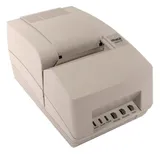
The programmer's guide for the Ithaca PcOS Series 150 impact receipt printers: the Model 151 receipt, 152 receipt/journal, 153 receipt/journal/validation and 154 receipt/validation printers. Written for system engineers and integrators, it gives the specifications, every control code with the Epson, Microline, Star, NCR2567 and Telpar emulations, operator panel controls, self-tests and hex-dump mode, configuration mode, parallel, RS-232 and USB communications, the cash drawer interface and graphics printing.
Its parts
- Overview of the Series 150 Printer
- General Description
- General Specifications
- Control Codes Overview
- Printer Control Codes
- Operator Panel Controls
- Product Self-tests
- Hex-dump Mode
- Configuration Mode
- Communications Protocol and Print Buffers
- Cash Drawer Interface
- Printing Graphics
From the manual
Key facts from this manual
Some pages are scans or cannot be read; this says only what the readable text supports. Each line names its page in the PDF.
Programmer's guide (Rev G, December 1999) for the Ithaca PcOS Series 150 impact printers, covering the Model 151 receipt, Model 152 receipt/journal, Model 153 receipt/journal/validation and Model 154 receipt/validation printers. It is written for system integrators connecting the printer to a point-of-sale terminal. It gives specifications, the control codes, indicator and fault codes, self-tests, and serial, parallel and cash drawer pin-outs.
- Print method
- Impact dot matrix, 9 pins in line, bidirectional and logic-seeking p. 15
- Interfaces
- Centronics parallel, IEEE 1284, serial RS-232C, or USB p. 13
- Connectors
- Serial RS-232 on a 9-pin D-shell (DTE); parallel on a 25-pin D-shell (IEEE 1284-A); USB Series B receptacle p. 19
- Print speed
- 340 cps logic-seeking; paper feed 4.0 inches per second p. 13
- Print zone
- 2.40 inch (normal) or 2.83 inch (wide) p. 13
- Power
- AC self-powered, universal input power supply for worldwide use without modification p. 18
- Cash drawers
- Two drawers with status; 24 VDC at up to 1.5 amps p. 19, 137
- Emulations
- Standard, Epson, Microline, Star, NCR2567 and Telpar p. 13
- Dimensions
- 11.25 x 6.63 x 5.75 inches (286 x 168 x 146 mm) p. 18
- Serial bit rates
- 300 to 19.2K baud, with a 64-character high-speed buffer p. 127
- Ribbon
- Cartridge, 1.8 m seamless ribbon with reinker; black (3 million characters) or purple (4.5 million characters) p. 19
- Fault codes
- Blink counts 1 to 9 motor and printing faults, 10 to 14 power-up diagnostic faults, 15 firmware control fault, 16 cutter fault p. 100
- Cable order numbers
- 10-2020, 10-2021, 10-2022 (serial), 253-9800007 (parallel), 98-01992 (USB) p. 146
- Validation
- Model 153: up to 16 lines at 8.0 lpi or 12 lines at 6.0 lpi p. 14
What this manual walks you through
- Telling the Series 150 models apart p. 13, 14
- Reading the READY, ALARM and POWER indicators p. 99
- Reading blink fault codes and restarting after a fault p. 100
- Running the power-up diagnostics and the self-test suite p. 101
- Wiring the serial port and choosing a null modem cable p. 127
- Cash drawer connector pin-outs (Ithaca, Epson/Axiohm and Star) p. 137
- Print areas for receipts and validation forms p. 20, 21
- Programming the printer with its command codes p. 11
- Ordering interface cables p. 146
Good to know
- Host and printer are both DTE devices, so a straight pin-to-pin serial cable will not work. p. 127
- A printer fault is not recoverable: the printer must be restarted and may lose information. p. 100
- The Model 151 and Model 152 cannot validate; validation commands will not function on them. p. 14
- Resetting the EEPROM after fault code 14 only allows reconfiguration; it is not meant to recover printer function in the field. p. 100
- A host sending true 7-bit, no parity data must be set to two stop bits. p. 127
Questions this manual answers
What does a flashing red ALARM light mean on an Ithaca Series 150 printer?
A flashing ALARM light with READY off and POWER on is a printer fault. Pressing RESUME makes the indicator blink a number of times that gives the fault code. p. 99, 100
What cable connects the Ithaca 151 serial port to a PC?
A null modem or turn-around cable, because the printer's 9-pin serial port is wired as a DTE device like the PC. p. 19, 127
Can the Ithaca Model 151 print validations or checks?
No. The Model 151 is a receipt-only printer; validation is on the Model 153 and Model 154. p. 14
What paper does the Ithaca Model 151 take?
The Model 151 handles one-, two- or three-ply paper, and the optional cutter cuts one- and two-ply paper. p. 14
How do I run a self test on an Ithaca Series 150 printer?
Hold the RESUME key while powering up and release it when printing starts. RELEASE selects one of six tests and RESUME starts it. p. 101
The whole text · 16 parts
Read the manual here as text
Its text as extracted from the PDF, unedited, in parts; each page opens the PDF at that page.
- Pages 1 to 101-10
- Pages 11 to 2011-20
- Pages 21 to 3021-30
- Pages 31 to 4031-40
- Pages 41 to 5041-50
- Pages 51 to 6051-60
- Pages 61 to 7061-70
- Pages 71 to 8071-80
- Pages 81 to 9081-90
- Pages 91 to 10091-100
- Pages 101 to 110101-110
- Pages 111 to 120111-120
- Pages 121 to 130121-130
- Pages 131 to 140131-140
- Pages 141 to 150141-150
- Page 151151
The file