Manual · Intermec
EasyCoder PL3 Printer Quick Start Guide
Manual24 pagesPDF 1.2 MB
Quick start guide for the Intermec EasyCoder PL3 mobile label and receipt printer: battery, control panel, media loading and test printing.
Covers · 1 model
The models it covers
Summary
What is in it
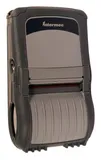
The quick start guide for the Intermec EasyCoder PL3, a rugged mobile label and receipt printer. It covers unpacking and package contents, the parts of the printer, installing and charging the battery, the LCD control panel and its settings, loading media for tear-off or self-strip printing, verifying the printer works, using the belt clip and shoulder strap, and specifications. Network setup and label programming are left to the PL4 user's guide and the PL-Series programmer's reference.
Its parts
- Introducing the EasyCoder PL3 Printer
- Learning About the Printer
- Installing the Battery
- Charging the Battery
- Understanding the LCD Control Panel
- Loading the Media
- Verifying the Printer Is Working
- Using the Belt Clip
- Using the Adjustable Shoulder Strap
- What To Do Next
- Specifications
From the manual · read page by page
Key facts from this manual
Each line names its page in the PDF.
Quick start guide for the Intermec EasyCoder PL3, a rugged mobile label and receipt printer. It walks through unpacking, installing and charging the battery, the LCD control panel, loading media, printing a configuration label and wearing the printer, and gives basic specifications.
- Device
- Rugged mobile label and receipt printer p. 5
- Print resolution
- 200 dpi p. 5
- Print speed
- Up to 7.62 cm (3 inches) per second p. 5
- Communications
- Serial, or wireless options p. 5
- Battery
- 7.4V (nominal) Lithium-Ion p. 22
- Charger
- Single battery charger P/N AT15759-7, with a U.S.A. (110V) AC contact adapter p. 8
- Media
- Direct thermal receipt, label or tag media; Tear-Off or Self-Strip mode p. 11
- Programming
- CPL programming language; Intermec PL-Series Utility Software (PLUS) p. 4
- Weight
- 0.75 kg (1.65 lb) with battery, without media and wireless options p. 22
- Serial baud rate
- Default 19200; options 9600, 19200, 38400 p. 10
- Shoulder strap
- P/N BT11132-1, included p. 20
- In the box
- Printer with belt clip, battery, shoulder strap, cleaning pen, PL4 Companion CD p. 4
- Related manuals
- EasyCoder PL4 Printer User's Guide (P/N 073204); PL-Series Programmer's Reference Manual (P/N 073210) p. 4
- Guide part number
- 073816-001 p. 24
What this manual walks you through
- Unpacking the printer and checking for shipping damage p. 4, 5
- Installing the battery p. 7
- Charging the battery with the single battery charger p. 8
- Using the LCD control panel buttons and status icons p. 9, 10
- LCD settings and their defaults, such as sensor type, baud rate and timeout p. 10, 11
- Loading media for Tear-Off or Self-Strip mode p. 11, 12, 13, 14
- Printing and reading a configuration label p. 15, 16, 17, 18
- Wearing the printer with the belt clip or shoulder strap p. 19, 20
Good to know
- Batteries ship uncharged. p. 7
- Do not charge batteries with the charger while printing, or they may charge improperly. p. 8
- A configuration label needs continuous media, with no black marks or gaps. p. 11
- Using the LCD backlight shortens the run time between charges. p. 11
- Some settings, such as the WLAN ID, are set from a PC running Intermec PLUS over a data cable. p. 11
Questions this manual answers
What charger does the Intermec PL3 use?
The guide names the single battery charger P/N AT15759-7, which comes with a U.S.A. (110V) AC contact adapter. p. 8
How do I print a configuration label on the EasyCoder PL3?
Turn the printer off and load continuous media, then hold Feed while pressing and releasing Power; release Feed when printing starts. p. 15
What programming language does the PL3 printer use?
The PL3 uses the CPL programming language, described in the EasyCoder PL-Series Printer Programmer's Reference Manual (P/N 073210). p. 4
Is there a full user manual for the PL3?
The guide points to the EasyCoder PL4 Printer User's Guide (P/N 073204), which also applies to the PL3. p. 4
Contents
Chapters and sections
Each line opens the PDF at its page.
The whole text · 3 parts
Read the manual here as text
Its text as extracted from the PDF, unedited, in parts; each page opens the PDF at that page.
The file