Manual · Intermec
PB41 4-Inch Belt Printer Quick Start Guide
Manual24 pagesPDF 403 KB
Quick start guide for the Intermec PB41 4-inch thermal belt printer with Bluetooth or 802.11b radio.
Covers · 1 model
The models it covers
Summary
What is in it
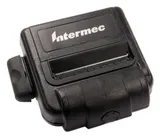
The quick start guide for the Intermec PB41, a 4-inch thermal belt printer sold with either a Bluetooth radio or an 802.11b radio. It gives the packing list and common accessories, shows the printer's controls, explains installing the 802.11b radio card, preparing and charging the lithium ion batteries, the LED and beep indicators, printing and reading a self-test, and loading paper.
From the manual · read page by page
Key facts from this manual
Each line names its page in the PDF.
A 24-page Intermec quick start guide (March 2004) for the PB41 4-inch thermal belt printer, in its Bluetooth (PB41A0B240) and 802.11b (PB41A27040, PB41A27042) versions. It lists what comes in the box and the part numbers of common accessories, then walks through installing the radio card, charging, the self-test, loading paper, the radio button and troubleshooting. A table of printer specifications is included.
- Device
- 4-inch direct thermal belt printer, with a Bluetooth radio (PB41A0B240) or an 802.11b radio (PB41A27040, PB41A27042) p. 3, 20
- Interface
- RS-232C, 6-pin modular data jack (RJ-11 port) p. 4, 20
- Radios
- Bluetooth: Infineon, internal antenna, Class II, ROK104; 802.11b: Cisco Aironent 350 Series p. 20
- Battery
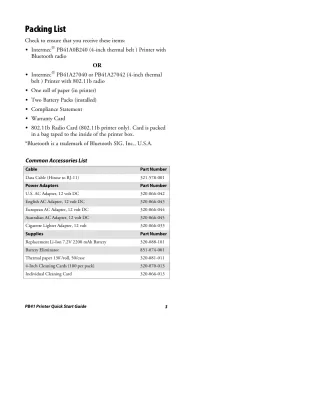
- Two Li-Ion 7.2V 2200 mAh packs, part number 320-088-101 p. 3
- Power adapters
- 12 volt DC AC adapters: U.S. 320-066-042, English 320-066-043, European 320-066-044, Australian 320-066-045; cigarette lighter adapter 320-066-033 p. 3
- Data cable
- Hirose to RJ-11, part number 321-578-001 p. 3
- Battery eliminator
- 851-074-001; connects through the In-line Adapter cable 852-052-102 to the Truck Power Cable 206-875-xxx p. 3, 16
- Paper
- Thermal paper, 4.4 inch (112 mm) wide; 130 ft rolls, 50 per case, part number 320-081-011 p. 3, 20
- Memory
- 1 Mb or 4 Mb Flash, 1 Mb or 4 Mb RAM p. 10
- Firmware
- Version 6.46 or greater p. 10
- Weight
- 22.88 oz. (652 g) with battery and paper; 33.88 oz (969 g) with two batteries and paper p. 20
- Operating temperature
- -4°F to +122°F (-20°C to +50°C) p. 20
- Protocol
- Easy Print Protocol for bar codes, stored graphics and rotated fonts; full IBM and international character sets p. 20
- Cleaning cards
- 4-inch cleaning cards, 100 per pack, 320-070-013; individual card 320-066-013 p. 3
What this manual walks you through
- Installing the 802.11b radio card p. 6, 7
- Removing the battery tab strips before first use p. 7
- Reading the charge LED and beep codes p. 8, 9
- Printing a self-test and reading its print-out p. 9, 10, 11, 12
- Loading paper automatically or by hand p. 12, 13, 14
- Turning the radio on and off p. 14, 15
- Replacing a battery pack p. 15
- Installing the battery eliminator for vehicle power p. 16
- Cleaning the printer and fixing paper, printing and charging problems p. 17, 18, 19
Good to know
- Use only the Intermec 2200 mAh Li-Ion battery, part number 320-088-101; any other battery may present a risk of fire or explosion. p. 15
- When shipping the printer by air freight, turn wireless printing off and set it to serial so the radio is not enabled. p. 17
- The 802.11b radio card is not installed for shipment; it is packed in a bag inside the printer box. p. 6
- A depleted battery may need 5 to 10 minutes of charging before the printer can print a self-test. p. 18
- If a new roll does not feed correctly, remove two to three feet of paper from the outside of the roll. p. 18
Questions this manual answers
What battery does the Intermec PB41 take?
A Li-Ion 7.2V 2200 mAh battery pack, part number 320-088-101; the printer comes with two packs installed. p. 3
How long does the PB41 battery take to charge?
About three hours. p. 8
How do I print a self-test on the PB41?
Press and hold the red self-test button for about four seconds. p. 9
Why does my PB41 beep three times?
Three beeps are the low battery warning; the printer gives it only while it is awake. p. 9
What do 8 short beeps mean on the PB41?
A CRC error in the firmware; the guide says to download the firmware again. p. 9
The whole text · 3 parts
Read the manual here as text
Its text as extracted from the PDF, unedited, in parts; each page opens the PDF at that page.
The file