Manual · Intermec
PB20 Printer Quick Start Guide
Manual20 pagesPDF 313 KB
Quick start guide for the Intermec PB20 2 inch thermal belt printer with Bluetooth: charging, paper loading, self test and wireless setup.
Covers · 1 model
The models it covers
Summary
What is in it
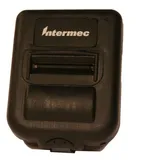
Intermec's quick start guide for the PB20, a 2 inch direct thermal belt printer with Bluetooth. It lists the package contents and common accessories, then covers charging and the LED and beep indicators, loading standard paper and linered labels, reading the self test printout, replacing the battery pack, printing over a serial cable or wirelessly with a 700 mobile computer, maintenance, troubleshooting and the printer specifications.
From the manual · read page by page
Key facts from this manual
Some pages are scans or cannot be read; this says only what the readable text supports. Each line names its page in the PDF.
A 20-page Intermec quick start guide for the PB20, a 2 inch thermal belt printer with Bluetooth. It walks through charging, paper loading, the self test, replacing the battery pack, serial and wireless printing setup and troubleshooting. It also lists accessory part numbers and specifications.
- Device
- 2 inch direct thermal belt printer with Bluetooth p. 2, 16
- Interface
- RS-232C, Infrared, IrDA, ASK p. 16
- Paper width
- 2.25 inch thermal paper p. 16
- Data cable
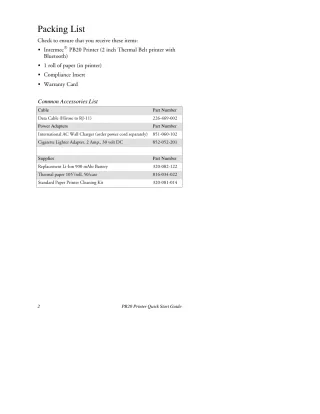
- Hirose to RJ-11, part number 226-469-002 p. 2
- AC charger
- International AC wall charger 851-060-102 (power cord ordered separately) p. 2
- Vehicle adapter
- Cigarette lighter adapter, 2 Amp., 30 volt DC, 852-052-201 p. 2
- Replacement battery
- Li-Ion battery, part number 320-082-122 p. 2
- Thermal paper
- 105 ft per roll, 50 per case, 816-034-022 p. 2
- Cleaning kit
- Standard paper printer cleaning kit 320-081-014 p. 2
- Charge time
- About 3 hours p. 4
- Memory
- 1 Meg or 4 Meg flash; 1 Meg or 4 Meg RAM p. 7
- Dimensions and weight
- 4.39 x 5.65 x 2.4 in. (111.5 x 143.5 x 61 mm); 20.3 oz. (575 g) p. 16
- Operating temperature
- +32 to +122°F (0 to +50°C) p. 16
- Firmware
- Version 4.26 for the printer, 1.09 or greater for the card reader p. 7
What this manual walks you through
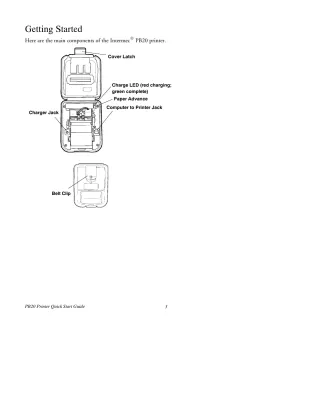
- Charging the battery and reading the LED and beep indicators p. 4, 5
- Loading paper automatically or manually p. 5, 6
- Printing a self test and reading the printout p. 7, 8
- Replacing the battery pack p. 8, 9, 10, 11
- Printing over a serial cable from a mobile computer p. 11
- Switching between IrDA and wireless printing modes p. 11
- Discovering the printer from a 700 Mobile Computer over Bluetooth p. 12, 13
- Cleaning and troubleshooting paper, printing and charging problems p. 14, 15
Good to know
- Before shipping by air freight, turn wireless printing off and set the printer to IrDA so the radio is not enabled. p. 12
- Use only the recommended battery pack. p. 15
- A depleted battery may need 5 to 10 minutes of charging before the printer can print a self test. p. 14
- Battery cover screws should be just fully seated; tightening further strips the screw holes. p. 10
- Printing linered labels can make the print head sticky. p. 15
Questions this manual answers
What do the PB20 beeps mean?
One beep: out of sleep mode; two: out of paper; three: battery low; one long beep: no program, only boot code. p. 4
How long does the PB20 battery take to charge?
About 3 hours. p. 4
Why does the PB20 beep every 5 minutes when unconnected?
The serial port service refreshes itself every five minutes, which wakes the printer and causes the beep. The beep can be turned off in the printer configuration utility. p. 12
How do I switch the PB20 from IrDA to wireless printing?
Run the self test: each self test toggles the printer between IrDA and wireless printing modes. p. 11
What is the PB20 replacement battery part number?
Replacement Li-Ion battery 320-082-122. p. 2
The whole text · 2 parts
Read the manual here as text
Its text as extracted from the PDF, unedited, in parts; each page opens the PDF at that page.
The file