Manual · Intermec
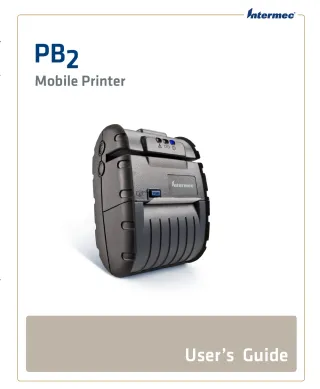
PB2 Mobile Printer User's Guide
Manual38 pagesPDF 2.8 MB
User's guide for the Intermec PB2 portable receipt printer: battery and charging, paper, host connections, MSR, firmware and specs.
Covers · 1 model
The models it covers
Summary
What is in it
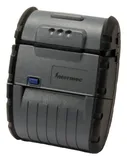
The user's guide for the Intermec PB2 Mobile Printer, a portable 2-inch direct thermal receipt printer. It covers the buttons, ports and LEDs, the battery, AC adapter and 2-bay charger, loading and tearing paper, the belt loop, printing a configuration test page, connecting to a host over Bluetooth, 802.11, IrDA or serial, the magnetic stripe reader, maintenance, troubleshooting, downloading software and installing firmware, plus specifications, accessories and the serial pinout.
Its parts
- Before You Begin
- Learning About the PB2 Mobile Printer
- Printing a Configuration Test Page
- Communicating With a Host
- Using the Magnetic Stripe Reader
- Maintaining the Printer
- Troubleshooting
- Software and Programming Information
- Specifications
- Accessories
- Pinout Diagram
From the manual · read page by page
Key facts from this manual
Each line names its page in the PDF.
User's guide for the Intermec PB2 Mobile Printer, a portable receipt printer. It covers the battery and chargers, loading paper, connecting to a host by Bluetooth, 802.11g, IrDA or serial, the DIP switch settings, the optional magnetic stripe reader, cleaning, troubleshooting and installing firmware, with specifications and accessories.
- Device
- Portable direct thermal receipt printer for 2-inch receipt paper p. 11, 35
- Communications
- Serial (RS-232), Bluetooth, 802.11g, IrDA p. 35
- Battery
- Intermec battery model 318-040-001; 7.4 V Li-ion, 2200 mAH p. 14, 35
- Charge time
- Approximately 180 min p. 35
- Memory
- 1 MB RAM, 4 MB program flash p. 35
- Printhead
- 50 mm (2 in) wide, 203 dpi (8 dots/mm); up to 5.6 cm/sec (2 in/sec) p. 35
- Serial cable
- P/N 5892RJD9-1 p. 12, 24
- Dimensions
- 68 mm (2.7 in) high, 107 mm (4.2 in) wide, 138 mm (5.4 in) long p. 35
- Weight
- 0.465 kg (1 lb) with battery and paper p. 35
- Operating temperature
- -10ºC to 45ºC (14ºF to 113ºF) p. 35
- Bar codes
- Codabar, Code 39, UCC/EAN-128, EAN/UPC, Interleaved 2 of 5, Code 128, PDF417 p. 35
- Printer languages
- XSim and a subset of ESC/P commands p. 31
- AC adapter output
- 10 VDC p. 29
- Accessories
- Shoulder strap, 2-Bay Battery Charger, Vehicle Battery Adapter (VBA), serial cable, cleaning pen and MSR cleaning cards p. 36
What this manual walks you through
- Installing and charging the battery with the AC adapter p. 14, 15, 16
- Using the 2-bay battery charger p. 16, 17
- Loading and tearing the paper p. 18, 19, 20
- Printing a configuration test page p. 21
- Setting up Bluetooth or 802.11 with the Easy Configuration Utility p. 23
- Changing the connection type and baud rate with the DIP switches p. 24, 25, 26
- Reading cards with the optional magnetic stripe reader p. 27
- Cleaning the printhead and platen roller p. 28
- Solving common printer problems p. 29
- Installing printer firmware over serial with Tera Term p. 31, 32
Good to know
- The printer does not print unless a battery is installed, even when running on the AC adapter. p. 21
- Use only receipt rolls that are not fastened to the core, or the core can jam the mechanism. p. 18
- The PB2 cannot start a Bluetooth connection; the host must connect to it. p. 23
- For Bluetooth or 802.11, DIP switches 3, 4 and 5 must be off. p. 26
- Do not store a fully charged battery above 40°C (104°F) for long periods. p. 18
Questions this manual answers
Why won't my Intermec PB2 print on the AC adapter?
The PB2 needs a battery installed to print, even when it runs on the AC adapter/charger. p. 29
How do I print a test page on the PB2?
With the printer off, press and hold Feed, press Power once, and release Feed when the test page starts printing. p. 21
What battery fits the PB2 mobile printer?
Intermec battery model 318-040-001, a 7.4 V Li-ion battery of 2200 mAH. p. 14, 35
What does a flashing red Data and Status LED mean on the PB2?
The printhead is too hot and printing pauses until it cools; with the card reader it can also mean a read error. p. 14, 29
How do I switch the PB2 to a serial connection?
Set the DIP switches inside the battery compartment for RS-232 and connect the optional serial cable P/N 5892RJD9-1. p. 24
Contents
Chapters and sections
Each line opens the PDF at its page.
The whole text · 7 parts
Read the manual here as text
Its text as extracted from the PDF, unedited, in parts; each page opens the PDF at that page.
The file