Manual · Intermec
700 Series Mobile Computer Modem Single Dock Quick Start Guide
Manual6 pagesPDF 656 KB
Quick start guide for the Intermec 700 Series modem single dock: ports, modem country codes, power cord routing and serial pin-outs.
Filed with · 1 model
Also filed with these models on the old site
Summary
What is in it
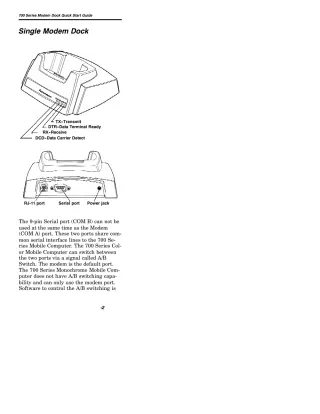
Intermec's quick start guide for the single modem dock for 700 Series color and monochrome mobile computers. It identifies the RJ-11, serial and power ports and the status lights, explains how the serial port and modem share lines and how the color model switches between them, lists the AT commands for modem country codes, shows how to route the power cord, and gives telephone safety warnings, the 9-pin serial connector pin-outs and the warranty.
From the manual · read page by page
Key facts from this manual
Some pages are scans or cannot be read; this says only what the readable text supports. Each line names its page in the PDF.
A quick start guide (962040007 REV A, June 2002) for the Intermec 700 Series Modem Dock, a single dock for 700 Series color and monochrome mobile computers. It explains the dock's ports and serial or modem port switching, the modem country code AT commands, power cord routing and the serial connector pin-outs, with telephone safety warnings. The guide does not print the AD15 or 225-683-00X designations the site files it under.
- Device
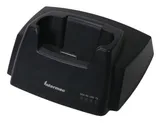
- Single modem dock for Intermec 700 Series monochrome and color mobile computers p. 2, 4
- Ports
- RJ-11 port, 9-pin serial port (COM B), power jack p. 2
- Port sharing
- Serial port (COM B) and modem (COM A) cannot be used at the same time p. 2
- Port switching
- 700 Series Color: switches ports by the A/B Switch signal, modem is default; Monochrome: modem port only p. 2
- Switching software
- On the 700 Color Software Tools CD-ROM p. 2, 3
- Serial pin-out
- 1 DCD, 2 RxD, 3 Txd, 4 DTR, 5 Ground, 6 DSR, 7 RTS, 8 CTS, 9 not used p. 5
- Modem default
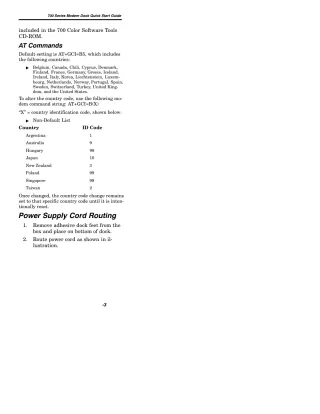
- AT+GCI=B5, covering the United States, Canada, Korea, the United Kingdom and other listed countries p. 3
- Country change
- AT+GCI=B(X), where X is the country identification code p. 3
- Country codes
- Argentina 1, Australia 9, Hungary 99, Japan 10, New Zealand 3, Poland 99, Singapore 99, Taiwan 2 p. 3
- Telephone wire
- 26 AWG or larger p. 4
- Document
- 962040007 REV A, June, 2002 p. 6
What this manual walks you through
- Using the serial port and the modem port p. 2, 3
- Changing the modem country code with AT commands p. 3
- Fitting the dock feet and routing the power supply cord p. 3, 4
- Serial 9-pin connector pin-outs p. 5
- Telephone safety warnings in English and French p. 4, 5
Good to know
- The serial port and the modem port cannot be used at the same time. p. 2
- The 700 Series Monochrome Mobile Computer cannot switch ports and can use only the modem port. p. 2
- A changed country code stays set until it is intentionally reset. p. 3
- The dock is for use only with Intermec 700 Series mobile computers. p. 4
Questions this manual answers
Can I use the serial port and the modem on the 700 Series modem dock at the same time?
No. The 9-pin serial port (COM B) and the modem (COM A) share serial lines and cannot be used at the same time. p. 2
How do I change the country code on the Intermec 700 modem dock?
Send the modem command AT+GCI=B(X), where X is the country identification code from the guide's list. The default is AT+GCI=B5. p. 3
What is the serial port pinout of the 700 Series modem dock?
Pin 1 DCD, 2 RxD, 3 Txd, 4 DTR, 5 Ground, 6 DSR, 7 RTS, 8 CTS; pin 9 is not used. p. 5
The whole text · 1 part
Read the manual here as text
Its text as extracted from the PDF, unedited, in parts; each page opens the PDF at that page.
The file