


Manual · Intermec
Intermec CN30 AC9 871-024-002 Manual
Manual2 pagesPDF 170 KB
Both pages are below, each with its text.
Covers · 1 model
The models it covers
From the manual · read page by page
Key facts from this manual
Each line names its page in the PDF.
The Intermec Quick Start Guide (P/N 962-000-061A, 2005) for the CN30 Model AC9 Quad Charger, an accessory that charges up to four CN30 Mobile Computer batteries or keypad modules at once. It explains what the charger charges, how to install it and switch a bay between modules and batteries, the slot status indicators, troubleshooting tips and the specifications.
- Device
- Quad battery charger for the CN30 Mobile Computer; up to four batteries or modules at once, in any combination p. 1
- Charges
- 56-Key Module (p/n: VE00009-60028), 14-Key Module (p/n: VE00009-60029), Battery (p/n: VE00009-60007) p. 1
- Power supply
- DC power supply (p/n: 851-082-001) and an AC power cord for the location p. 1
- Electrical rating
- 12 VDC, 4 A p. 2
- Charge time
- About 4 hours for any combination of batteries or modules p. 1
- Dimensions
- Length 30.48 cm (12 in), width 11.43 cm (4.5 in) p. 2
- Charging temperature
- +5° to +35° C (41°F to +95°F) p. 2
- Storage temperature
- -30° to +70° C (-22 °F to +158° F) p. 2
- Humidity
- 5 to 95% non-condensing p. 2
- Charging bay
- Factory set for a module; remove the module alignment clip to charge a battery p. 2
- Indicators
- One status indicator per slot: off, yellow, green or red p. 1
What this manual walks you through
- Installing the charger and connecting power p. 2
- Switching the charging bay from a module to a battery p. 2
- Inserting a battery or module into a slot p. 1
- Reading the slot status indicators p. 1
- Troubleshooting tips for charging p. 1
Good to know
- Use the appropriate Intermec power supply, or the equipment may be damaged. p. 1
- Do not expose the charger to rain or moisture. p. 2
- Place the charger in a well-ventilated area. p. 2
- Charge only at a room temperature between 5° C and 35° C (41° F and 95° F). p. 1
Questions this manual answers
What power supply does the Intermec CN30 quad charger need?
The DC power supply p/n 851-082-001 with an AC power cord for your location; it is rated 12 VDC, 4 A. p. 1, 2
How long does the CN30 quad charger take to charge a battery?
About 4 hours, for any combination of batteries or modules. p. 1
Can the CN30 Quad Charger charge keypad modules?
Yes, the 56-Key and 14-Key Modules as well as the battery, up to four at a time. p. 1
How do I charge a battery in the CN30 Quad Charger's charging bay?
The bay is factory set for a module; remove the module alignment clip to charge a battery, and keep the clip. p. 2
The file
Size and text
Every page · 2
Read it here
Each page as it is printed, and its words beside it, so a phone can search and copy them.
Page1of 2
Open in the PDF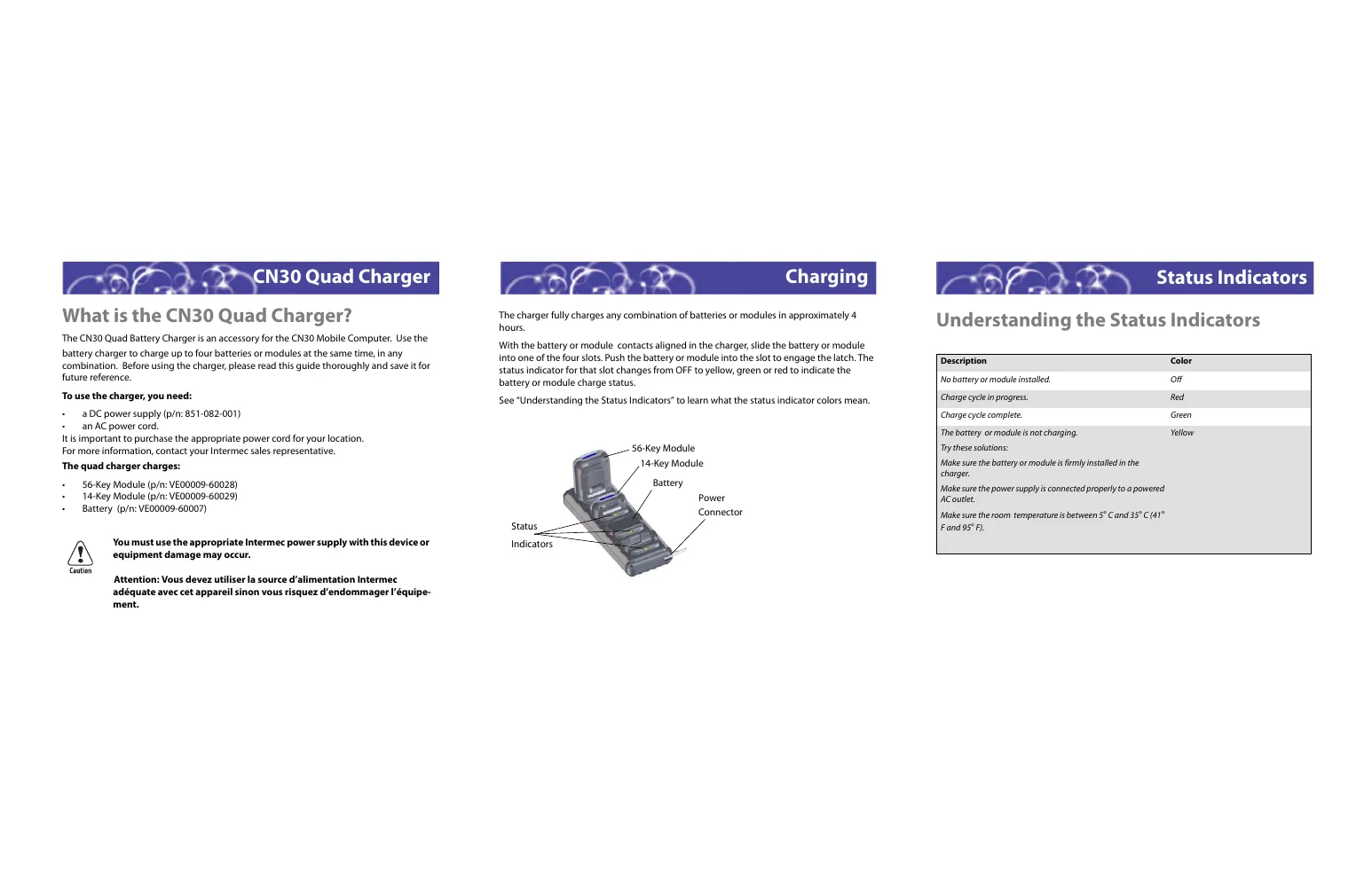
The text of page 1, from the PDF itself
CN30 Quad Charger What is the CN30 Quad Charger?
Charging
Status Indicators
The charger fully charges any combination of batteries or modules in approximately 4 hours.
Understanding the Status Indicators
The CN30 Quad Battery Charger is an accessory for the CN30 Mobile Computer. Use the battery charger to charge up to four batteries or modules at the same time, in any combination. Before using the charger, please read this guide thoroughly and save it for future reference.
With the battery or module contacts aligned in the charger, slide the battery or module into one of the four slots. Push the battery or module into the slot to engage the latch. The status indicator for that slot changes from OFF to yellow, green or red to indicate the battery or module charge status.
Description
Color
No battery or module installed.
Off
- To use the charger, you need
- See “Understanding the Status Indicators” to learn what the status indicator colors mean.
Charge cycle in progress.
RedCharge cycle complete.Green
The battery or module is not charging.
Yellow
- a DC power supply (p/n: 851-082-001)
- an AC power cord. It is important to purchase the appropriate power cord for your location. For more information, contact your Intermec sales representative.
56-Key Module 14-Key Module
The quad charger charges:
Battery
56-Key Module (p/n: VE00009-60028) 14-Key Module (p/n: VE00009-60029) Battery (p/n: VE00009-60007)
Power Connector
Status You must use the appropriate Intermec power supply with this device or equipment damage may occur. Attention: Vous devez utiliser la source d’alimentation Intermec adéquate avec cet appareil sinon vous risquez d’endommager l’équipement.
- Try these solutions
- Indicators
Make sure the battery or module is firmly installed in the charger. Make sure the power supply is connected properly to a powered AC outlet. Make sure the room temperature is between 5° C and 35° C (41° F and 95° F).
Page2of 2
Open in the PDF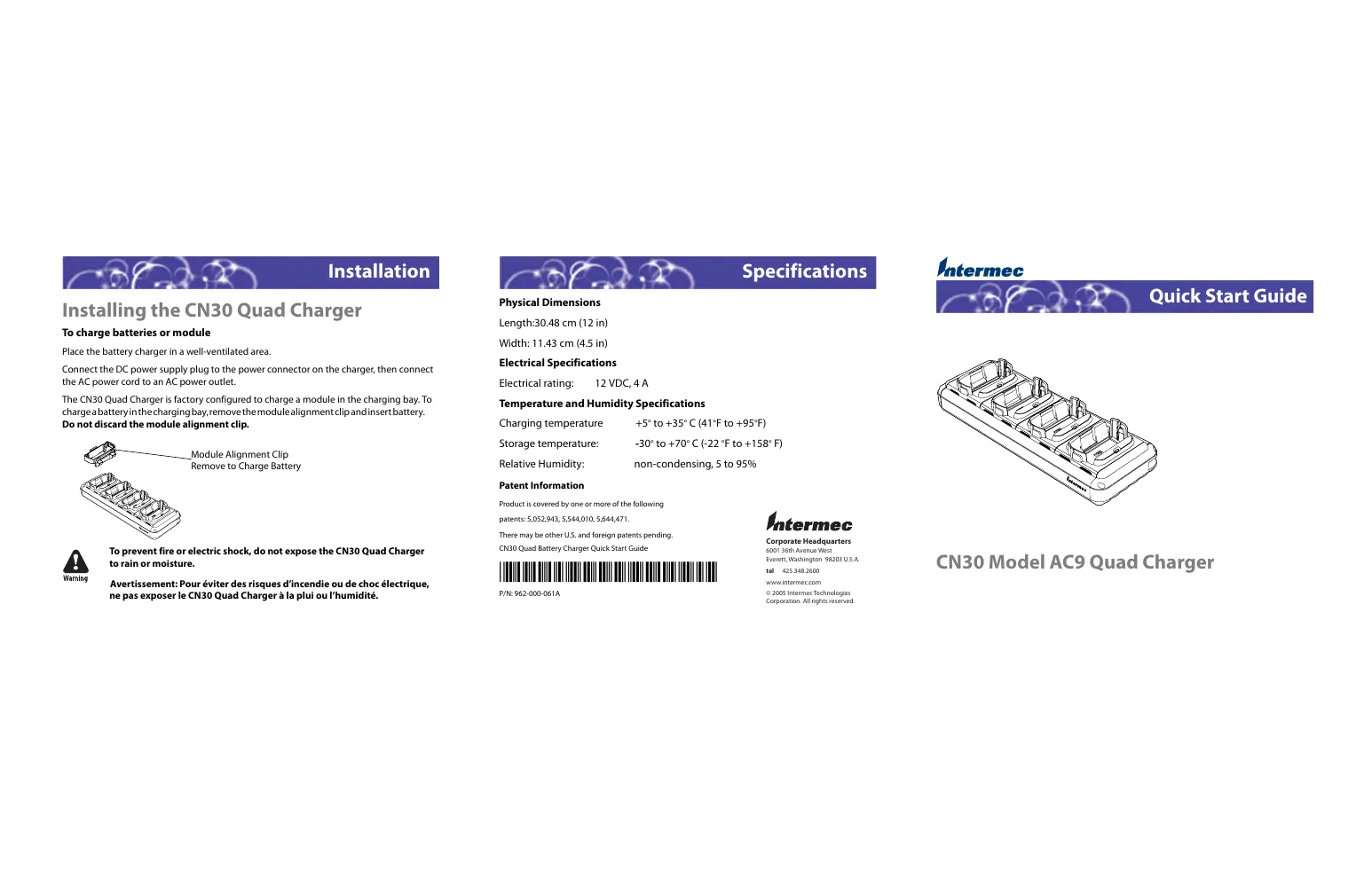
The text of page 2, from the PDF itself
Installation Installing the CN30 Quad Charger To charge batteries or module Place the battery charger in a well-ventilated area. Connect the DC power supply plug to the power connector on the charger, then connect the AC power cord to an AC power outlet. The CN30 Quad Charger is factory configured to charge a module in the charging bay. To charge a battery in the charging bay, remove the module alignment clip and insert battery. Do not discard the module alignment clip. Module Alignment Clip Remove to Charge Battery
Specifications Quick Start Guide
Physical Dimensions Length:30.48 cm (12 in) Width: 11.43 cm (4.5 in) Electrical Specifications Electrical rating:
12 VDC, 4 A
Temperature and Humidity Specifications Charging temperature
+5° to +35° C (41°F to +95°F)
- Storage temperature
- -30° to +70° C (-22 °F to +158° F)
- Relative Humidity
- non-condensing, 5 to 95%
Patent Information Product is covered by one or more of the following patents: 5,052,943, 5,544,010, 5,644,471. There may be other U.S. and foreign patents pending.
To prevent fire or electric shock, do not expose the CN30 Quad Charger to rain or moisture. Avertissement: Pour éviter des risques d’incendie ou de choc électrique, ne pas exposer le CN30 Quad Charger à la plui ou l’humidité.
CN30 Quad Battery Charger Quick Start Guide
*962-000-061A* P/N: 962-000-061A
Corporate Headquarters 6001 36th Avenue West Everett, Washington 98203 U.S.A. tel
425.348.2600
www.intermec.com © 2005 Intermec Technologies Corporation. All rights reserved.
CN30 Model AC9 Quad Charger