Manual · Intermec
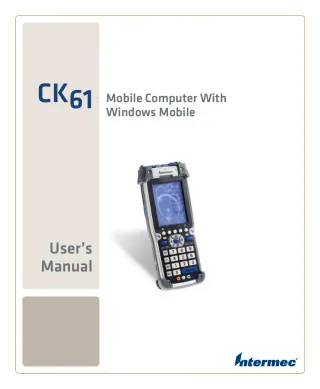
CK61 Mobile Computer With Windows Mobile User's Manual
Manual128 pagesPDF 2.9 MB
User's manual for the Intermec CK61 rugged mobile computer with Windows Mobile: battery, keypad, scanning, networking and upkeep.
Covers · 1 model
The models it covers
Summary
What is in it
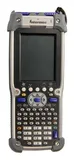
The user's manual for the Intermec CK61, a rugged handheld mobile computer running Windows Mobile with a 2D area imager. It covers the battery, keypad, audio and push to talk, touch screen, status LEDs, scanning bar codes and the SD card, then connecting and configuring the unit (Intermec Settings, SmartSystems, Bluetooth, USB, Ethernet, 802.11 radio, VPN and wireless security), installing applications and upgrading system software, troubleshooting, resetting and cleaning, plus specifications and keypad charts.
Its parts
- Using the CK61 Mobile Computer
- Connecting and Configuring the CK61
- Developing and Installing Applications
- Troubleshooting and Maintaining the CK61
From the manual
Key facts from this manual
Each line names its page in the PDF.
The user's manual for the Intermec CK61 Mobile Computer running Windows Mobile 5.0 (version 004, January 2009). It covers the battery, keypad, touch screen, scanning, connecting and configuring networks and security, installing applications, troubleshooting, resetting, specifications and accessories. It is written for the CK61; the CK60 is named only once, in an accessory description.
- Device
- CK61: Rugged handheld mobile computer running Windows Mobile 5.0 p. 13, 14
- Processor
- CK61: Intel XScale PXA272, 520 MHz p. 102
- Memory
- CK61: 64 MB or 128 MB RAM; 128 MB non-volatile storage; SD card slot p. 102
- Communications
- CK61: USB host and client, Bluetooth, Ethernet 10/100 Base-T, 802.11a/b/g, RS232, IrDA 1.1 p. 102
- Battery
- CK61: AB11 rechargeable Li-ion, 7.2 V, 2400 mAh (17.3 Wh), 4 hours or less to recharge p. 102
- External power
- CK61: 11 to 28 VDC, 1.5 A (18 W max) p. 102
- Display
- CK61: 3.8 in transflective color TFT touch screen, 240 x 320 pixels p. 103
- Scan engines
- CK61: EA11 2D area imager, EL10 scanner, EV10, or EX25 near-far range area imager p. 15
- Size and weight
- CK61: 22.2 x 9.0 x 5.3 cm (8.7 x 3.5 x 2.1 in); 704 g (24.8 oz) p. 102
- Operating temperature
- CK61: -20 to 50 C (-4 to 122 F); 5% to 95% humidity non-condensing p. 102
- Wireless LAN
- CK61: 802.11a/b/g, up to 54 Mbps, 50 mW, WEP, WPA, 802.11i and 802.1x security p. 103
- Keypad
- CK61: Numeric and alphanumeric keypads p. 102
- Docks and chargers
- CK61: AC4 Quad Battery Charger, AD3 Ethernet Multidock, AD5 Single Dock, AD6 Single Dock with Modem p. 112
- Rugged ratings
- CK61: IP64 rain and dust; multiple 1.8 m (6 ft) drops to steel or concrete p. 102
What this manual walks you through
- Charging, removing and installing the battery p. 16, 17
- Scanning bar codes with the area imager and choosing a predefined mode p. 30, 31
- Reaching the SD card slot behind the stylus holder p. 31
- Synchronizing with a desktop PC through ActiveSync p. 34
- Finding the operating system build version p. 16
- Troubleshooting configuration, power, wireless, 802.1x and scanning problems p. 93, 94, 95, 96, 97
- Warm booting and cold booting the computer p. 98
- Reading distances for the EA11, EL10, EV10 and EX25 engines p. 104, 106, 108, 110
Good to know
- The battery may present a fire or chemical burn hazard if mistreated; do not disassemble, heat above 100 C or incinerate it. p. 16
- A super capacitor keeps memory and the clock for only about 10 minutes while the battery is out. p. 17
- A cold boot can lose cached transactional data, so use it only when other recovery methods fail. p. 98
- The holster and belt work only with a CK61 that has the 1D linear imager or the 2D imager. p. 112
- Date and time are not saved through a clean boot, which can cause a certificate expired message. p. 96
Questions this manual answers
What battery does the Intermec CK61 use?
The AB11 rechargeable lithium-ion pack, 7.2 V and 2400 mAh (17.3 watt-hours), which recharges in 4 hours or less. p. 102
How do I warm boot or cold boot a CK61?
For a warm boot, hold the Power button for 10 seconds. For a cold boot, suspend it, remove the battery, press the Reset button on the back, then reinsert the battery. p. 98
How long does the CK61 battery take to charge in the AC4 or AD5?
Both the AC4 Quad Battery Charger and the AD5 Single Dock charge a battery in 4 hours or less. p. 17
What does a blinking red battery LED mean on the CK61?
The battery is low and should be replaced or charged; steady red means it is charging and steady green means over 95% charged on a charger. p. 94
What operating system does the CK61 run?
Windows Mobile 5.0. p. 102
Contents
Chapters and sections
Each line opens the PDF at its page.
The whole text · 14 parts
Read the manual here as text
Its text as extracted from the PDF, unedited, in parts; each page opens the PDF at that page.
- Pages 1 to 71-7
- Before You Begin8-12
- Chapter 1 - Using the CK61 Mobile Computer, pages 13 to 2213-22
- Chapter 1 - Using the CK61 Mobile Computer, pages 23 to 3223-32
- Chapter 2 - Connecting and Configuring the CK61, pages 33 to 4133-41
- Chapter 2 - Connecting and Configuring the CK61, pages 42 to 5042-50
- Chapter 2 - Connecting and Configuring the CK61, pages 51 to 5951-59
- Chapter 2 - Connecting and Configuring the CK61, pages 60 to 6860-68
- Chapter 2 - Connecting and Configuring the CK61, pages 69 to 7669-76
- Chapter 3 - Developing and Installing Applications77-90
- Chapter 4 - Troubleshooting and Maintaining the CK6191-100
- Appendix A - Specifications101-112
- Appendix B - Keypads and Keystrokes113-118
- Index119-128
The file