


Manual · Intermec
Intermec AD6 871-022-002 Manual
Manual2 pagesPDF 314 KB
Both pages are below, each with its text.
Covers · 1 model
The models it covers
From the manual · read page by page
Key facts from this manual
Each line names its page in the PDF.
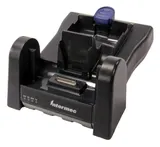
Quick instructions for the Intermec CK60 Single Modem Dock, model AD6. They list what comes in the box, the dock's connectors and modem features, and walk through setup, cabling and the status lights.
- Device
- Single modem dock for the CK60 handheld computer p. 1
- Functions
- Powers the CK60, charges a spare battery pack, transfers data by dial-up or USB p. 1
- Connectors
- USB Host Type A, USB Client Type B, phone cable connector, power supply connector p. 1
- Modem speed
- 14.4 kbps to 56 kbps downstream; upstream up to 48 kbps (V.92HM-T-W-NE) p. 1
- Modem features
- AT command set; V.42bis and MNP 5 compression; V.44 compression (V.92HM-T-W-NE); V.29 FastPOS p. 1
- Power
- Intermec-approved power supply and AC power cord, bought separately p. 1
- Operating temperature
- +5°C to +40°C (+41°F to +104°F) when using the auxiliary battery charger; 0°C to +50°C (+32°F to +122°F) when not p. 1
- Storage temperature
- -30°C to +70°C (-22°F to +158°F) p. 1
- Relative humidity
- 5% to 95% p. 1
- Battery charging LED
- Off: no pack; red: charging; green: complete; yellow: fault p. 2
- Modem status LEDs
- DTR, DCD, TXD and RXD p. 2
- Phone wire
- 26 AWG or larger telephone wire p. 1
- Instructions part number
- 962-040-018E p. 1
What this manual walks you through
- Placing the dock and connecting its power supply p. 2
- Connecting a phone cable, a USB client cable to a PC for ActiveSync, or a USB host device p. 2
- Installing the power cable retention clip p. 2
- Reading the auxiliary battery pack charging LEDs p. 2
- Reading the internal modem status LEDs p. 2
- USB host and USB client connector pinouts p. 2
- Modem country codes p. 2
Good to know
- For use only with the Intermec CK60 handheld computer. p. 1
- Use the appropriate Intermec power supply, or the equipment may be damaged. p. 1
- Above 35°C (95°F) battery charging takes longer than four hours, and regular charging that warm shortens battery life. p. 1
- Never install telephone wiring during a lightning storm. p. 1
- Place the dock within 6 feet (1.83m) of an AC power outlet. p. 2
Questions this manual answers
What does the Intermec AD6 dock do?
It is a single modem dock for the CK60 handheld that powers the computer, charges a spare battery pack and transfers data by dial-up modem or USB. p. 1
How fast is the modem in the CK60 single modem dock?
Downstream speeds are 14.4 kbps to 56 kbps, and the V.92HM-T-W-NE version sends upstream at up to 48 kbps. p. 1
What does a yellow battery LED mean on the AD6 dock?
A yellow auxiliary battery pack LED signals a fault condition. p. 2
Can I use ActiveSync through the CK60 modem dock?
Yes. Connect a USB client Type B cable from the dock to your PC for ActiveSync support. p. 2
The file
Size and text
Every page · 2
Read it here
Each page as it is printed, and its words beside it, so a phone can search and copy them.
Page1of 2
Open in the PDF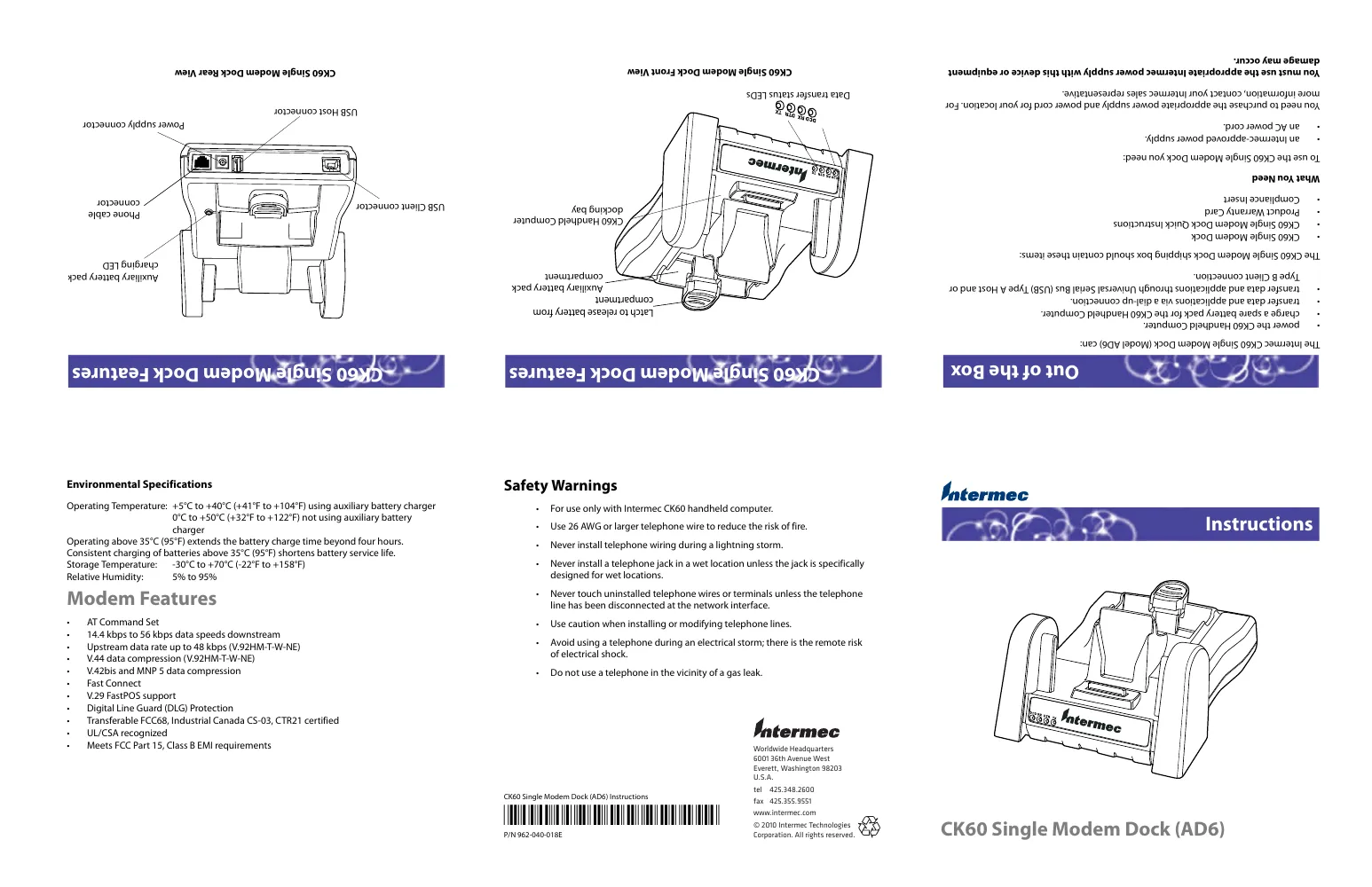
The text of page 1, from the PDF itself
You must use the appropriate Intermec power supply with this device or equipment damage may occur. You need to purchase the appropriate power supply and power cord for your location. For more information, contact your Intermec sales representative.
CK60 Single Modem Dock Front View
CK60 Single Modem Dock Rear View
Data transfer status LEDs USB Host connector Power supply connector
an Intermec-approved power supply. an AC power cord.
To use the CK60 Single Modem Dock you need: What You Need
CK60 Single Modem Dock CK60 Single Modem Dock Quick Instructions Product Warranty Card Compliance Insert
CK60 Handheld Computer docking bay
USB Client connector
Phone cable connector
The CK60 Single Modem Dock shipping box should contain these items:
power the CK60 Handheld Computer. charge a spare battery pack for the CK60 Handheld Computer. transfer data and applications via a dial-up connection. transfer data and applications through Universal Serial Bus (USB) Type A Host and or Type B Client connection.
Auxiliary battery pack compartment
Auxiliary battery pack charging LED
Latch to release battery from compartment
The Intermec CK60 Single Modem Dock (Model AD6) can:
CK60 Single Modem Dock Features
CK60 Single Modem Dock Features Safety Warnings
Operating Temperature: +5°C to +40°C (+41°F to +104°F) using auxiliary battery charger 0°C to +50°C (+32°F to +122°F) not using auxiliary battery charger Operating above 35°C (95°F) extends the battery charge time beyond four hours. Consistent charging of batteries above 35°C (95°F) shortens battery service life. Storage Temperature: -30°C to +70°C (-22°F to +158°F) Relative Humidity: 5% to 95%
For use only with Intermec CK60 handheld computer.
Use 26 AWG or larger telephone wire to reduce the risk of fire.
Never install telephone wiring during a lightning storm.
Never install a telephone jack in a wet location unless the jack is specifically designed for wet locations.
Modem Features
Never touch uninstalled telephone wires or terminals unless the telephone line has been disconnected at the network interface.
Use caution when installing or modifying telephone lines.
Avoid using a telephone during an electrical storm; there is the remote risk of electrical shock.
Do not use a telephone in the vicinity of a gas leak.
AT Command Set 14.4 kbps to 56 kbps data speeds downstream Upstream data rate up to 48 kbps (V.92HM-T-W-NE) V.44 data compression (V.92HM-T-W-NE) V.42bis and MNP 5 data compression Fast Connect V.29 FastPOS support Digital Line Guard (DLG) Protection Transferable FCC68, Industrial Canada CS-03, CTR21 certified UL/CSA recognized Meets FCC Part 15, Class B EMI requirements
CK60 Single Modem Dock (AD6) Instructions
*962-040-018E P/N 962-040-018E
Out of the Box
Environmental Specifications
Instructions
Worldwide Headquarters 6001 36th Avenue West Everett, Washington 98203 U.S.A. tel 425.348.2600 fax 425.355.9551 www.intermec.com © 2010 Intermec Technologies Corporation. All rights reserved.
CK60 Single Modem Dock (AD6)
Page2of 2
Open in the PDF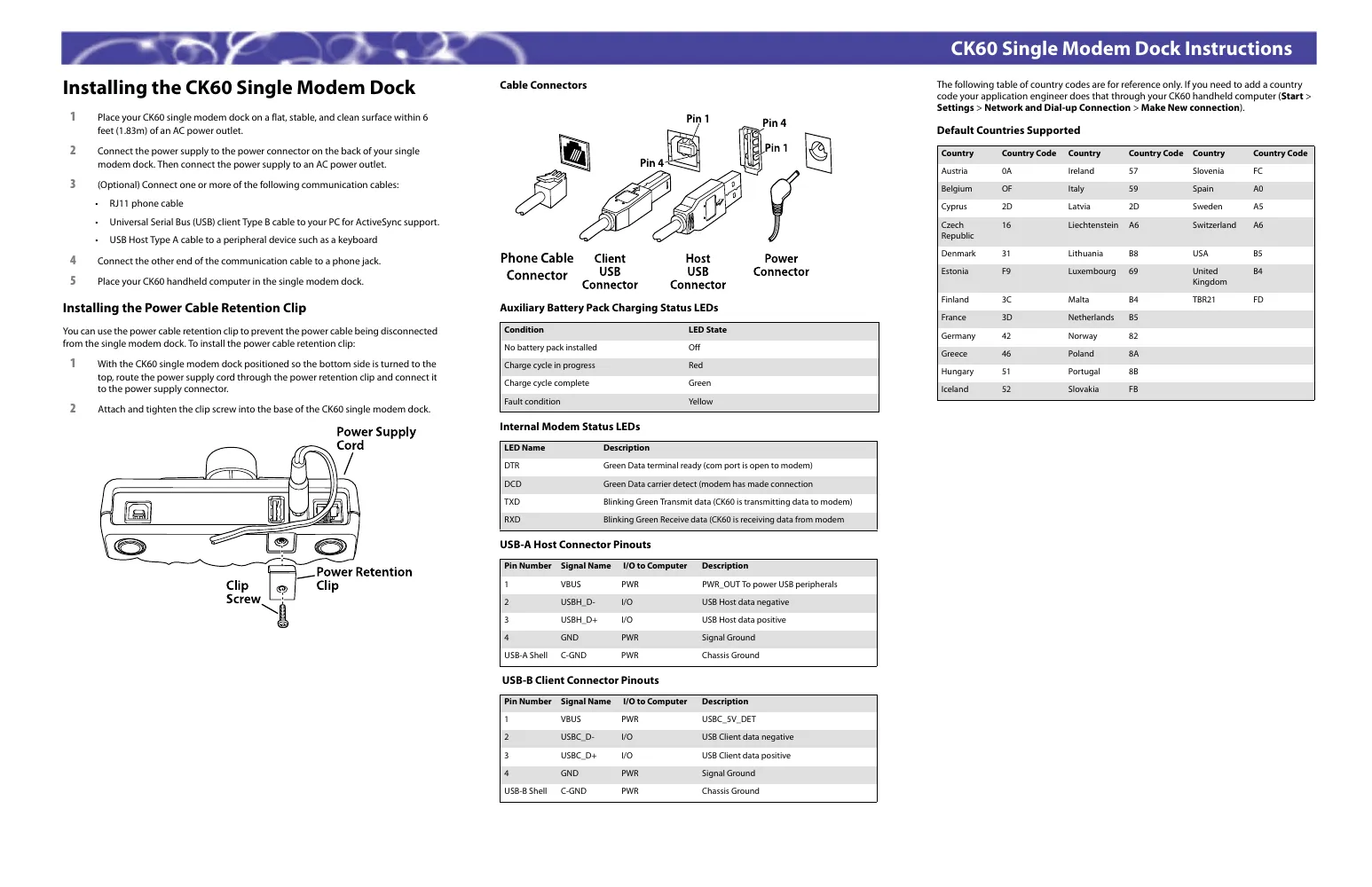
The text of page 2, from the PDF itself
CK60 Single Modem Dock Instructions Installing the CK60 Single Modem Dock 1 2 3
Cable Connectors
The following table of country codes are for reference only. If you need to add a country code your application engineer does that through your CK60 handheld computer (Start > Settings > Network and Dial-up Connection > Make New connection).
Place your CK60 single modem dock on a flat, stable, and clean surface within 6 feet (1.83m) of an AC power outlet.
Default Countries Supported
Connect the power supply to the power connector on the back of your single modem dock. Then connect the power supply to an AC power outlet.
CountryCountry CodeCountryCountry CodeCountryCountry CodeAustria0AIreland57SloveniaFC
(Optional) Connect one or more of the following communication cables:
BelgiumOFItaly59SpainA0•RJ11 phone cableCyprus2DLatvia2DSwedenA5•
Universal Serial Bus (USB) client Type B cable to your PC for ActiveSync support.
16LiechtensteinA6SwitzerlandA6•
USB Host Type A cable to a peripheral device such as a keyboard
Czech Republic Denmark31LithuaniaB8USAB5EstoniaF9Luxembourg69United KingdomB4Finland3CMaltaB4TBR21FDFrance3DNetherlandsB5Germany42Norway82Greece46Poland8AHungary51Portugal8BIceland52SlovakiaFB4
Connect the other end of the communication cable to a phone jack.
5
Place your CK60 handheld computer in the single modem dock.
Installing the Power Cable Retention Clip
Auxiliary Battery Pack Charging Status LEDs
You can use the power cable retention clip to prevent the power cable being disconnected from the single modem dock. To install the power cable retention clip:
Condition
LED State
No battery pack installed
Off
Charge cycle in progress
RedCharge cycle completeGreenFault conditionYellow1 2
With the CK60 single modem dock positioned so the bottom side is turned to the top, route the power supply cord through the power retention clip and connect it to the power supply connector. Attach and tighten the clip screw into the base of the CK60 single modem dock.
Internal Modem Status LEDs LED Name
Description
DTR
Green Data terminal ready (com port is open to modem)
DCD
Green Data carrier detect (modem has made connection
TXD
Blinking Green Transmit data (CK60 is transmitting data to modem)
RXD
Blinking Green Receive data (CK60 is receiving data from modem
USB-A Host Connector Pinouts Pin Number
Signal NameI/O to ComputerDescription1VBUSPWR
PWR_OUT To power USB peripherals
2USBH_D-I/OUSB Host data negative3USBH_D+I/OUSB Host data positive4GNDPWRSignal GroundUSB-A ShellC-GNDPWRChassis Ground
USB-B Client Connector Pinouts Pin Number
Signal NameI/O to ComputerDescription1VBUSPWRUSBC_5V_DET2USBC_D-I/O
USB Client data negative
3USBC_D+I/O
USB Client data positive
4GNDPWRSignal GroundUSB-B ShellC-GNDPWRChassis Ground