


Manual · Intermec
Intermec AD4 871-020-002 Manual
Manual2 pagesPDF 188 KB
Both pages are below, each with its text.
Covers · 1 model
The models it covers
From the manual · read page by page
Key facts from this manual
Each line names its page in the PDF.
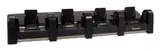
Two-page instruction sheet for the Intermec CK60 Charge-Only Multidock (Model AD4), which charges CK60 handheld computers. It lists what comes in the box and what else is needed, and gives shelving advice and the charging time.
- Device
- Charge-only multidock for up to four CK60 handheld computers at once p. 2
- Charging time
- CK60 computers fully charge within four hours p. 2
- Power
- Intermec-approved power supply and AC power cord, bought separately for your location p. 2
- Instructions part number
- P/N 962-040-019D p. 1
What this manual walks you through
- Planning shelving with room to insert computers and connect cables p. 2
- Checking charge status on the CK60 Battery Status LED p. 2
Good to know
- Use the appropriate power supply, or the equipment may be damaged. p. 2
- Shelving needs space above the dock to insert the CK60 and behind it for the cables. p. 2
Questions this manual answers
How many CK60 computers can the AD4 multidock charge?
Up to four CK60 handheld computers at the same time. p. 2
How long does a CK60 take to charge in the AD4?
CK60 handheld computers fully charge within four hours. p. 2
Does the AD4 multidock need a separate power supply?
Yes. It needs an Intermec-approved power supply and an AC power cord, bought for your location. p. 2
The file
Size and text
Every page · 2
Read it here
Each page as it is printed, and its words beside it, so a phone can search and copy them.
Page1of 2
Open in the PDF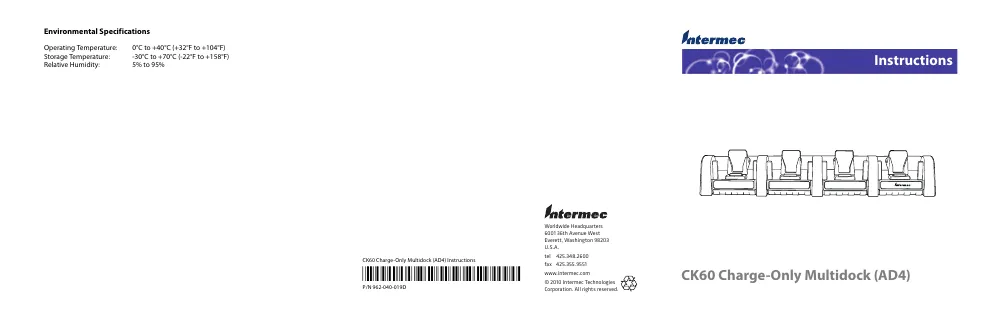
The text of page 1, from the PDF itself
Environmental Specifications Operating Temperature: Storage Temperature: Relative Humidity:
0°C to +40°C (+32°F to +104°F) -30°C to +70°C (-22°F to +158°F) 5% to 95%
Instructions
Worldwide Headquarters 6001 36th Avenue West Everett, Washington 98203 U.S.A. CK60 Charge-Only Multidock (AD4) Instructions
*962-040-019D P/N 962-040-019D
tel 425.348.2600 fax 425.355.9551 www.intermec.com © 2010 Intermec Technologies Corporation. All rights reserved.
CK60 Charge-Only Multidock (AD4)
Page2of 2
Open in the PDF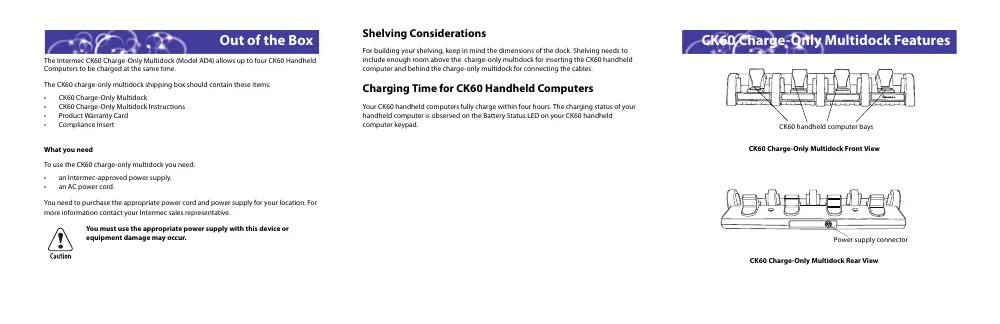
The text of page 2, from the PDF itself
Out of the Box The Intermec CK60 Charge-Only Multidock (Model AD4) allows up to four CK60 Handheld Computers to be charged at the same time. The CK60 charge-only multidock shipping box should contain these items:
CK60 Charge-Only Multidock CK60 Charge-Only Multidock Instructions Product Warranty Card Compliance Insert
What you need
Shelving Considerations
CK60 Charge-Only Multidock Features
For building your shelving, keep in mind the dimensions of the dock. Shelving needs to include enough room above the charge-only multidock for inserting the CK60 handheld computer and behind the charge-only multidock for connecting the cables.
Charging Time for CK60 Handheld Computers Your CK60 handheld computers fully charge within four hours. The charging status of your handheld computer is observed on the Battery Status LED on your CK60 handheld computer keypad.
CK60 handheld computer bays CK60 Charge-Only Multidock Front View
To use the CK60 charge-only multidock you need:
an Intermec-approved power supply. an AC power cord.
You need to purchase the appropriate power cord and power supply for your location. For more information contact your Intermec sales representative. You must use the appropriate power supply with this device or equipment damage may occur.
Power supply connector CK60 Charge-Only Multidock Rear View