Manual · Intermec
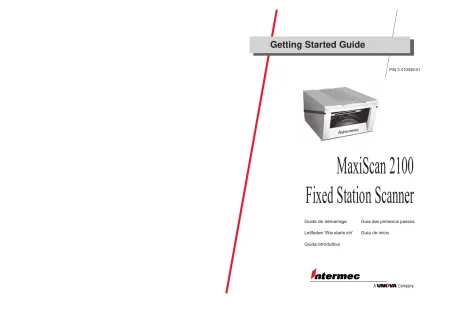
MaxiScan 2100 Fixed Station Scanner Getting Started Guide
Manual7 pagesPDF 719 KB
Getting started guide for the Intermec MaxiScan 2100 fixed station scanner: keyboard wedge and RS-232 setup, symbologies, read range.
Filed with · 1 model
Also filed with these models on the old site
Summary
What is in it
Multilingual getting started guide for the Intermec MaxiScan 2100 fixed station scanner, in the laser 2100 ST and CCD 2100 SR versions. It gives step-by-step basic setup for a PC keyboard wedge connection (with keyboard layout codes) and for RS-232 (baud rate, data bits, parity, postamble), scanning codes to select symbologies, online setup with the EasySet software, reading distance charts, laser warnings and regulatory statements.
From the manual · read page by page
Key facts from this manual
Each line names its page in the PDF.
This is the Intermec getting started guide for the MaxiScan 2100 fixed station scanner, in the MaxiScan 2100 ST (laser) and MaxiScan 2100 SR (CCD) versions; it is a bar code scanner, not the 2100 access point. It shows how to connect the scanner as a PC keyboard wedge or over RS-232, pick the keyboard layout and serial settings, and turn bar code types on. It also gives the cable part numbers and the laser warnings.
- Device
- MaxiScan 2100 fixed station scanner: 2100 ST is a Class 2 laser scanner, 2100 SR is a CCD scanner p. 1, 6
- Interfaces
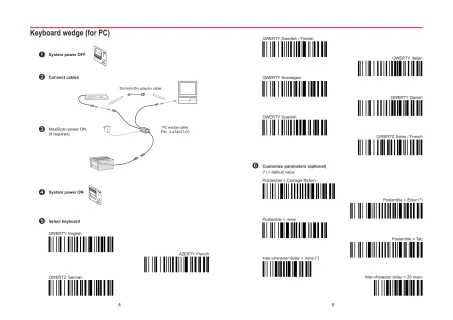
- Keyboard wedge (for PC) or RS-232 p. 3, 4
- PC wedge cable
- P/N 3-414037-00, with a Din/mini-Din adaptor cable if required p. 3
- RS-232 cable
- Direct RS-232 cable P/N 0-234032-00 p. 4
- RS-232 defaults
- 9600 baud, 7 data bits, even parity; postamble Carriage Return + Line Feed p. 4
- Keyboard layouts
- QWERTY English, Italian, Spanish, Swedish / Finnish, Norwegian, Danish; AZERTY French; QWERTZ German, Swiss / French p. 3
- Wedge options
- Postamble Enter (default), Carriage Return, Tab or none; inter-character delay none (default) or 20 msec p. 3
- Bar code types
- Code 39, Code 128 / EAN 128, UPC-A, UPC-E, EAN-8, EAN-13 p. 5
- Setup software
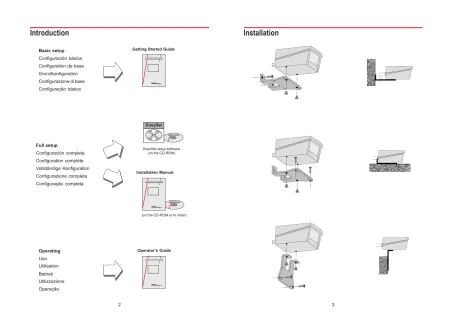
- EasySet setup software on the CD-ROM; Installation Manual on the CD-ROM or to order p. 2
- Guide part number
- P/N 3-410049-01 p. 1
What this manual walks you through
- Connecting the scanner to a PC as a keyboard wedge and picking the keyboard layout p. 3
- Connecting the scanner over RS-232 and setting baud rate, data bits and parity p. 4
- Turning bar code types on and testing with sample codes p. 5
- Online setup with the EasySet software over an RS-232 cable p. 5
- Laser warnings for the MaxiScan 2100 ST p. 6
Good to know
- Power the system off before connecting cables, then power the scanner and the system on. p. 3, 4
- The laser warnings apply only to the 2100 ST; the 2100 SR is a CCD scanner with no laser. p. 6
- Using controls, adjustments or procedures other than those specified results in hazardous laser light. p. 6
Questions this manual answers
What cable connects a MaxiScan 2100 to a PC keyboard port?
The PC wedge cable, P/N 3-414037-00, with a Din/mini-Din adaptor cable if required. p. 3
What are the default serial settings of the MaxiScan 2100?
9600 baud, 7 data bits, even parity, with a Carriage Return + Line Feed postamble. p. 4
Is the MaxiScan 2100 a laser scanner?
The 2100 ST is a Class 2 laser scanner; the 2100 SR is a CCD scanner with no laser. p. 6
Which bar codes can the MaxiScan 2100 read?
The guide shows Code 39, Code 128 / EAN 128, UPC-A, UPC-E, EAN-8 and EAN-13. p. 5
The whole text · 1 part
Read the manual here as text
Its text as extracted from the PDF, unedited, in parts; each page opens the PDF at that page.
The file