Manual · Intermec
Quick Reference Guide: 1550 Laser Scanner
Manual24 pagesPDF 942 KB
Quick reference guide for the Intermec 1550 hand-held laser scanner: models, cables, scanning, troubleshooting and regulatory notes.
Covers · 1 model
The models it covers
Summary
What is in it
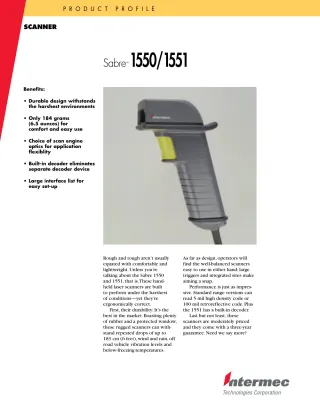
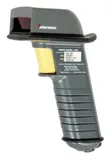
Intermec's quick reference guide for the 1550 hand-held laser bar code scanner. It lists the model variants by color, interface and optics (standard, long-range, high-visibility, high density, auto-trigger and nonincendive), explains the status light and electrical ratings, shows which Intermec terminals it connects to and the interface cable for each, and covers operating and scanning tips, hands-free scanning, troubleshooting, maintenance, accessories and regulatory statements.
Its parts
- Overview of the 1550 Laser Scanner
- Unpacking the 1550 Laser Scanner
- Understanding the 1550 Features
- Connecting to an Intermec Product
- Operating the 1550 Laser Scanner
- Troubleshooting the 1550 Laser Scanner
- Maintaining the 1550 Laser Scanner
- Accessories
- Regulatory Statements for Canada and the United States
- Regulatory Statements For Users Outside of Canada and the United States
- Patents
From the manual · read page by page
Key facts from this manual
Each line names its page in the PDF.
A 1998 Intermec quick reference guide (P/N 065548-003) for the 1550 laser scanner in its 1550B0100 to 1550B5100 configurations. It lists the interface cables and accessories to order and shows how to connect the scanner to an Intermec reader or terminal, scan by hand or in a stand, troubleshoot and clean it.
- Device
- Laser scanner that connects to an Intermec or other manufacturer's reader/terminal p. 5, 6
- Configurations
- 1550B01XX blue, Intermec interface, standard, long-range, high-visibility or high density optics; 0200 and 0400 auto-trigger; 0300 and 0400 light gray; 05XX other manufacturer's interface; 5100 nonincendive p. 5, 6
- Electrical rating
- 1550B01XX, 02XX, 03XX, 04XX, 51XX: 4.5 to 5.5V, 125 mA; 1550B05XX: 4.5 to 12.0V, 125 mA p. 7
- Compatible terminals
- Intermec 9450, 95XX, 97XX, JANUS J2010/JG2010 and J2050/JG2050, TRAKKER Antares T242X, TRAKKER 944X and 9465 p. 8
- Intermec cables
- 6 ft: 944X 6 pin modular 063694; 95XX 9 pin D-Sub 063698; 946X, 9450 11 pin sealed 063697; 97XX, J2010, JG2010, T242X 10 pin modular 063695 p. 8
- Other cables
- J2050, JG2050 11-pin sealed 064051 (6 ft); MaxiLAN CX, DX, MicroBAR NX, MaxiBAR and other makers 9 pin squeeze D-Sub 063696 (6 ft) or 064046 (25 ft) p. 9
- Accessories
- Holster and belt 063793; wall-mount 063909; vehicle-mount 063910; desk-mount 063812; scanner stand 063799; stand upgrade kit 066799 p. 16
- Temperature
- Operating -22 to 122 F (-30 to 50 C); storage -40 to 158 F (-40 to 70 C); 5% to 95% relative humidity p. 15
- Laser
- Class II laser product, maximum output 1 mW at 630-680 nm p. 18
- Hands-free
- Auto-trigger models 1550B0200 and 1550B0400 work in the scanner stand p. 13
- Indicators
- Light yellow while scanning, green on a good read; long-range and high-visibility models have a marker beam p. 7, 11
What this manual walks you through
- Choosing the interface cable for an Intermec or other reader/terminal p. 8, 9
- Connecting the scanner to a reader/terminal p. 10
- Scanning and scanning tips p. 11, 12
- Hands-free scanning with the scanner stand p. 13
- Troubleshooting common scanner problems p. 14
- Cleaning and caring for the scanner p. 15
Good to know
- Interface cables are not in the box and must be ordered separately. p. 6
- Remote triggering with the IRL Z command does not work with the 1550. p. 13
- There are no user serviceable parts inside the scanner. p. 18
- The manual states that only the 1550B5100, marked 1550NI, is suitable for Division 2 locations, and only when connected to J2010NI or JG2010NI. p. 19
- Do not wipe the window with a dry tissue and do not immerse the unit in water. p. 15
Questions this manual answers
What voltage does the Intermec 1550 scanner use?
Most versions are rated 4.5 to 5.5V at 125 mA; the 1550B05XX for other manufacturers' terminals is rated 4.5 to 12.0V at 125 mA. p. 7
Which cable connects a 1550 scanner to a JANUS 2010?
For 97XX, J2010, JG2010 and T242X the guide lists the 10 pin modular cable 063695 (6 ft), 065601 (15 ft) or 064044 (25 ft) with a blue cap. p. 8
Can the 1550 be used hands-free in a stand?
Yes, the auto-trigger versions 1550B0200 and 1550B0400 can be used in scanner stand 063799. p. 13, 16
Why does my 1550 scanner not emit a beam?
It is not receiving power: make sure the cables are securely plugged in and the terminal is on, and replace damaged cables. p. 14
The whole text · 3 parts
Read the manual here as text
Its text as extracted from the PDF, unedited, in parts; each page opens the PDF at that page.
The file