Manual · Intermec
1545 Bar Code Laser Scanner User's Guide
Manual8 pagesPDF 264 KB
User's guide for the Intermec 1545 handheld laser bar code scanner (1545E, 1545F, 1545G): setup, cables, operation and care.
Covers · 1 model
The models it covers
Summary
What is in it
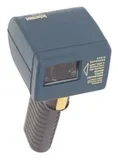
A short user's guide for the Intermec 1545 series handheld laser bar code scanners: the general purpose 1545E, the 1545F for specific third party readers, and the brighter 650 nm 1545G. It covers regulatory and laser safety information, installation, the cables needed for each compatible Intermec reader, accessories such as the holster and document stand, troubleshooting, temperature limits, how to aim and scan, and window cleaning.
From the manual · read page by page
Key facts from this manual
Each line names its page in the PDF.
The Intermec user's guide (P/N 057286-003) for the 1545 bar code laser scanner and its 1545E, 1545F and 1545G versions. It shows how to connect the scanner to Intermec readers, which cable fits each reader, how to scan and care for the unit, and what to check when it will not read.
- Device
- Hand-held visible laser diode bar code scanner that plugs into an Intermec reader or terminal p. 3
- Versions
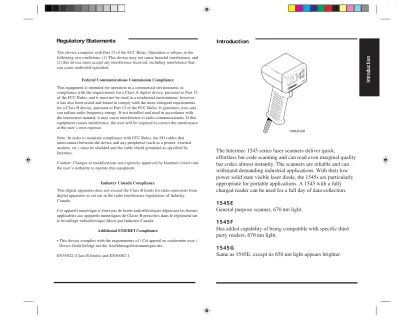
- 1545E general purpose, 670 nm; 1545F also works with certain third-party readers, 670 nm; 1545G as 1545E with brighter 650 nm light p. 3
- Compatible readers
- 944X and 946X portable readers, 9450 RF vehicle mount, 95XX wedge/network, 97XX wedge, J2010X terminals p. 6
- Cable, 944X
- 6 pin modular: P/N 052900 (5 ft) or 052904 (25 ft) p. 6
- Cable, 95XX
- 9 pin D-subminiature: P/N 052901 (6 ft) or 052906 (25 ft) p. 6
- Cable, 946X and 9450
- 11 pin sealed: P/N 052902 (6 ft); 055056 (15 ft) for the 9450 p. 6
- Cable, 97XX and J2010X
- 10 pin modular: P/N 054361 (6 ft) or 054362 (25 ft) p. 6
- Cable, third-party
- 9 pin D-subminiature P/N 055097, 1545F only p. 6
- Laser
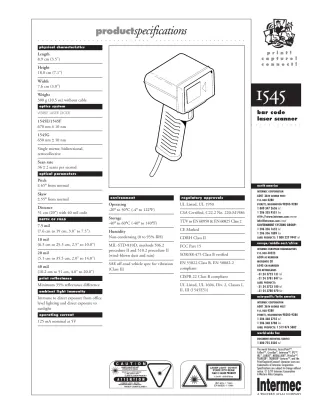
- The guide states Class 2 laser product, 1.0 mW, 650/670 nm p. 4
- Operating temperature
- -4° to 122°F (-20° to 50°C); storage -40° to 158°F (-40° to 60°C) p. 7
- Humidity
- 0-95% relative humidity, operating and storage p. 8
- Document stand cables
- Stand to reader P/N 054866 (95XX) or 054867 (97XX); scanner to stand P/N 052901 p. 7
- Holster and belt
- P/N 053175 p. 6
- Guide part number
- 057286-003 p. 1
What this manual walks you through
- Unpacking the scanner and connecting it to a reader p. 4
- Placing the laser warning labels for use outside the USA or Canada p. 5
- Choosing the cable for each reader type p. 6
- Cabling a document stand p. 7
- Scanning a bar code: angle, distance and read signals p. 8
- Cleaning the window and caring for the scanner p. 8
- Troubleshooting read problems p. 7
Good to know
- No connecting cable comes with the scanner; it is bought separately. p. 6
- There are no user serviceable parts; procedures other than those in the guide may expose up to 2 mW of laser light. p. 6
- Never clean the window with water, solvents, cleaning agents or a dry tissue, and never submerse the unit. p. 8
- Going outside the operating or storage temperature range may damage the scanner. p. 7
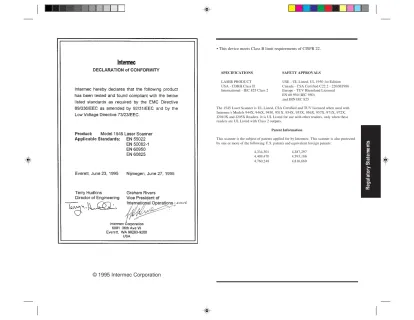
- The guide states the UL, CSA and TUV approvals apply when the scanner is used with the listed Intermec readers. p. 2
Questions this manual answers
What cable connects an Intermec 1545 to a 95XX reader?
A 9 pin D-subminiature cable: P/N 052901 (6 ft) or 052906 (25 ft). p. 6
What is the difference between the 1545E, 1545F and 1545G?
The 1545E is the general purpose 670 nm version, the 1545F adds compatibility with certain third-party readers, and the 1545G uses a brighter 650 nm light. p. 3
Does the 1545 laser scanner come with a cable?
No. The cable is bought separately and depends on the reader. p. 6
Why is the green READ light on my 1545 blinking?
Built-in sensing has turned the laser off to protect the diode from high temperature. p. 7
What does a double beep after a scan mean?
On portable readers it means the reader batteries are low. p. 7
The whole text · 1 part
Read the manual here as text
Its text as extracted from the PDF, unedited, in parts; each page opens the PDF at that page.
The file