Manual · Intermec
5020 Vehicle Mounting Bracket Installation Guide
Manual16 pagesPDF 1.6 MB
Installation guide for the Intermec 5020 vehicle mounting bracket, plain or powered, for the 5020 Data Collection PC on vehicles or desks.
Covers · 1 model
The models it covers
Summary
What is in it
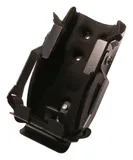
The installation guide for the Intermec 5020 vehicle mounting bracket, which holds a 5020 Data Collection PC on a vehicle such as a forklift truck or on a desk. It lists the kit contents for the plain and powered versions and the tools needed, gives placement and cable routing guidelines, and walks through installing the adapter plate (directly or on the optional swivel stand), attaching the bracket, connecting DC or AC power and a serial cable on the powered kit, with the serial port pin assignments, and inserting the 5020.
From the manual · read page by page
Key facts from this manual
Each line names its page in the PDF.
An Intermec installation guide (P/N 070430-001, from 2000) for the 5020 vehicle mounting bracket, which holds the 5020 Data Collection PC on a vehicle such as a forklift truck or on a desk. It walks through mounting the adapter plate and bracket, connecting power and serial cables for the powered kit, and inserting and removing the 5020. It also lists the part numbers of the power supplies, cords, cables and holster that go with it.
- Device
- Mounting bracket for the 5020 Data Collection PC, for a vertical or horizontal surface on a vehicle or a desk p. 3
- Kit contents
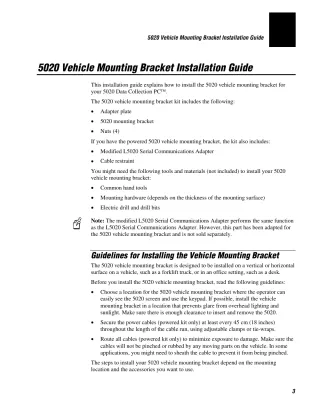
- Adapter plate, 5020 mounting bracket, nuts (4); powered kit adds a modified L5020 Serial Communications Adapter and a cable restraint p. 3
- Not included
- Mounting hardware for the surface; common hand tools, electric drill and drill bits may be needed p. 3
- Swivel stand
- Part No. 070803, sold separately p. 4
- Vehicle power kits
- Powered kit: low-input voltage kit 6 to 36 VDC (Part No. 070833) or high-input voltage kit 15 to 96 VDC (Part No. 070834) p. 8
- Office power
- Powered kit: 12V power supply (Part No. 065236) plus a country AC power cord p. 8
- AC power cords
- North America and Central America 586105; United Kingdom 586266; Europe 586267 p. 9
- Serial port
- 9-pin RS-232 port on the serial communications adapter (powered kit) p. 10
- PC serial cable
- Part No. 070268, sold separately; required for Windows CE Services or ActiveSync p. 10
- Serial pinout
- Pin 2 RX, 3 TX, 4 DTR, 5 GND, 6 DSR, 7 RTS, 8 CTS; pins 1 and 9 not supported p. 10
- Scanner holster
- Tethered scanner holster Part No. 062443 and bracket Part No. 063911, sold separately p. 12
What this manual walks you through
- Choosing a location and routing cables p. 3
- Attaching the adapter plate to a vertical or horizontal surface p. 4, 5
- Attaching the adapter plate to the swivel stand p. 6
- Attaching the 5020 mounting bracket to the adapter plate p. 7
- Connecting the power cable for a vehicle or office installation p. 8, 9
- Connecting a PC or printer serial cable p. 10
- Inserting and removing the 5020, with the handle set for integrated or tethered scanners p. 11, 12
Good to know
- Powered kit: secure power cables at least every 45 cm (18 inches) of the run with clamps or tie-wraps. p. 3
- Route cables so moving parts of the vehicle cannot pinch or rub them; sheathing may be needed. p. 3
- The modified L5020 Serial Communications Adapter in the powered kit is not sold separately. p. 3
- To stay within FCC rules, interconnecting I/O cables must be as specified by Intermec. p. 13
Questions this manual answers
What power supply does the Intermec 5020 vehicle bracket need on a forklift?
The powered bracket uses a DC kit: Part No. 070833 for 6 to 36 VDC or Part No. 070834 for 15 to 96 VDC, sold separately. p. 8
Which cable connects the 5020 bracket to a PC for ActiveSync?
The serial cable accessory, Part No. 070268, which the guide says is required for Windows CE Services or ActiveSync. p. 10
What comes in the 5020 vehicle mounting bracket kit?
An adapter plate, the 5020 mounting bracket and four nuts; the powered kit also has a modified L5020 Serial Communications Adapter and a cable restraint. p. 3
How do I remove the 5020 from the vehicle bracket?
Push the handle toward the back (toward the front for a 5020 with a tethered scanner), then slide the 5020 out. p. 12
The whole text · 2 parts
Read the manual here as text
Its text as extracted from the PDF, unedited, in parts; each page opens the PDF at that page.
The file