Manual · Intermec
Intermec 0110 and 0111 Getting Started
Manual2 pagesPDF 111 KB
Both pages are below, each with its text.
Covers · 2 models
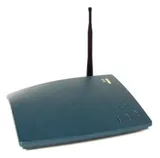
The models it covers
From the manual · read page by page
Key facts from this manual
Each line names its page in the PDF.
Intermec Getting Started Guide (P/N 066049-002, 1997) for the 0110/0111/0115 Access Point, which bridges the Intermec 2.4 GHz radio network to Ethernet (0110/0111) or token ring (0115). It walks through a quick plug-and-play installation, shows simple and roaming network layouts, and lists specifications, mounting accessories and the full user's manual.
- Device
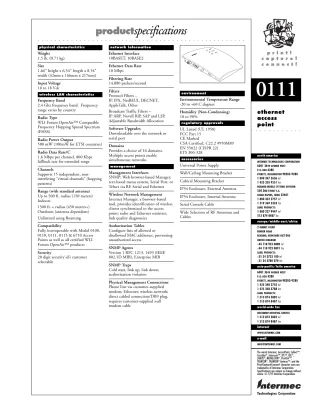
- 0110/0111: access point bridging the Intermec 2.4 GHz radio network and an Ethernet network p. 1
- Ethernet interfaces
- 10Base2 (thin coaxial BNC) and 10BaseT (twisted-pair) p. 2
- Power
- 10 to 18 V input, 750mA p. 2
- Radio
- OpenAir frequency hopping spread spectrum (FHSS), 2.4 to 2.5 GHz (varies by country) p. 2
- Radio power
- 0110: 100 mW; 0111: 500 mW p. 2
- Range
- Standard antenna: up to 500 ft (150 m) indoors, up to 1000 ft (300 m) outdoors; unlimited with roaming p. 2
- Data rate
- 1.6 Mbps wireless; 10 Mbps Ethernet p. 2
- Domains and channels
- 16 domains, 15 channels p. 2
- Temperature
- -4 to 140 F (-20 to 60 C); in an environmental box -4 to 122 F (-20 to 50 C); humidity 10% to 90% non-condensing p. 2
- Architecture
- Transparent bridge; CSMA/CA media access p. 2
- Management
- Configurable locally and remotely; SNMP and web browser manageable; site survey tool; can download firmware to other access points p. 2
- Mounting accessories
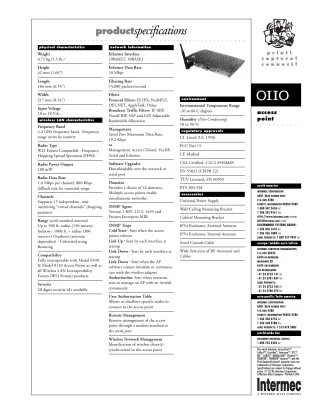
- Environmental box/external antenna P/N 065089; environmental box/standard antenna P/N 065096; cubical-mount bracket P/N 065235; wall-mount bracket P/N 065236 p. 2
- User's manual
- 0110/0111/0115 Access Point User's Manual, P/N 065053 p. 2
- Setup needs
- Ethernet cable drop and cable; a terminal or PC with terminal emulation and a free serial port, or a Telnet PC, or a modem link p. 1
What this manual walks you through
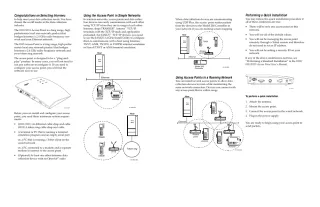
- Quick installation: attach the antenna, mount the unit, connect to the wired network, plug in power p. 1
- Deciding whether the quick installation applies to your network p. 1
- Installing several access points so devices can roam p. 1
- Configuring JANUS TCP/IP devices with the JANUS 2.4 GHz Install Utility p. 1
- Routing UDP Plus packets to a Model 200 Controller for screen mapping p. 1
Good to know
- The quick installation suits one access point with default values, no Telnet management, no IP address and no security ID; otherwise use the standard installation in the user's manual. p. 1
- The usable frequency band varies by country. p. 2
- Inside an environmental box the upper temperature limit drops to 122 F (50 C). p. 2
Questions this manual answers
What power supply does the Intermec 0110 access point need?
It is rated 10 to 18 V input at 750mA. p. 2
What is the difference between the Intermec 0110 and 0111?
The guide gives a radio power output of 100 mW for the 0110 and 500 mW for the 0111. p. 2
What is the range of the 0110/0111 access point?
With the standard antenna, up to 500 ft (150 m) indoors and 1000 ft (300 m) outdoors. p. 2
What Ethernet connections does the 0110/0111 have?
10Base2 thin coaxial BNC and 10BaseT twisted-pair. p. 2
Which manual covers full setup of the Intermec 0110 access point?
The 0110/0111/0115 Access Point User's Manual, P/N 065053, covers installation, configuration, operation and troubleshooting. p. 2
The file
Size and text
Every page · 2
Read it here
Each page as it is printed, and its words beside it, so a phone can search and copy them.
Page1of 2
Open in the PDF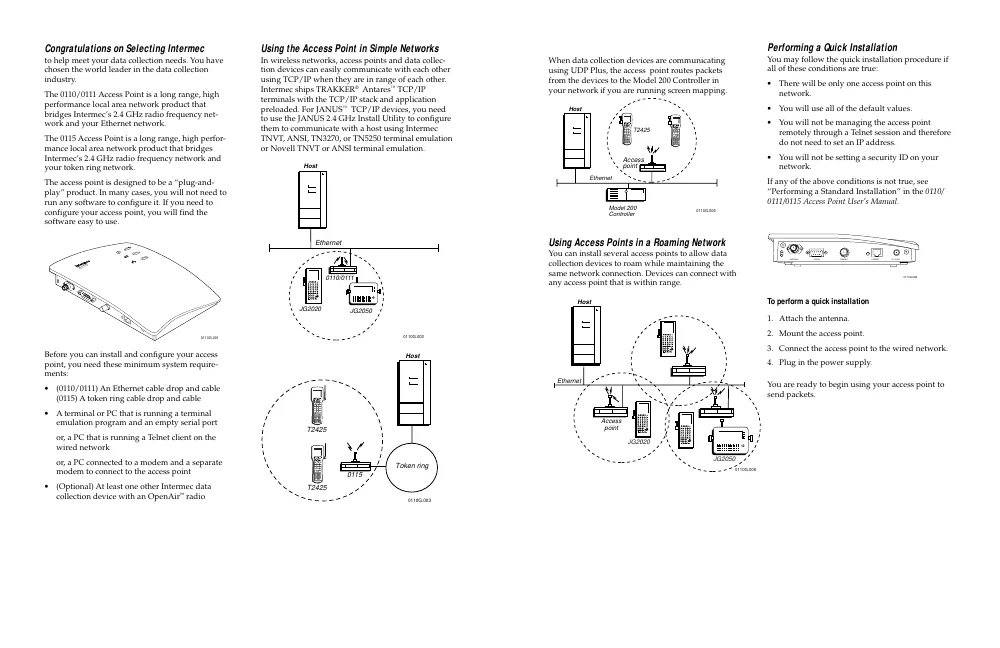
The text of page 1, from the PDF itself
Congratulations on Selecting Intermec
Using the Access Point in Simple Networks
to help meet your data collection needs. You have chosen the world leader in the data collection industry.
In wireless networks, access points and data collection devices can easily communicate with each other using TCP/IP when they are in range of each other. Intermec ships TRAKKER® Antares™ TCP/IP terminals with the TCP/IP stack and application preloaded. For JANUS™ TCP/IP devices, you need to use the JANUS 2.4 GHz Install Utility to configure them to communicate with a host using Intermec TNVT, ANSI, TN3270, or TN5250 terminal emulation or Novell TNVT or ANSI terminal emulation.
The 0110/0111 Access Point is a long range, high performance local area network product that bridges Intermec’s 2.4 GHz radio frequency network and your Ethernet network. The 0115 Access Point is a long range, high performance local area network product that bridges Intermec’s 2.4 GHz radio frequency network and your token ring network.
Performing a Quick Installation You may follow the quick installation procedure if all of these conditions are true:
When data collection devices are communicating using UDP Plus, the access point routes packets from the devices to the Model 200 Controller in your network if you are running screen mapping.
- There will be only one access point on this network.
- You will use all of the default values.
Host
- You will not be managing the access point remotely through a Telnet session and therefore do not need to set an IP address.
T2425
- You will not be setting a security ID on your network.
Access point
Host Ethernet
The access point is designed to be a “plug-andplay” product. In many cases, you will not need to run any software to configure it. If you need to configure your access point, you will find the software easy to use.
Model 200 Controller
If any of the above conditions is not true, see “Performing a Standard Installation” in the 0110/ 0111/0115 Access Point User’s Manual. 0110G.005
Using Access Points in a Roaming Network
Ethernet
You can install several access points to allow data collection devices to roam while maintaining the same network connection. Devices can connect with any access point that is within range.
10 010110/0111SERIAL10BASE210BASET10-18 VDC0110G.008
To perform a quick installation
HostJG2020ANTENNAJG20501. Attach the antenna.
3. Connect the access point to the wired network.
Before you can install and configure your access point, you need these minimum system requirements:
Host
You are ready to begin using your access point to send packets. Access point
T2425
or, a PC that is running a Telnet client on the wired network
JG2020 JG2050
or, a PC connected to a modem and a separate modem to connect to the access point
- (Optional) At least one other Intermec data collection device with an OpenAir radio
4. Plug in the power supply. Ethernet
- (0110/0111) An Ethernet cable drop and cable (0115) A token ring cable drop and cable
- A terminal or PC that is running a terminal emulation program and an empty serial port
2. Mount the access point.
0110G.002
0110G.001
Token ring 0115 T2425 0110G.003
0110G.006
Page2of 2
Open in the PDF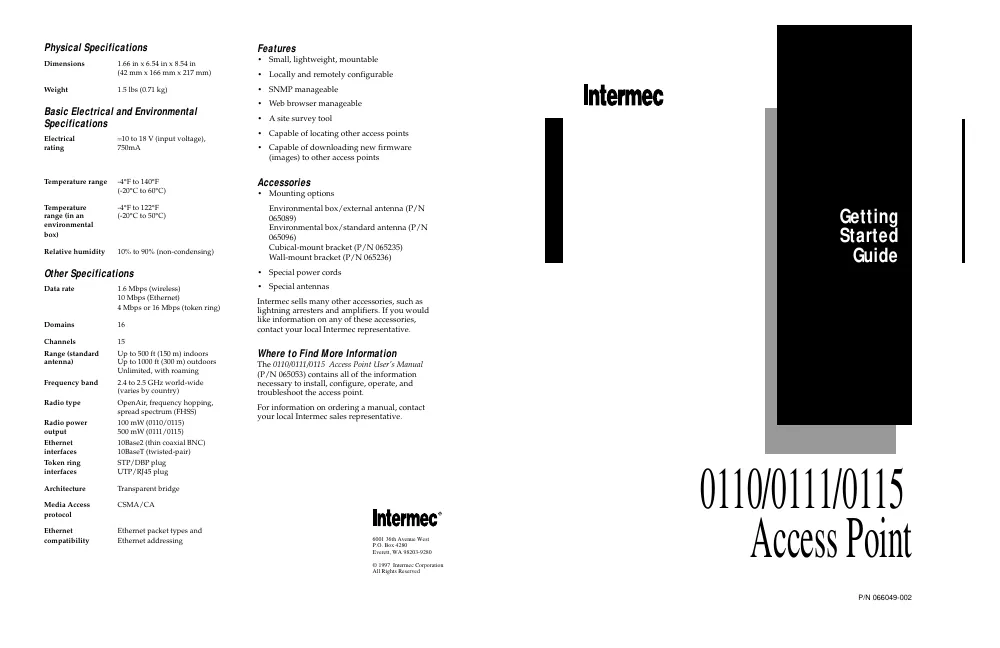
The text of page 2, from the PDF itself
Physical Specifications Dimensions
Weight
1.66 in x 6.54 in x 8.54 in (42 mm x 166 mm x 217 mm) 1.5 lbs (0.71 kg)
Basic Electrical and Environmental Specifications Electrical rating
10 to 18 V (input voltage), 750mA
Temperature range
-4°F to 140°F (-20°C to 60°C)
x
Temperature range (in an environmental box)
-4°F to 122°F (-20°C to 50°C)
Relative humidity
10% to 90% (non-condensing)
Other Specifications Data rate
1.6 Mbps (wireless) 10 Mbps (Ethernet) 4 Mbps or 16 Mbps (token ring)
Domains16Channels15
Range (standard antenna)
Up to 500 ft (150 m) indoors Up to 1000 ft (300 m) outdoors Unlimited, with roaming
Frequency band
2.4 to 2.5 GHz world-wide (varies by country)
Radio type
OpenAir, frequency hopping, spread spectrum (FHSS)
Radio power output
100 mW (0110/0115) 500 mW (0111/0115)
Ethernet interfaces
10Base2 (thin coaxial BNC) 10BaseT (twisted-pair)
Token ring interfaces
STP/DBP plug UTP/RJ45 plug
ArchitectureTransparent bridgeMedia Access protocolCSMA/CAEthernet compatibility
Ethernet packet types and Ethernet addressing
Features
- Small, lightweight, mountable
- Locally and remotely configurable
- SNMP manageable
- Web browser manageable
- A site survey tool
- Capable of locating other access points
- Capable of downloading new firmware (images) to other access points
Accessories
- Mounting options Environmental box/external antenna (P/N 065089) Environmental box/standard antenna (P/N 065096) Cubical-mount bracket (P/N 065235) Wall-mount bracket (P/N 065236)
Getting Started Guide
- Special power cords
- Special antennas Intermec sells many other accessories, such as lightning arresters and amplifiers. If you would like information on any of these accessories, contact your local Intermec representative.
Where to Find More Information The 0110/0111/0115 Access Point User’s Manual (P/N 065053) contains all of the information necessary to install, configure, operate, and troubleshoot the access point. For information on ordering a manual, contact your local Intermec sales representative.
R
6001 36th Avenue West P.O. Box 4280 Everett, WA 98203-9280 © 1997 Intermec Corporation All Rights Reserved
0110/0111/0115 Access Point P/N 066049-002