Manual · Infinite Peripherals
Linea-pro 4 iPhone/iPod Touch 1D/2D Scanner User Manual
Manual23 pagesPDF 1.9 MB
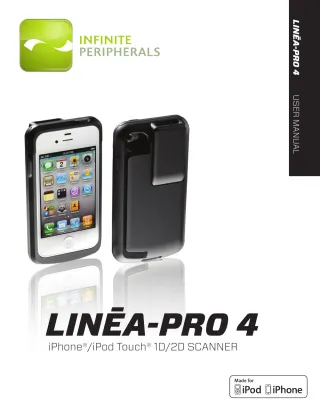
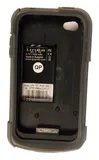
User manual for the Infinite Peripherals Linea-pro 4 barcode scanner and card reader case for iPhone 4, 4S and iPod touch.
Filed with · 1 model
Also filed with these models on the old site
Summary
What is in it
The user manual for the Infinite Peripherals Linea-pro 4, a protective case that adds a 1D or 2D barcode scanner, a 3-track magnetic stripe reader and a rechargeable battery to an iPhone or iPod touch. It lists the five models, features and technical data, box contents and where to get the SDK, then covers getting started, the controls, battery charging, status and modes, attaching the device, scanning and card reading, replacing the battery, syncing, developing applications, troubleshooting and FCC notes.
Its parts
- Compatability
- Overview
- Technical Data
- Getting Started
- About Your Linea-pro 4
- Battery Charging
- Status and Operational Modes
- Attach Linea-pro 4
- Features
- Replace battery
- Syncing
- Developing Applications
- Troubleshooting
- Federal Communications commission
From the manual · read page by page
Key facts from this manual
Each line names its page in the PDF.
User manual for the Infinite Peripherals Linea-pro 4, a case for the iPod touch and iPhone with a magnetic stripe reader, an optional 1D or 2D barcode scanner and a battery. The manual itself names only the Linea-pro 4, in five versions from Linea-pro 4 MSR to Linea-pro 4 MSR 2D BT. It covers charging, status lights, fitting the phone, scanning, card swiping, battery replacement, syncing, the SDK and troubleshooting.
- Device
- Protective case for iPod touch and iPhone with 3-track magnetic stripe reader, optional 1D or 2D barcode scanner and rechargeable battery p. 6
- Compatible devices
- iPod touch 4th generation, iPhone 4, iPhone 4S p. 3
- Versions
- Linea-pro 4 MSR, MSR 1D, MSR 2D, MSR 1D BT and MSR 2D BT; BT versions add Bluetooth p. 4
- Connectors
- 30-pin iPod dock connector plug; 10-pin female Mini-B USB connector for charging and synchronization p. 6
- Battery
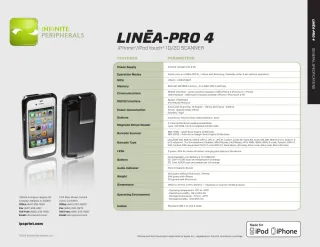
- Rechargeable Li-ion 3.7V/1300mAh; also powers the iPod touch or iPhone; 1D over 14,000, 2D over 8,000 scans and swipes per charge p. 6, 7
- Charging
- USB cable (type A to mini USB) from a PC, 5V/260mA; charge at least 4 hours before first use p. 12
- Scan engines
- MDL-1000 laser engine for 1D barcodes or MDI-2000 auto-focus imager for 2D barcodes p. 7
- Card reader
- 3-track head, bidirectional; minimum swipe speed 1.97 in/sec; MTBF 1 million swipes p. 6
- Communications
- RS232 at 57600bps between the Linea-pro 4 and the iPod or iPhone; USB synchronization with a PC p. 7
- Weight
- 95 grams alone; 230 grams with iPhone; 197 grams with iPod p. 7
- Dimensions
- 125mm x 67mm x 19 to 25mm, depending on 1D/2D scanner and device p. 7
- Operating environment
- 0°C to +40°C, 35 to 85% RH; storage -5°C to +40°C, 10 to 90% RH p. 7
- Scanner MTBF
- 1D: 30K hours (laser diode and mirror unit 10K hours); 2D: 50K hours p. 6
- Box contents
- Linea-pro 4 and USB sync cable; bulk shipments may come without cables p. 8
What this manual walks you through
- Charging the battery and reading the charge LEDs p. 12
- Reading the status LEDs p. 13
- Fitting an iPod touch or iPhone into the case p. 14
- Scanning 1D barcodes p. 15
- Scanning 2D barcodes p. 16
- Swiping a magnetic stripe card p. 17
- Replacing the battery p. 18
- Syncing the iPod or iPhone with iTunes through the case p. 19
- Writing apps with the SDK p. 20
- Troubleshooting card reading and barcode scanning p. 21, 22
Good to know
- Barcode and card data need separate software on the iPod or iPhone; none is supplied with the unit. p. 11
- Use only approved USB to Mini USB cables, to prevent electrical damage. p. 12
- Use only a factory recommended replacement battery. p. 18
- Using the accessory with an iPod or iPhone may affect wireless performance. p. 3
Questions this manual answers
Which iPhone does the Linea Pro 4 fit?
The manual lists the iPod touch 4th generation, iPhone 4 and iPhone 4S. p. 3
How long should the Linea Pro 4 charge before first use?
At least 4 hours. p. 12
Does the Linea Pro 4 come with scanning software?
No. Software is not provided; the manual points to resellers for third-party apps, and developers use the SDK. p. 9
How do I sync my iPhone with iTunes through the Linea Pro 4?
Connect the Linea-pro 4 to the computer with a Mini USB cable and wait for two beeps and the green flashing center LED. p. 19
Is there a Bluetooth version of the Linea Pro 4?
Yes. The Linea-pro 4 MSR 1D BT and MSR 2D BT add Bluetooth. p. 4
The whole text · 3 parts
Read the manual here as text
Its text as extracted from the PDF, unedited, in parts; each page opens the PDF at that page.
The file