Manual · ILS
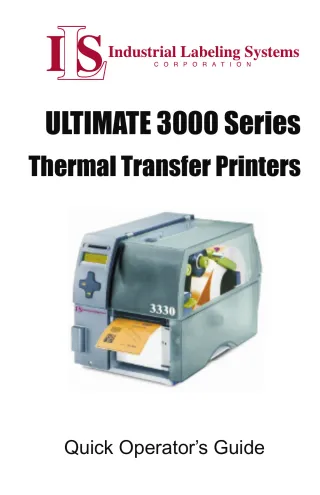
ULTIMATE 3000 Series Thermal Transfer Printers Quick Operator's Guide
Manual18 pagesPDF 11 MB
Quick operator's guide for the ILS ULTIMATE 3000 Series thermal transfer label printers, including the ULT-3330: setup, loading and cleaning.
Covers · 1 model
The models it covers
Summary
What is in it
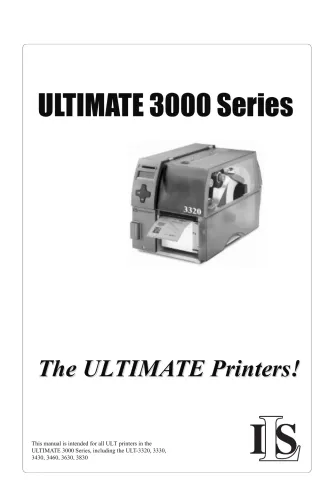
Quick operator's guide from Industrial Labeling Systems for the ULTIMATE 3000 Series thermal transfer printers (ULT-3320, 3330, 3430, 3460, 3630 and 3830). It covers safety, connecting power and a computer, loading labels in tear-off mode, adjusting the printhead support for narrow media, loading and adjusting transfer ribbon, the control panel keys, the offline menu, printer configuration in the Setup menu, test functions such as status print and ASCII dump, and cleaning the print roller and printhead.
From the manual · read page by page
Key facts from this manual
Each line names its page in the PDF.
A 2005 quick operator's guide for the ILS ULTIMATE 3000 Series thermal transfer label printers, covering the ULT-3320, 3330, 3430, 3460, 3630 and 3830. It shows how to connect the printer, load labels and ribbon, use the control panel and setup menus, run test prints and clean the printhead.
- Device
- Thermal transfer label printer that also prints direct thermal without ribbon p. 1, 8
- Power
- Wide range 100-240V~; runs on 230V~/50 Hz or 115V~/60 Hz without changes p. 5
- Interfaces
- Bi-directional parallel and RS-232 serial (9 pin) standard; RS-422/485 and Ethernet optional p. 5, 13
- Control panel
- Graphic display and Navigator Pad with four integrated keys p. 10
- Media
- Die-cut labels and continuous media; tear-off, rewind or dispense mode; fanfold labels p. 4, 6
- Label sensor
- Adjustable edge sensor detects label gaps, notches or reflective marks p. 6
- Options
- Present (demand) sensor, cutter, memory card, RS-422/485 and Ethernet interfaces p. 11, 13
- Test prints
- Status print, font list, device list, printhead profile, ASCII dump, test grid, label profile p. 11, 14
- Menu protection
- Setup, memory card copy and format, and firmware update can be locked with a PIN p. 11
- Printhead cleaning
- Clean with a cleaning pen or a cotton swab dipped in isopropyl alcohol p. 16
What this manual walks you through
- Connecting the printer to power and a computer p. 5
- Loading labels in tear-off mode p. 6, 7
- Setting the printhead support for narrow labels p. 7
- Loading the transfer ribbon p. 8
- Removing wrinkles from the transfer ribbon p. 9
- Using the control panel keys while printing p. 10
- Changing setup parameters in the Offline Menu p. 11, 12, 13
- Running test prints and status reports p. 14, 15
- Cleaning the printer, print roller and printhead p. 16
Good to know
- Use transfer ribbon slightly wider than the label backing to avoid early printhead wear. p. 8
- With narrow labels the printhead can touch the roller and fail early unless the printhead support is adjusted. p. 7
- Turn the power off before plugging in accessories or connecting a computer. p. 4
- Do not open the backside cover, to avoid electric shock. p. 4
- Let the printhead dry about 2 to 3 minutes after cleaning before powering on. p. 16
Questions this manual answers
What voltage does the ILS Ultimate 3330 printer need?
It has a wide range power unit for 100-240V~ and runs on 230V~/50 Hz or 115V~/60 Hz without changes. p. 5
What interfaces does the Ultimate 3000 series printer have?
A bi-directional parallel port and a 9 pin RS-232 serial port as standard; RS-422/485 and Ethernet are options. p. 5, 13
Can the Ultimate 3330 print without a ribbon?
Yes, direct thermal printing needs no transfer ribbon. p. 8
How do I get rid of wrinkles in the ribbon?
Turn the ribbon shield knob while printing, tightening the side where the wrinkles start. p. 9
How do I clean the printhead?
Power off and unplug the printer, open the printhead, remove media and ribbon, and wipe it with a cleaning pen or a cotton swab dipped in isopropyl alcohol. p. 16
Contents
Chapters and sections
Each line opens the PDF at its page.
The whole text · 2 parts
Read the manual here as text
Its text as extracted from the PDF, unedited, in parts; each page opens the PDF at that page.
The file