Manual · HP
Handbook for the Palm Tungsten C Handhelds
Manual444 pagesPDF 5.6 MB
User handbook for the Palm Tungsten C wireless handheld: setup, data entry, built-in applications, HotSync and preferences.
Covers · 1 model
The models it covers
Summary
What is in it
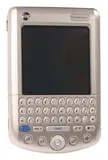
The full user handbook for the Palm Tungsten C handheld, a Palm OS device with a built-in 802.11b wireless LAN radio and keyboard. It covers the parts of the handheld, typing and Graffiti 2 writing, beaming and importing data, and each built-in application (Address Book, Date Book, Expense, Memo Pad, To Do List, VersaMail e-mail, Web Browser and more), followed by HotSync operations with a Windows or Mac computer and setting preferences.
Its parts
- About This Book
- Welcome
- Exploring Your Handheld
- Navigating and Entering Data
- Working with Applications
- Using Address Book
- Using Calculator
- Using Card Info
- Using Date Book
- Using Expense
- Using Memo Pad
- Using Note Pad
- Using Palm Photos
- Using To Do List
- Using Palm VersaMail Personal E-mail Software
From the manual
Key facts from this manual
Each line names its page in the PDF.
This is the Palm Handbook for the Tungsten C, a wireless handheld with a built-in 802.11b radio and a keyboard. It covers computer requirements, the controls and ports, entering data, the built-in applications, email and web, HotSync, preferences, care, resets and frequently asked questions.
- Device
- Palm Tungsten C wireless handheld with a built-in 802.11b radio p. 15
- Wi-Fi band
- 2.4 GHz ISM band, 14 allocated channels p. 421
- Keyboard
- Built-in keypad for letters, numbers and special function keys p. 20
- Expansion cards
- SD, MultiMediaCard and SDIO p. 22
- Universal connector
- Links to the cradle for charging through the AC adapter and HotSync with a computer p. 22
- Headset jack
- Hands-free headset for voice memos and audio p. 22
- Alerts
- Indicator light, vibrator and alarm sound p. 19
- Screen
- Touch-sensitive with adjustable brightness p. 21, 24
- IR port
- Beams data to other Palm OS handhelds and runs IR HotSync p. 20
- Windows PC needs
- Pentium-class PC; Windows NT 4.0 SP6 (serial cradle/cable), 98, ME, 2000 Pro or XP; Internet Explorer 4.1; 50 MB available disk; USB or serial port p. 16
- Mac needs
- PowerPC Mac, Mac OS X 10.1.2 or later, 25MB disk, 12MB RAM, 800 x 600 monitor, one USB port p. 16
- Daily charge
- 15 to 30 minutes in the cradle each day under normal use p. 398
- Data when drained
- Kept for about five days p. 398
- Auto-off
- One, two or three minutes p. 406
What this manual walks you through
- Checking computer requirements for Palm Desktop p. 16
- Locating the front and back panel parts p. 20, 21, 22
- Inserting and removing an expansion card p. 23, 24
- Adjusting the screen brightness p. 24
- Caring for the handheld p. 397
- Keeping the battery charged p. 398
- Doing a soft reset p. 398, 399
- Doing a hard reset and restoring data from a computer p. 399, 400, 401
- Fixing Palm Desktop installation problems p. 404
- Fixing a blank screen, charging, full memory or a frozen handheld p. 405, 406
Good to know
- The handheld is certified only for use in the country where it was first sold, so it may not connect to access points elsewhere. p. 421
- The handheld is not waterproof. p. 397
- Leaving a drained battery uncharged for a long time can lose all stored data. p. 398
- Pulling an expansion card out before it releases with a tone can damage the slot. p. 23
- A hard reset erases all records and entries; use it only when a soft reset fails. p. 399
Questions this manual answers
What memory cards does the Tungsten C take?
SD, MultiMediaCard and SDIO expansion cards, bought separately. p. 22
What Wi-Fi does the Palm Tungsten C have?
A built-in 802.11b radio working in the 2.4 GHz ISM band. p. 15, 421
How long does the Tungsten C keep data with a dead battery?
About five days once it is too drained to turn on; recharge it right away. p. 398
Where is the reset tool on the Tungsten C?
Inside the stylus: unscrew the top of the stylus to reach it, then press the reset button on the back panel. p. 21, 399
My Tungsten C battery does not charge. What should I check?
Check that the outlet is live and the HotSync cradle is plugged in properly. p. 405
Contents
Chapters and sections
Each line opens the PDF at its page.
- Handbook for the Palm™ Tungsten™ C Handhelds1
- About This Book13
- Welcome15
- Exploring Your Handheld19
- Navigating and Entering Data25
- Working with Applications49
- Using Address Book85
- Using Calculator95
- Using Card Info99
- Using Date Book103
- Using Expense119
- Using Memo Pad127
- Using Note Pad131
- Using Palm™ Photos137
- Using To Do List149
- Using Palm™ VersaMail™ Personal Email Software155
- Using PalmSource® Web Browser285
- Using World Clock307
- Performing HotSync® Operations315
- Setting Preferences for Your Handheld337
- Maintaining Your Handheld397
- Frequently Asked Questions403
- Wi-Fi Frequencies421
- Product Regulatory and Safety Information423
- Index429
The whole text · 45 parts
Read the manual here as text
Its text as extracted from the PDF, unedited, in parts; each page opens the PDF at that page.
- Pages 1 to 101-10
- Pages 11 to 2011-20
- Pages 21 to 3021-30
- Pages 31 to 4031-40
- Pages 41 to 5041-50
- Pages 51 to 6051-60
- Pages 61 to 7061-70
- Pages 71 to 8071-80
- Pages 81 to 9081-90
- Pages 91 to 10091-100
- Pages 101 to 110101-110
- Pages 111 to 120111-120
- Pages 121 to 130121-130
- Pages 131 to 140131-140
- Pages 141 to 150141-150
- Pages 151 to 160151-160
- Pages 161 to 170161-170
- Pages 171 to 180171-180
- Pages 181 to 190181-190
- Pages 191 to 200191-200
- Pages 201 to 210201-210
- Pages 211 to 220211-220
- Pages 221 to 230221-230
- Pages 231 to 240231-240
- Pages 241 to 250241-250
- Pages 251 to 260251-260
- Pages 261 to 270261-270
- Pages 271 to 280271-280
- Pages 281 to 290281-290
- Pages 291 to 300291-300
- Pages 301 to 310301-310
- Pages 311 to 320311-320
- Pages 321 to 330321-330
- Pages 331 to 340331-340
- Pages 341 to 350341-350
- Pages 351 to 360351-360
- Pages 361 to 370361-370
- Pages 371 to 380371-380
- Pages 381 to 390381-390
- Pages 391 to 400391-400
- Pages 401 to 410401-410
- Pages 411 to 420411-420
- Pages 421 to 430421-430
- Pages 431 to 440431-440
- Pages 441 to 444441-444
The file