Manual · Honeywell
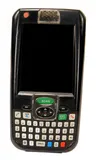
Dolphin 9700 Mobile Computers with Windows Mobile 6.5 User's Guide
Manual146 pagesPDF 8.8 MB
User's guide for the Honeywell Dolphin 9700 mobile computer with Windows Mobile 6.5: hardware, imager, camera, radios and charging bases.
Covers · 1 model
The models it covers
Summary
What is in it
Honeywell user's guide for the Dolphin 9700 mobile computers running Windows Mobile 6.5. It covers getting started, the standard configurations, peripherals and accessories, the front, back and side panels, batteries and resets, the scan image engine, color camera, 31-key and 45-key keyboards, system settings, IrDA, ActiveSync and wireless communication, the GSM, Bluetooth and GPS radios, and the HomeBase, Mobile Base, ChargeBase and QuadCharger devices, plus agency information and customer support.
Its parts
- Agency Information
- Getting Started
- Hardware Overview
- Using the Scan Image Engine
- Using the Color Camera
- Using the Keyboards
- System Settings
- Communication
- Working with GSM/HSDPA/UMTS/GPRS/EDGE
- Working with the Bluetooth Radio
- Working with GPS
- Dolphin 9700 HomeBase Device (Model 9700-HB)
- Dolphin 9700 Mobile Base Device (Model 9700-MB)
- Dolphin 9700 ChargeBase Device (Model 9700-CB)
- Dolphin 9700 QuadCharger Device (Model 9700-QC)
From the manual
Key facts from this manual
Some pages are scans or cannot be read; this says only what the readable text supports. Each line names its page in the PDF.
Honeywell's user's guide for the Dolphin 9700 mobile computers with Windows Mobile 6.5, dated 2010-2011. It covers setting up and charging the terminal, its standard configurations, scan engines, batteries and accessories, and the HomeBase, Mobile Base, ChargeBase and QuadCharger cradles and chargers.
- Device
- Mobile computer with Windows Mobile 6.5, Marvell PXA270 624 MHz, 256MB SDRAM and 1GB Flash p. 25
- Keyboards
- 45-Key Qwerty or 31-Key Numeric p. 25
- Image engines
- Adaptus 5100SR/SF or 5300SR/SF/HD, reading 1D and 2D bar codes, mounted at a 33 degree downward angle p. 25, 41
- Wireless
- 802.11a/b/g and Bluetooth on all configurations; GSM/GPRS/EDGE/UMTS/HSDPA and GPS on some p. 25
- Main battery
- Battery pack models 200003231 (7.4V, 12.0 watt hour) and 9700-BTEC (Li-ion 7.2V, 14.4 watt hour); full charge in 4 hours p. 15, 16, 36
- Backup battery
- Internal 3.6 Volt nickel metal hydride (NiMH); keeps RAM data up to 30 minutes without the main pack; 8 hours initial charge p. 16, 37
- Charging devices
- 9700CB, 9700-EHB, 9700-HB, 9700-MB, 9700-NB, 9700-MC, 9700-RS232, 9700-USB p. 16
- Cable power supply
- UL Listed supply rated 9.5VDC and 1.7 amps for the 9700-RS232 or 9700-USB cable p. 16
- HomeBase 9700-HB
- Charging and communication cradle: RS232 up to 115k baud, full-speed USB up to 12 Mbps, auxiliary well charges a spare battery in 4 hours p. 111, 113
- Mobile Base 9700-MB
- Vehicle and in-premise cradle with mounting bracket, cigarette lighter adapter, RS232 up to 115K baud and power out to handheld scanners p. 121
- ChargeBase 9700-CB
- 4-slot cradle that powers 4 terminals and charges their main batteries in 4 hours p. 129
- QuadCharger 9700-QC
- 4-slot battery charger, 6 hour charge, universal supply accepting 90-265 volts; fourth slot has a battery analyzer p. 27, 135, 136
- Accessories
- 9700-MSCR magnetic stripe and smart card reader; Mobile Charger cable for 12 Volt DC; RS232 or USB cable kits; holsters, protective enclosures, stylus kits p. 27
What this manual walks you through
- Installing the main battery pack p. 15
- Charging the main and backup batteries before first use p. 16
- Charging and connecting through the 9700-RS232 or 9700-USB cable p. 16
- Storing, using and disposing of batteries p. 36, 37
- Supported 1D, 2D, OCR and postal bar code symbologies p. 42
- Reading the HomeBase DOCK, COMM and AUX Battery LEDs p. 112, 113
- Mounting the QuadCharger on a DIN rail p. 138
- Troubleshooting the QuadCharger status LEDs p. 139
Good to know
- The battery door must be in place before the unit is powered. p. 15
- If the backup battery fully discharges, all data in RAM is lost; keep a charged pack in the terminal. p. 37
- Store batteries between -4 and 104 °F (-20 to 40 °C); charge them at 50 to 95 °F (10 to 35 °C) for best results. p. 36, 138
- HomeBase units cannot be daisy-chained to each other. p. 111
- When the terminal is worn on the body, its touch panel must face away from the body. p. 27
Questions this manual answers
What battery does the Honeywell Dolphin 9700 use?
Battery pack model 200003231 (7.4V, 12.0 watt hour) or 9700-BTEC (Li-ion 7.2V, 14.4 watt hour). p. 15
How long does the Dolphin 9700 battery take to charge?
The main pack takes 4 hours in the terminal or a HomeBase; the internal backup battery needs about 8 hours the first time. p. 16
What does a red status LED on the 9700-QC QuadCharger mean?
An error in the last charge cycle; trying another slot shows whether the battery or the slot is at fault. p. 136, 139
Which cradles and chargers work with the Dolphin 9700?
The 9700-HB HomeBase, 9700-MB Mobile Base, 9700-CB ChargeBase and 9700-QC QuadCharger, plus the eBase and Net Base. p. 36
Contents
Chapters and sections
Each line opens the PDF at its page.
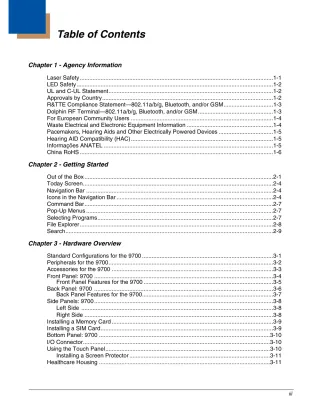
- Dolphin® 9700 Mobile Computers User's Guide1
- Disclaimer2
- Trademarks2
- Patents2
- Agency Information9
- Getting Started15
- Hardware Overview25
- Using the Scan Image Engine41
- Using the Color Camera47
- Using the Keyboards51
- System Settings59
- Communication77
- Working with GSM/HSDPA/UMTS/GPRS/EDGE89
- Working with the Bluetooth Radio101
- Working with GPS109
- Dolphin 9700 HomeBase Device (Model 9700-HB)111
- Dolphin 9700 Mobile Base Device (Model 9700-MB)121
- Dolphin 9700 ChargeBase Device (Model 9700-CB)129
- Dolphin 9700 QuadCharger Device (Model 9700-QC)135
- Customer Support141
- Manual Date Code146
The whole text · 15 parts
Read the manual here as text
Its text as extracted from the PDF, unedited, in parts; each page opens the PDF at that page.
- Pages 1 to 101-10
- Pages 11 to 2011-20
- Pages 21 to 3021-30
- Pages 31 to 4031-40
- Pages 41 to 5041-50
- Pages 51 to 6051-60
- Pages 61 to 7061-70
- Pages 71 to 8071-80
- Pages 81 to 9081-90
- Pages 91 to 10091-100
- Pages 101 to 110101-110
- Pages 111 to 120111-120
- Pages 121 to 130121-130
- Pages 131 to 140131-140
- Pages 141 to 146141-146
The file