Manual · HHP
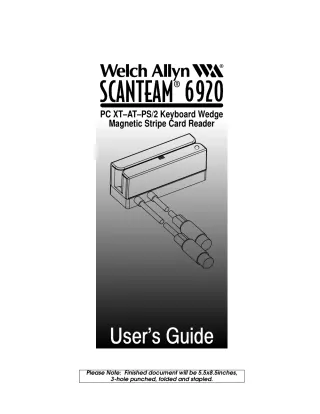
SCANTEAM 6920 User's Guide: PC XT-AT-PS/2 Keyboard Wedge Magnetic Stripe Card Reader
Manual25 pagesPDF 154 KB
User's guide for the Welch Allyn SCANTEAM 6920 keyboard wedge magnetic stripe card reader: installation, data format, DIP switch and specs.
What this file really is
The old site listed this file as a manual for the HHP ST6901. The file is named for the HHP ST6901, but the document is the Welch Allyn SCANTEAM 6920 keyboard wedge magnetic stripe reader user's guide and does not mention the ST6901.
Filed with · 1 model
Also filed with these models on the old site
Summary
What is in it
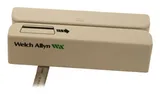
The Welch Allyn user's guide for the SCANTEAM 6920 magnetic stripe card readers, which decode cards and send the data to a PC through the keyboard wedge, as if typed. It covers features and applications, the single, dual and triple track configurations, installation on the PC keyboard port, the output data format and track sentinels, configuration by DIP switch (sentinels, carriage return, XT or AT scan codes, keyboard speed, Caps Lock detection) and by keyboard programming, specifications, pin assignments and support.
Its parts
- Introduction
- Features / Benefits
- Applications
- Configurations
- Installation
- Output Data Format
- Configuration Options: Dip Switch Controlled
- Configuration Options: Keyboard Programmable
- Specifications
- Service and Technical Support
From the manual
Key facts from this manual
Some pages are scans or cannot be read; this says only what the readable text supports. Each line names its page in the PDF.
User's guide for the SCANTEAM 6920, a magnetic stripe card reader that plugs in between a PC XT, AT or PS/2 keyboard and the computer. It covers the 6920-1, 6920-2, 6920-3, 6920-5 and 6920-6 versions. It explains installation, the output data format, the DIP switches and the keyboard programming commands.
- Device
- Decoded output magnetic stripe card reader with a PC keyboard wedge interface p. 6
- Host computers
- PC XT, AT or PS/2 p. 7
- Power
- Powered from the keyboard port, 50 mA @ +5 VDC maximum; no external power pack p. 9, 20
- Track versions
- 6920-1 and 6920-3: tracks 1 and/or 2; 6920-5: tracks 1, 2 and/or 3 p. 8
- Host connectors
- 6920-1: full-sized circular DIN; 6920-5: Mini-DIN p. 8
- Recording method
- Two-frequency coherent phase (F2F), compatible with ISO 7811 p. 20
- Swipe speed
- 5 to 50 in/sec, either direction p. 20
- Cables
- About 1 foot to the keyboard and 5 feet to the computer, 5 pin DIN or Mini-DIN p. 20
- Size and weight
- 3.94 in long, 1.34 in wide, 1.67 in high; about 10.6 oz. (300 g) p. 20
- Operating temperature
- 14° F to 122° F p. 20
- Head life
- 300,000 passes minimum p. 20
- Configuration
- 8 position DIP switch plus keyboard programming mode p. 20
- Prefix and suffix
- Up to five programmable prefix or suffix characters p. 7
- Factory setting
- AT type keyboard scan codes with Caps Lock auto-detect p. 9
What this manual walks you through
- Installing the reader between the keyboard and the PC p. 9
- Reading the output data format and track sentinels p. 10
- Setting the DIP switches for scan codes, speed and case p. 11, 12, 13
- Setting keystroke speed and keyboard type from the keyboard p. 15
- Setting a transmit control character p. 16
- Setting a prefix or suffix and its position p. 17
- Enabling tracks and returning to default settings p. 18
- Displaying a status check of the settings p. 19
Good to know
- Turn the host PC off before connecting the reader or changing DIP switch settings. p. 9
- Many early PCs and clones cannot take 80 characters per second and must be set to 25. p. 11
- Triple track options are not available on a two track reader. p. 18
- Cables connected to the reader must be shielded to keep FCC compliance. p. 3
Questions this manual answers
Does the SCANTEAM 6920 card reader need a power supply?
No. It draws its power from the PC keyboard cables, at most 50 mA at +5 VDC. p. 9, 20
How do I install the SCANTEAM 6920 magnetic stripe reader?
With the PC off, unplug the keyboard, plug it into one reader pigtail, and connect the other pigtail to the PC keyboard port. p. 9
Why does card data show up in lower case?
If Caps Lock is on, the PC can read the data as lower case; a DIP switch setting lets the reader sense Caps Lock and always send upper case. p. 11
Which tracks can the SCANTEAM 6920 read?
Single, dual and triple track versions exist; the 6920-5 reads tracks 1, 2 and/or 3. p. 6, 8
What card swipe speed does the SCANTEAM 6920 handle?
5 to 50 inches per second, in either direction. p. 20
The whole text · 3 parts
Read the manual here as text
Its text as extracted from the PDF, unedited, in parts; each page opens the PDF at that page.
The file