Manual · HHP
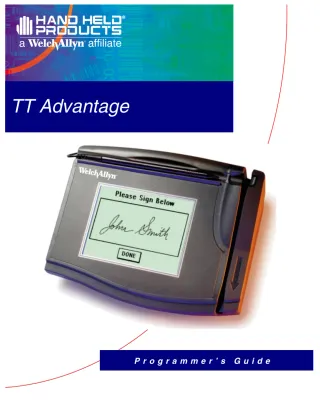
TT Advantage Programmer's Guide
Manual92 pagesPDF 976 KB
Programmer's guide for TT Advantage, the Visual Basic add-in for building point-of-sale screens on Hand Held Products TT3100 Series terminals.
What this file really is
The old site listed this file as a manual for the HHP PW3000, TT3100 and 8 more models. This is not a user manual for the PW3000: it is the programmer's guide for TT Advantage, Visual Basic development software for the Hand Held Products TT3100 Series terminals, and it does not mention the PW3000.
Names · 2 models
The models it names
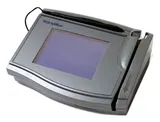 HHP TT3100Signature capture POS terminal from$495.0099 in stock Welch Allyn TT3100Signature capture POS terminal Call for availability
Filed with · 8 models
Also filed with these models on the old site
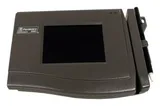 HHP PW3000Signature capture POS terminal from$495.004 in stock Welch Allyn PW3000Signature capture POS terminal from$495.0066 in stock MobiNetix PW-3000Signature capture POS terminal from$495.002 in stock Symbol PW-3000Signature capture POS terminal from$495.00252 in stock MobiNetix PW-3100Signature capture POS terminal from$495.00495 in stock PenWare PW-3100Signature capture POS terminal from$495.00396 in stock HHP TT3101Signature capture POS terminal Call for availability Welch Allyn TT3101Signature capture POS terminal Call for availability
Summary
What is in it
The programmer's guide for TT Advantage, a Visual Basic add-in from Hand Held Products for writing interactive point-of-sale applications on TT3100 Series transaction terminals. It explains the developer environment and forms, then the two programming modes: Script mode, for scripts that run on the terminal and are triggered by existing C or C++ host programs, and VB mode, for Visual Basic applications on a host PC. It lists the controls (signature capture, MSR, list boxes and more), commands, and error messages.
Its parts
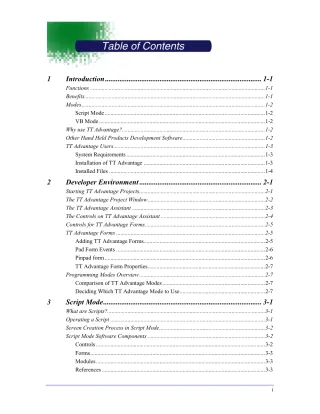
- Introduction
- Developer Environment
- Script Mode
- VB Mode
- Error Messages
- Help Desk
From the manual
Key facts from this manual
Each line names its page in the PDF.
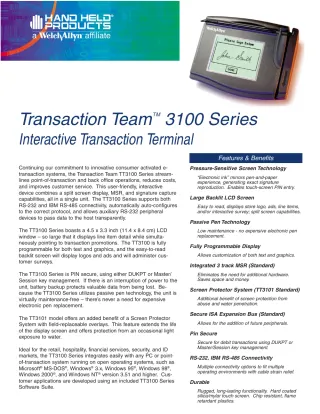
The TT Advantage Programmer's Guide from Hand Held Products, for the Visual Basic add-in used to write screens and applications for Transaction Team TT3100 Series terminals. It is a software guide, not a hardware user manual, and it does not name the PW3000 or PW-3100 it is filed under. It explains the two programming modes, installation, downloading scripts to the terminal, and the error messages.
- What it is
- TT Advantage, a Visual Basic add-in for building TT3100 Series terminal applications p. 7
- Programming modes
- Script mode (programs stored and run on the terminal) and VB mode (host-side Visual Basic programs) p. 8
- PC requirements
- Windows PC, 100 MHz or faster Pentium, 16 MB RAM (32 MB recommended), 10 MB free disk p. 9
- Software required
- Visual Basic 5.0 with Service Pak 3 and a TT3100 Series terminal p. 9
- Distribution
- On the Transaction Team 3100 Series Software Suite CD, with the Hand Held Products SDK p. 8
- Script storage
- Scripts are downloaded over a host COM port and held in non-volatile memory p. 21
- Terminal ports
- Scripts communicate through the terminal's RS-232 and RS 485 ports p. 21
- Screen size
- Script forms must be 320 by 240 (ScaleWidth 320, ScaleHeight 240) p. 86
- Font sizes
- Six sizes, from 6x8 to 16x24 pixels, mapped to Courier New 10 to 30 pt p. 26
- Installed files
- mxVisual.dll, mxSptool.dll, mxScript.dll, mxVAhost.dll, Sigbox.ocx, VisualControls.ocx and project templates p. 10
- Screen controls
- Command buttons, signature boxes, graphics, MSR capture, text boxes, list boxes and check boxes p. 7
What this manual walks you through
- Choosing between Script mode and VB mode p. 19
- Installing TT Advantage and the files it puts on the PC p. 9, 10
- Downloading a script to the terminal p. 23
- Starting a script on the terminal p. 21
- How the terminal draws a screen, step by step p. 22
- Matching terminal font sizes to Courier New point sizes p. 26
- VB mode and Script mode error messages and remedies p. 85, 86, 87
Good to know
- Of the form properties, change only Caption and Name; changing ScaleMode, WidthMode or HeightMode degrades the display. p. 19
- The terminal ignores host commands and events while it is clearing and drawing a screen. p. 22
- Use only one timer per form; the timer code runs only once. p. 22
- Users need to be familiar with Visual Basic. p. 9
Questions this manual answers
The whole text · 10 parts
Read the manual here as text
Its text as extracted from the PDF, unedited, in parts; each page opens the PDF at that page.
The file