Spec sheet · HHP
HHP 9500-HB and 9550 Homebase Spec Sheet
Spec sheet2 pagesPDF 80 KB
Both pages are below, each with its text.
Covers · 2 models
The models it covers
From the sheet · read page by page
Key facts from this sheet
Each line names its page in the PDF.
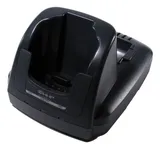
HHP's two-page sheet (Rev A 9/03) for the Dolphin 9500/9550 HomeBase, a charging and communication cradle that seats one Dolphin 9500 or 9550 mobile computer. It describes charging, the USB and RS-232 connections, the status LEDs, mounting, size and operating conditions.
- Device
- Charging and communication cradle for one Dolphin 9500/9550 mobile computer, with a spare battery well p. 1
- Interfaces
- USB (12 Mbps) and RS-232 (up to 115 Kbps) p. 1
- Charging
- Charges the seated terminal's battery in less than four hours while powering it; spare battery in less than four hours p. 1
- Status LEDs
- DOCK, COMM and AUX BATTERY LEDs on the front panel p. 1
- Mounting
- DIN rail slides for desk or bench; wall mounting bracket ordered separately p. 1
- Connectors
- USB B Male; RS-232 DB-9 Female p. 2
- Dimensions
- 4.0" high X 5.5" wide X 6.3" deep (10.2 cm X 14.0 cm X 16.0 cm) p. 2
- Weight
- 26.6 oz (754g) p. 2
- Operating temperature
- 14° to 122°F (-10° to 50°C) p. 2
- Storage temperature
- -4° to 158°F (-20° to 70°C) p. 2
- Humidity and ESD
- 90% relative humidity (non-condensing); ESD 8KV p. 2
- Case
- Polycarbonate ABS blend, gray p. 2
What this sheet walks you through
- Reading the COMM, DOCK and AUX BATTERY LEDs p. 2
Questions this sheet answers
How long does the Dolphin 9500 HomeBase take to charge a battery?
Less than four hours, for the battery in a seated terminal and for a spare in the auxiliary well. p. 1
What connectors does the Dolphin 9500/9550 HomeBase have?
A USB B Male connector (12 Mbps) and an RS-232 DB-9 Female connector (up to 115Kbps). p. 2
What does the orange COMM LED mean on the HomeBase?
With the RS-232 interface in use, orange means RS-232 data is being sent at high data rates. p. 2
Can the Dolphin HomeBase be wall mounted?
Yes, with a mounting bracket ordered separately; DIN rail slides on the bottom also allow desk or bench mounting. p. 1
The file
Size and text
Every page · 2
Read it here
Each page as it is printed, and its words beside it, so a phone can search and copy them.
Page1of 2
Open in the PDF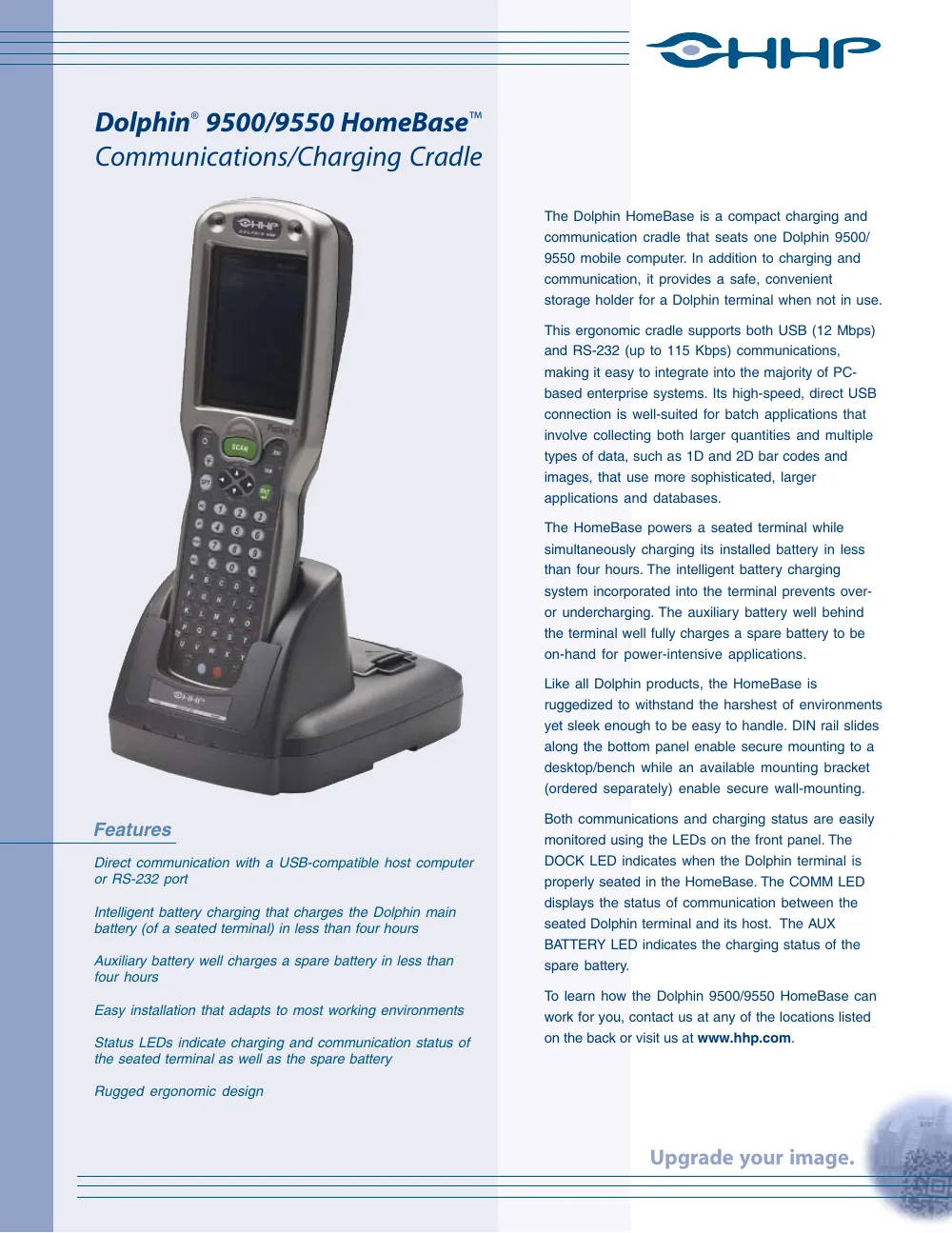
The text of page 1, from the PDF itself
Dolphin® 9500/9550 HomeBase™ Communications/Charging Cradle The Dolphin HomeBase is a compact charging and communication cradle that seats one Dolphin 9500/ 9550 mobile computer. In addition to charging and communication, it provides a safe, convenient storage holder for a Dolphin terminal when not in use. This ergonomic cradle supports both USB (12 Mbps) and RS-232 (up to 115 Kbps) communications, making it easy to integrate into the majority of PCbased enterprise systems. Its high-speed, direct USB connection is well-suited for batch applications that involve collecting both larger quantities and multiple types of data, such as 1D and 2D bar codes and images, that use more sophisticated, larger applications and databases. The HomeBase powers a seated terminal while simultaneously charging its installed battery in less than four hours. The intelligent battery charging system incorporated into the terminal prevents overor undercharging. The auxiliary battery well behind the terminal well fully charges a spare battery to be on-hand for power-intensive applications. Like all Dolphin products, the HomeBase is ruggedized to withstand the harshest of environments yet sleek enough to be easy to handle. DIN rail slides along the bottom panel enable secure mounting to a desktop/bench while an available mounting bracket (ordered separately) enable secure wall-mounting.
Features Direct communication with a USB-compatible host computer or RS-232 port Intelligent battery charging that charges the Dolphin main battery (of a seated terminal) in less than four hours Auxiliary battery well charges a spare battery in less than four hours
Both communications and charging status are easily monitored using the LEDs on the front panel. The DOCK LED indicates when the Dolphin terminal is properly seated in the HomeBase. The COMM LED displays the status of communication between the seated Dolphin terminal and its host. The AUX BATTERY LED indicates the charging status of the spare battery. To learn how the Dolphin 9500/9550 HomeBase can
Easy installation that adapts to most working environments Status LEDs indicate charging and communication status of the seated terminal as well as the spare battery
work for you, contact us at any of the locations listed on the back or visit us at www.hhp.com.
Rugged ergonomic design
Upgrade your image.
Page2of 2
Open in the PDF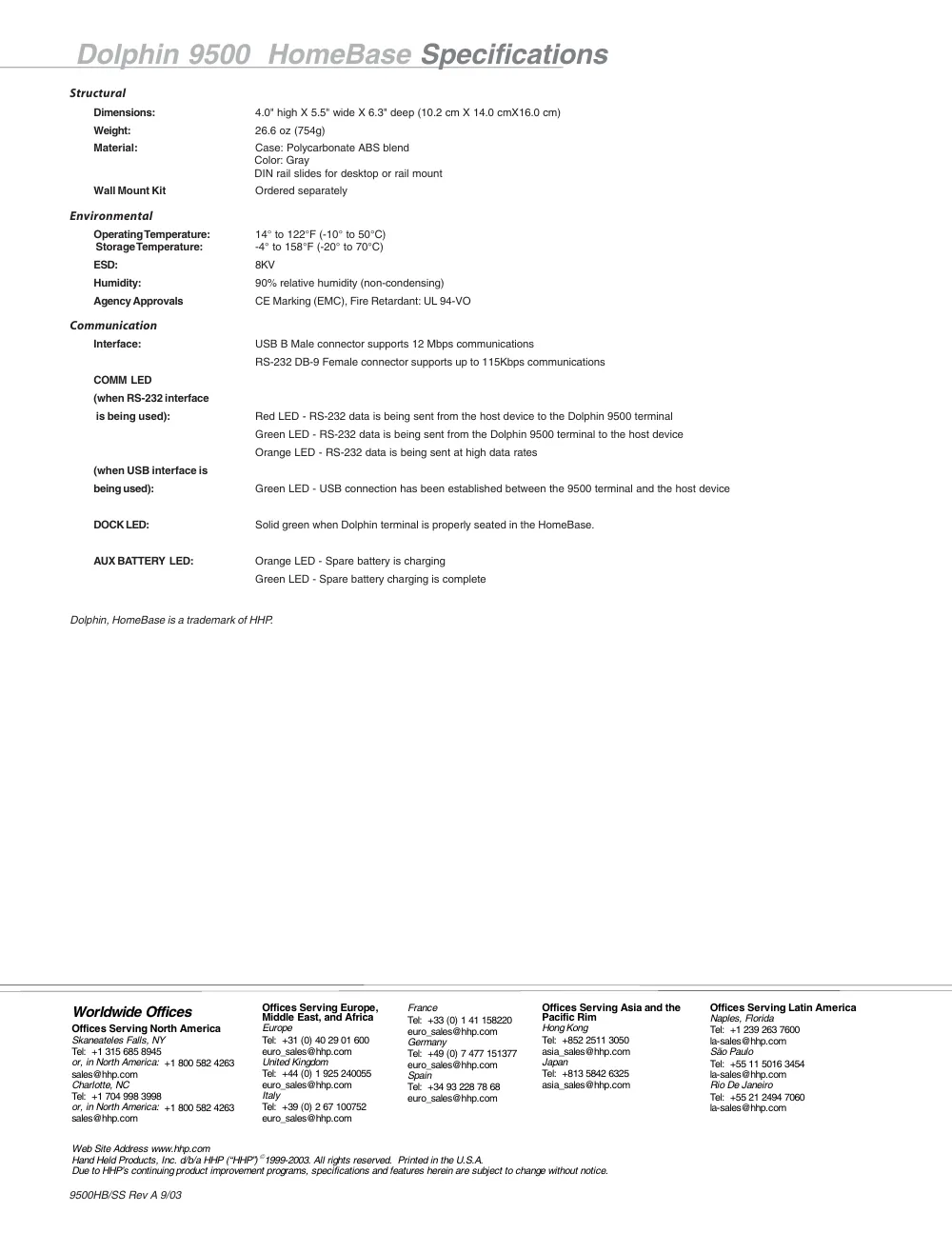
The text of page 2, from the PDF itself
Dolphin 9500 HomeBase Specifications Structural Dimensions:
4.0" high X 5.5" wide X 6.3" deep (10.2 cm X 14.0 cmX16.0 cm)
- Weight
- 26.6 oz (754g)
- Material
- Case: Polycarbonate ABS blend Color: Gray DIN rail slides for desktop or rail mount
Wall Mount Kit
Ordered separately
Environmental Operating Temperature: Storage Temperature:
14° to 122°F (-10° to 50°C) -4° to 158°F (-20° to 70°C)
- ESD
- 8KV
- Humidity
- 90% relative humidity (non-condensing)
Agency Approvals
CE Marking (EMC), Fire Retardant: UL 94-VO
- Communication Interface
- USB B Male connector supports 12 Mbps communications RS-232 DB-9 Female connector supports up to 115Kbps communications
COMM LED (when RS-232 interface is being used):
Red LED - RS-232 data is being sent from the host device to the Dolphin 9500 terminal Green LED - RS-232 data is being sent from the Dolphin 9500 terminal to the host device Orange LED - RS-232 data is being sent at high data rates
(when USB interface is being used):
Green LED - USB connection has been established between the 9500 terminal and the host device
- DOCK LED
- Solid green when Dolphin terminal is properly seated in the HomeBase.
- AUX BATTERY LED
- Orange LED - Spare battery is charging Green LED - Spare battery charging is complete
Dolphin, HomeBase is a trademark of HHP.
Worldwide Offices
Offices Serving Europe, Middle East, and Africa
Offices Serving North America
Europe Tel: +31 (0) 40 29 01 600 euro_sales@hhp.com United Kingdom Tel: +44 (0) 1 925 240055 euro_sales@hhp.com Italy Tel: +39 (0) 2 67 100752 euro_sales@hhp.com
Skaneateles Falls, NY Tel: +1 315 685 8945 or, in North America: +1 800 582 4263 sales@hhp.com Charlotte, NC Tel: +1 704 998 3998 or, in North America: +1 800 582 4263 sales@hhp.com
France Tel: +33 (0) 1 41 158220 euro_sales@hhp.com Germany Tel: +49 (0) 7 477 151377 euro_sales@hhp.com Spain Tel: +34 93 228 78 68 euro_sales@hhp.com
Offices Serving Asia and the Pacific Rim Hong Kong Tel: +852 2511 3050 asia_sales@hhp.com Japan Tel: +813 5842 6325 asia_sales@hhp.com
Web Site Address www.hhp.com Hand Held Products, Inc. d/b/a HHP (“HHP”) 1999-2003. All rights reserved. Printed in the U.S.A. Due to HHP’s continuing product improvement programs, specifications and features herein are subject to change without notice.
9500HB/SS Rev A 9/03
Offices Serving Latin America Naples, Florida Tel: +1 239 263 7600 la-sales@hhp.com São Paulo Tel: +55 11 5016 3454 la-sales@hhp.com Rio De Janeiro Tel: +55 21 2494 7060 la-sales@hhp.com