Manual · HHP
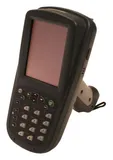
Dolphin 7850 Mobile Computer With Windows Mobile 5.0 User's Guide
Manual140 pagesPDF 2.3 MB
User's guide for the Dolphin 7850 mobile computer with Windows Mobile 5.0, covering hardware, keyboards, scanning, Bluetooth and chargers.
Covers · 1 model
The models it covers
Summary
What is in it
The user's guide for the Dolphin 7850 mobile computer running Windows Mobile 5.0. It covers agency and safety information, getting started, the hardware, batteries, resets and technical specifications, the 24-key and 38-key keyboards, the imager and laser scanner engines, system settings, ActiveSync, infrared, USB and wireless network communication, Bluetooth with BTExplorer, the HomeBase, QuadCharger and ChargeBase charging devices, cable kits, and customer support and warranty.
Its parts
- Agency Information
- Getting Started
- Hardware Overview
- Using the Keyboards
- Using the Imager Scanner Engine
- System Settings
- Communication
- Wireless PAN Communication with Bluetooth
- Dolphin HomeBase Device
- Dolphin QuadCharger Device
- Dolphin ChargeBase
- Cables Kits
- Customer Support and Warranty
From the manual
Key facts from this manual
Each line names its page in the PDF.
Honeywell's user's guide (Rev C, 4/30/2008) for the Dolphin 7850, a handle-style mobile computer running Windows Mobile 5.0. It covers the hardware, battery power, the imager, settings and communication, and the HomeBase, QuadCharger, ChargeBase and cable kits used to charge and connect the terminal.
- Device
- Compact handle-style mobile computer with Windows Mobile 5.0 p. 33
- CPU and memory
- Intel PXA 270 520 MHz; 64MB RAM X 64MB Flash, or 128 MB RAM X 128 MB Flash p. 33
- Display
- 3.5 in. 1/4 VGA 240 x 320 TFT color, hard-coat touch panel p. 33
- Keyboards
- 24-key numeric with scrolling alpha, or 38-key numeric with full alpha p. 33
- Scan engines
- 5100SR/SF and 5300SR/SF VGA area imagers, 5300HD VGA area imager p. 17
- Connections
- Plugable/dockable RS232/USB connector, IrDA; optional Bluetooth class 2, version 1.2 p. 33, 34
- Wireless LAN
- 802.11b/g; WEP, WPA and WPA2 Personal/Enterprise, EAP-TLS, TTLS, LEAP, PEAP p. 33, 34
- Main battery
- Li-ion 7.4V, 14.1 watt hour; full charge in four hours p. 27, 28
- Backup battery
- Internal 3.6V NiMH; keeps RAM data and clock up to 30 minutes p. 28
- Charging input
- Power adapters supply 9.5 volts DC, the most the terminal can receive p. 129, 130
- Run and standby time
- WLAN: 10+ hours at 1 scan/6 sec; suspend: 8 days minimum p. 33
- Operating temperature
- 14 to 122°F (-10 to 50°C); with Bluetooth option 32 to 104°F (0 to 40°C) p. 34
- Size and weight
- Main housing 7.1 x 3.3 x 1.4 in.; handle 4.6 x 1.6 x 1 in.; about 22 oz./684g p. 34
- Charging accessories
- HomeBase (RS-232 and USB), QuadCharger, four-terminal ChargeBase, Power Cable, Mobile Charger, Charge/Comm cable p. 18, 129
What this manual walks you through
- Unpacking, installing the battery and first boot p. 13
- Charging the main and backup batteries p. 27, 28
- Fixing a terminal that does not wake from the scan trigger p. 32
- Imager working ranges by bar code type p. 47
- Using the HomeBase cradle: LEDs, ports and spare battery charging p. 101, 102, 103
- Using the QuadCharger battery charger and analyzer, with troubleshooting p. 113, 114, 119
- Charging up to four terminals in the ChargeBase p. 121, 122
- Using the Power Cable, Mobile Charger and Charge/Comm cable p. 130, 131, 132, 133
Good to know
- A switch under the battery door stops the terminal from running unless the door is closed. p. 13
- Removing AC power while the battery door is open and the battery is out shuts the terminal down and loses RAM data. p. 27
- Terminals ship with both batteries discharged. p. 13
- The HP, LR and ALR laser engines are described as a future choice. p. 48
- HomeBase devices cannot be daisy-chained to each other, but can be networked through serial or USB hubs. p. 101
Questions this manual answers
What battery does the Dolphin 7850 use?
A 7.4V, 14.1 watt hour Li-ion pack that charges fully in four hours, plus an internal 3.6V NiMH backup battery. p. 27, 28
What voltage does the Dolphin 7850 charge from?
Its power cables convert the outlet voltage to 9.5 volts DC, the maximum the terminal can receive. p. 129
How fast does the 7850 HomeBase communicate?
RS-232 runs at up to 115 Kbps and USB at up to 12 Mbps. p. 101
Why won't my Dolphin 7850 wake up?
The battery door may not be fully closed, or the main battery may be too low; install a charged battery or use a charging peripheral. p. 32
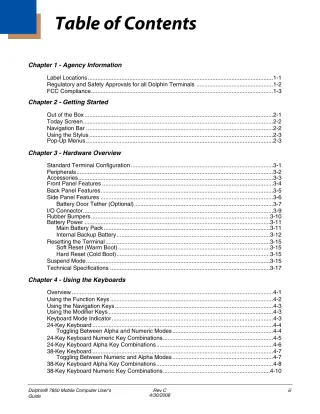
Contents
Chapters and sections
Each line opens the PDF at its page.
- Dolphin® 7850 Mobile Computer1
- Agency Information7
- Getting Started13
- Hardware Overview17
- Using the Keyboards35
- Using the Imager Scanner Engine47
- System Settings55
- Communication71
- Wireless PAN Communication with Bluetooth87
- Dolphin HomeBase Device101
- Dolphin QuadCharger Device113
- Dolphin ChargeBase121
- Cables Kits129
- Customer Support and Warranty135
The whole text · 14 parts
Read the manual here as text
Its text as extracted from the PDF, unedited, in parts; each page opens the PDF at that page.
The file