Manual · HHP
Dolphin 7200 Handheld Computer and HomeBase User's Guide
Manual179 pagesPDF 3.2 MB
User's guide for the Hand Held Products Dolphin 7200 handheld computer (RF, RS-232, iButton and 2D models) and its HomeBase cradles.
Covers · 1 model
The models it covers
Summary
What is in it
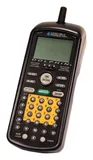
The user's guide for the Dolphin 7200 handheld computer, a one-handed DOS terminal with a laser or image engine, and the HomeBase and Compact HomeBase cradles. It covers first use and battery charging, keypads and display, the 802.11b and WLIF RF models with host connectivity, the iButton reader, RS-232 and 2D imager versions, setting up HomeBase communications, the Dolphin OS and development software, file transfer and ROM upgrades, troubleshooting and warranty, with terminal specifications in an appendix.
Its parts
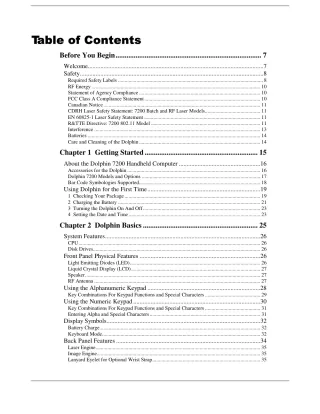
- Before You Begin
- Getting Started
- Dolphin Basics
- Dolphin 7200 RF Handheld Computer
- Dolphin 7200 with iButton Reader Handheld Computer
- Dolphin 7200 RS-232 Handheld Computer
- Dolphin 7200 2D Terminal
- Using the Dolphin 7200 HomeBase
- Using the Dolphin 7200 Compact HomeBase
- Learning About the Dolphin OS and Development System Software
- Troubleshooting and Warranty Information Dolphin 7200 Terminal
From the manual
Key facts from this manual
Some pages are scans or cannot be read; this says only what the readable text supports. Each line names its page in the PDF.
This is the Hand Held Products user's guide for the Dolphin 7200 handheld computer and its HomeBase cradles. Besides the Dolphin 7200 RF it covers the Dolphin 7200 Batch, 7200 with iButton Reader, 7200 RS-232, 7200 Wand and 7200 2D terminals. It explains first use, battery care, the RF radio options, HomeBase setup, software tools and troubleshooting.
- Device
- Dolphin 7200 RF: handheld computer and bar code scanner with a 2.4GHz WLAN radio, either 802.11b direct sequence or WLIF frequency hopping p. 17
- Processor and OS
- 386 33 MHz microprocessor running GSDOS; PC-compatible p. 16
- Memory
- 2 MB RAM with 8 MB non-volatile FLASH (expansion to 16 MB on the Batch model only) p. 18
- 802.11b radio
- Cisco 802.11b Micro-ISA DSSS radio, up to 11 megabits per second, optional 40-bit or 128-bit WEP p. 40
- Battery
- 3.6V, 1500 mAh NiMH pack; up to 10 hours of use in an RF terminal on a full charge p. 37
- Terminal emulation
- Software and keypad overlays for IBM 3270, IBM 5250 and DEC VT100/220 p. 40
- Keypad
- 36-key alphanumeric or 20-key numeric with shifted alpha characters p. 18
- Scan engines
- Standard High Performance, Long-Range or High Density, or no scan engine (manual entry only) p. 18
- 1D symbologies
- Code 3 of 9, Interleaved 2 of 5, Code 11, MSI, UPC, EAN/EAN13, Codabar, Code 128, Code 93 p. 18
- Backup battery
- Internal NiMH backup keeps RAM and clock for up to 30 minutes; needs at least 5 hours to recharge when flat p. 36
- Charge times
- 3 hours in the HomeBase auxiliary well or the 10-slot charger; 5 ½ hours in the terminal in a HomeBase p. 21
- Battery temperature
- Operates –10 to 50 °C (14 to 122° F); charge between 10 and 35 °C (50 and 95° F) p. 37
- Host connectivity
- Direct Connect TN Client: TN3270, TN5250 or TNVT terminal emulation over TCP/IP p. 56
- RF network peripherals
- PC cards, access points, and omnidirectional, patch or Yagi antennas; Wi-Fi certified for 802.11b, OpenAir compliant for frequency hopping p. 56
What this manual walks you through
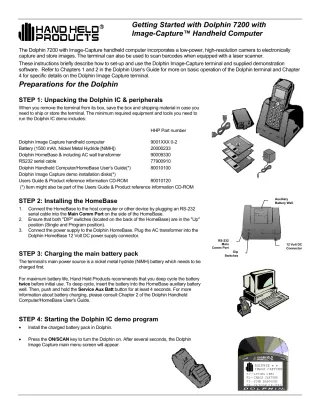
- Deep-cycling and charging the battery before first use p. 21
- Looking after the main battery pack and the internal backup battery p. 36, 37
- Setting the subnet mask on the RF terminal p. 56
- Choosing access points and antennas for the RF network p. 56
Good to know
- Use only 3.6V battery packs supplied by Hand Held Products; other packs may damage the terminal or battery. p. 21
- The terminal ships with a plastic insulator between terminal and battery that must be removed before charging. p. 21
- Never put the Dolphin in the HomeBase without the NiMH main battery pack inserted. p. 36
- The Security ID, Radio Domain and Subnet Mask on the terminal must match the access point. p. 56
- The lanyard ring for the wrist strap is not available on the Dolphin 7200 RF. p. 16
Questions this manual answers
What battery does the Dolphin 7200 RF use?
A 3.6V, 1500 mAh nickel-metal-hydride pack, good for up to 10 hours of use in an RF terminal on a full charge. p. 37
How long does a Dolphin 7200 battery take to charge?
3 hours in the HomeBase auxiliary well or the 10-slot charger, and 5 ½ hours inside the terminal in a HomeBase. p. 21
What radio does the Dolphin 7200 RF have?
Either a Cisco 802.11b direct sequence radio of up to 11 megabits per second or a WLIF frequency hopping radio, both in the 2.4 GHz band. p. 40
Which terminal emulations does the Dolphin 7200 RF support?
IBM 3270, IBM 5250 and DEC VT100/220, with matching keypad overlays. p. 40
Does the Dolphin 7200 lose its data when the battery is removed?
The internal backup battery keeps RAM and the clock running for up to 30 minutes; data and programs on drives C and D stay safe even if it fails. p. 36
The whole text · 18 parts
Read the manual here as text
Its text as extracted from the PDF, unedited, in parts; each page opens the PDF at that page.
- Pages 1 to 101-10
- Pages 11 to 2011-20
- Pages 21 to 3021-30
- Pages 31 to 4031-40
- Pages 41 to 5041-50
- Pages 51 to 6051-60
- Pages 61 to 7061-70
- Pages 71 to 8071-80
- Pages 81 to 9081-90
- Pages 91 to 10091-100
- Pages 101 to 110101-110
- Pages 111 to 120111-120
- Pages 121 to 130121-130
- Pages 131 to 140131-140
- Pages 141 to 150141-150
- Pages 151 to 160151-160
- Pages 161 to 170161-170
- Pages 171 to 179171-179
The file