Manual · HHP
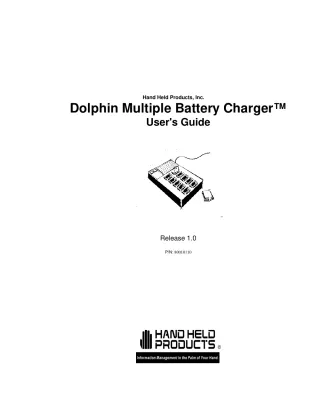
Dolphin Multiple Battery Charger User's Guide
Manual14 pagesPDF 691 KB
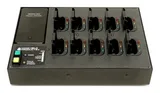
User's guide for the Hand Held Products Dolphin Multiple Battery Charger, a 10-pocket charger for Dolphin NiMH battery packs.
Filed with · 1 model
Also filed with these models on the old site
Summary
What is in it
Hand Held Products' user's guide for the Dolphin Multiple Battery Charger, which charges up to 10 Dolphin battery packs at once with separate charge control for each pocket. It explains setting up and powering the charger, inserting battery packs, what the orange, green and red status LEDs mean, recommended charging temperatures, the Condition and Calibrate cycle for servicing packs, the top panel layout, troubleshooting, and warranty and return information.
Its parts
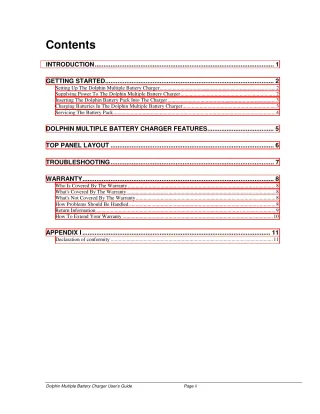
- Introduction
- Getting Started
- Dolphin Multiple Battery Charger Features
- Top Panel Layout
- Troubleshooting
- Warranty
From the manual · read page by page
Key facts from this manual
Some pages are scans or cannot be read; this says only what the readable text supports. Each line names its page in the PDF.
The user's guide (Release 1.0, October 1998) for the Hand Held Products Dolphin Multiple Battery Charger, a ten-pocket charger for Dolphin battery packs. It explains setup, charging, the Condition and Calibrate cycle, the status lights and troubleshooting. It does not name the 7200 MultiCharger.
- What it is
- Charger for 10 Dolphin battery packs, with its own charge control for each pocket p. 4
- Battery type
- 3.6V NiMH rechargeable Dolphin battery packs p. 8
- Charge time
- About three hours for a dead battery, then trickle charge p. 6
- Condition and Calibrate
- Full discharge and recharge in about 8 hours, to update the battery pack data record p. 7
- Status lights
- Orange: charging at maximum rate; green: charged, on trickle; red: charging error p. 6
- Power
- AC power cord into a universal wide input voltage AC input; green power switch on the top panel p. 5
- Charging temperature
- 10° to 35° C recommended for the battery packs p. 6
- Top panel
- Charging pockets, power switch and LED, battery status LEDs, Condition and Calibrate switch and LED p. 9
- Guide part number
- P/N 80010110, Release 1.0 p. 1
- EMC
- The guide's declaration of conformity states EMC Directive 89/336/EEC, tested to EN 55022:1995 and EN 50082-1 p. 14
What this manual walks you through
- Setting up and powering the charger p. 5
- Seating a battery pack in a charging pocket p. 6
- Charging batteries and reading the status lights p. 6
- Running the Condition and Calibrate cycle p. 7
- Troubleshooting charging and error lights p. 10
Good to know
- Use the HHP power cord; another cord can seriously damage the charger circuitry. p. 5
- Charge only battery packs made by HHP for this charger. p. 6
- Do not remove a battery before its Condition and Calibrate cycle has finished. p. 7
- Batteries put in after the Condition and Calibrate button is pressed get a standard charge. p. 7
Questions this manual answers
How long does the Dolphin multiple battery charger take to charge a battery?
A dead battery charges to full capacity in about three hours; the charger then holds it on trickle charge. p. 6
What does the red light on the Dolphin battery charger mean?
An error during charging. Try the battery in another pocket: if the red light follows the battery the pack is at fault, if it stays with the pocket the charging circuit is. p. 6, 10
How often should Dolphin battery packs be calibrated?
As a general rule once a month, using the Condition and Calibrate cycle, which takes about 8 hours. p. 7
Why does the charging light not come on when I insert a battery?
Check the power connections, that the POWER switch is on and that the battery pack is properly seated. p. 10
Contents
Chapters and sections
Each line opens the PDF at its page.
The whole text · 2 parts
Read the manual here as text
Its text as extracted from the PDF, unedited, in parts; each page opens the PDF at that page.
The file