


Manual · Extech
Extech 42520 Manual
Manual4 pagesPDF 322 KB
All 4 pages are below, each with its text.
Covers · 1 model
The models it covers
From the manual · read page by page
Key facts from this manual
Each line names its page in the PDF.
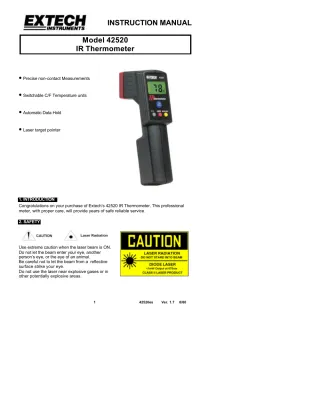
Four-page Extech instruction manual (Ver. 1.7, 8/00) for the Model 42520 IR thermometer, a handheld non-contact thermometer with a laser pointer. It gives the specifications and explains taking readings, switching units, the backlight and laser, measuring technique and battery replacement.
- Device
- Handheld non-contact IR thermometer with laser target pointer p. 1
- Range
- 0 to 600°F, 1° resolution p. 2
- Accuracy
- ± 2% rdg or 4°F/2°C, whichever is greater, at emissivity 0.95 p. 2
- Emissivity
- 0.95 fixed p. 2
- Distance to spot
- Approx. 6:1 p. 2
- Power
- 9V battery, approx. 12 mA DC p. 2
- Display
- Backlit LCD, switchable C/F units p. 1, 2
- Sample rate
- 1 sec. approx. p. 2
- Auto power off
- About 5 seconds after the ON/HOLD key is released p. 3
- Data hold
- Automatic, holds the last reading for five seconds p. 3
- Operating range
- 0 °C to 50 °C (32 °F to 122 °F), max. 80% RH p. 2
- Size and weight
- 6.7 x 1.7 x 1.6” (170 x 44 x 40 mm), 200 g / 6.4 oz. p. 2
- Low battery
- Flashing display when the battery falls to 6.5 to 7.5 V p. 4
What this manual walks you through
- Taking a temperature reading p. 3
- Switching between C and F p. 3
- Turning the backlight and laser pointer on and off p. 3
- Sizing the target for the measuring distance p. 3
- Measuring shiny, dusty or frosted surfaces p. 4
- Replacing the battery p. 4
Good to know
- Do not let the laser beam, direct or reflected, enter anyone's eyes, and do not use it near explosive gases. p. 1
- The meter can take up to 30 minutes to adjust to a wide change in ambient temperature. p. 3
- After measuring low temperatures, wait several minutes before high temperature readings are accurate. p. 3
- Reflected sunlight and nearby hot or high-emissivity objects can make readings erratic. p. 4
- The manual recommends calibration once a year. p. 4
Questions this manual answers
What is the temperature range of the Extech 42520?
0 to 600°F with 1 degree resolution; accuracy is ± 2% of reading or 4°F/2°C, whichever is greater. p. 2
Can I change the emissivity on the Extech 42520?
No. Emissivity is fixed at 0.95, and accuracy is specified for that value. p. 2
How do I switch the 42520 between Celsius and Fahrenheit?
Press and hold ON/HOLD, then press the C/F key until the units you want show on the LCD. p. 3
The file
Size and text
Every page · 4
Read it here
Each page as it is printed, and its words beside it, so a phone can search and copy them.
Page1of 4
Open in the PDF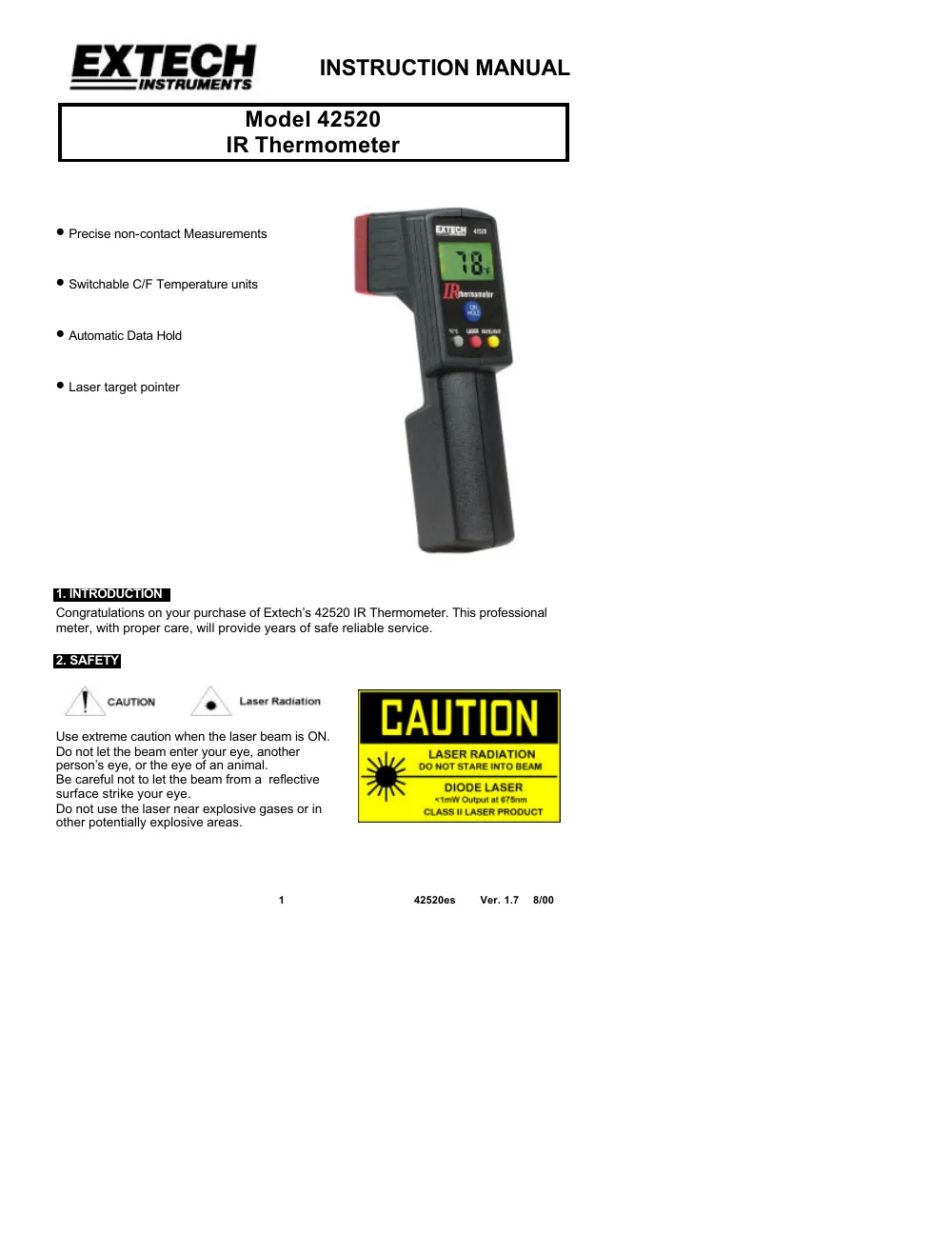
The text of page 1, from the PDF itself
INSTRUCTION MANUAL Model 42520 IR Thermometer
- Precise non-contact Measurements
- Switchable C/F Temperature units
- Automatic Data Hold
- Laser target pointer
1. INTRODUCTION Congratulations on your purchase of Extech’s 42520 IR Thermometer. This professional meter, with proper care, will provide years of safe reliable service. 2. SAFETY
Use extreme caution when the laser beam is ON. Do not let the beam enter your eye, another person’s eye, or the eye of an animal. Be careful not to let the beam from a reflective surface strike your eye. Do not use the laser near explosive gases or in other potentially explosive areas.
142520esVer. 1.78/00
Page2of 4
Open in the PDF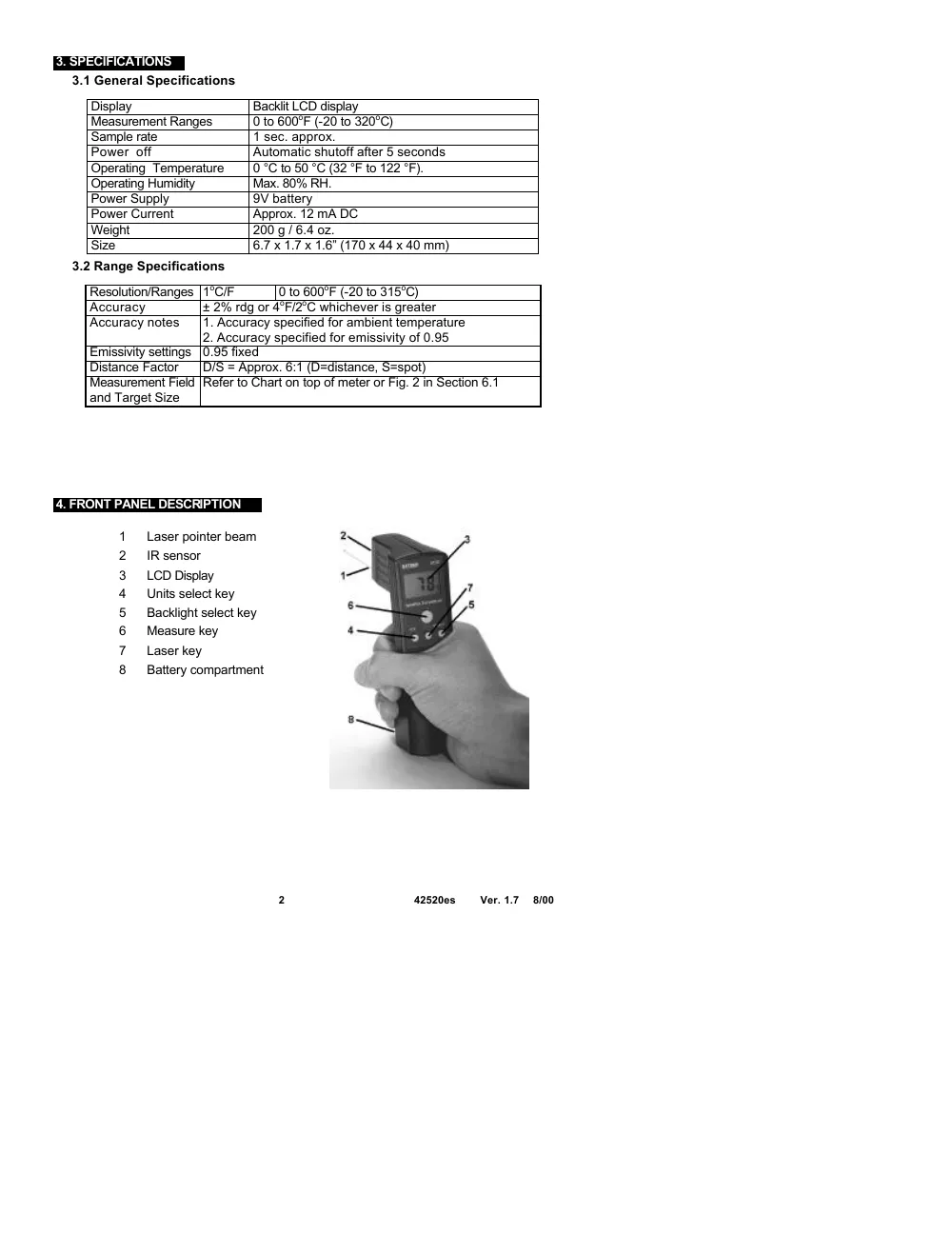
The text of page 2, from the PDF itself
3. SPECIFICATIONS 3.1 General Specifications Display Measurement Ranges Sample rate Power off Operating Temperature Operating Humidity Power Supply Power Current Weight Size
Backlit LCD display 0 to 600oF (-20 to 320oC) 1 sec. approx. Automatic shutoff after 5 seconds 0 °C to 50 °C (32 °F to 122 °F). Max. 80% RH. 9V battery Approx. 12 mA DC 200 g / 6.4 oz. 6.7 x 1.7 x 1.6” (170 x 44 x 40 mm)
3.2 Range Specifications Resolution/Ranges 1oC/F 0 to 600oF (-20 to 315oC) Accuracy ± 2% rdg or 4oF/2oC whichever is greater Accuracy notes 1. Accuracy specified for ambient temperature 2. Accuracy specified for emissivity of 0.95 Emissivity settings 0.95 fixed Distance Factor D/S = Approx. 6:1 (D=distance, S=spot) Measurement Field Refer to Chart on top of meter or Fig. 2 in Section 6.1 and Target Size
4. FRONT PANEL DESCRIPTION 1 2
Laser pointer beam IR sensor
3 4 5 6
LCD Display Units select key Backlight select key Measure key
7 8
Laser key Battery compartment
242520esVer. 1.78/00
Page3of 4
Open in the PDF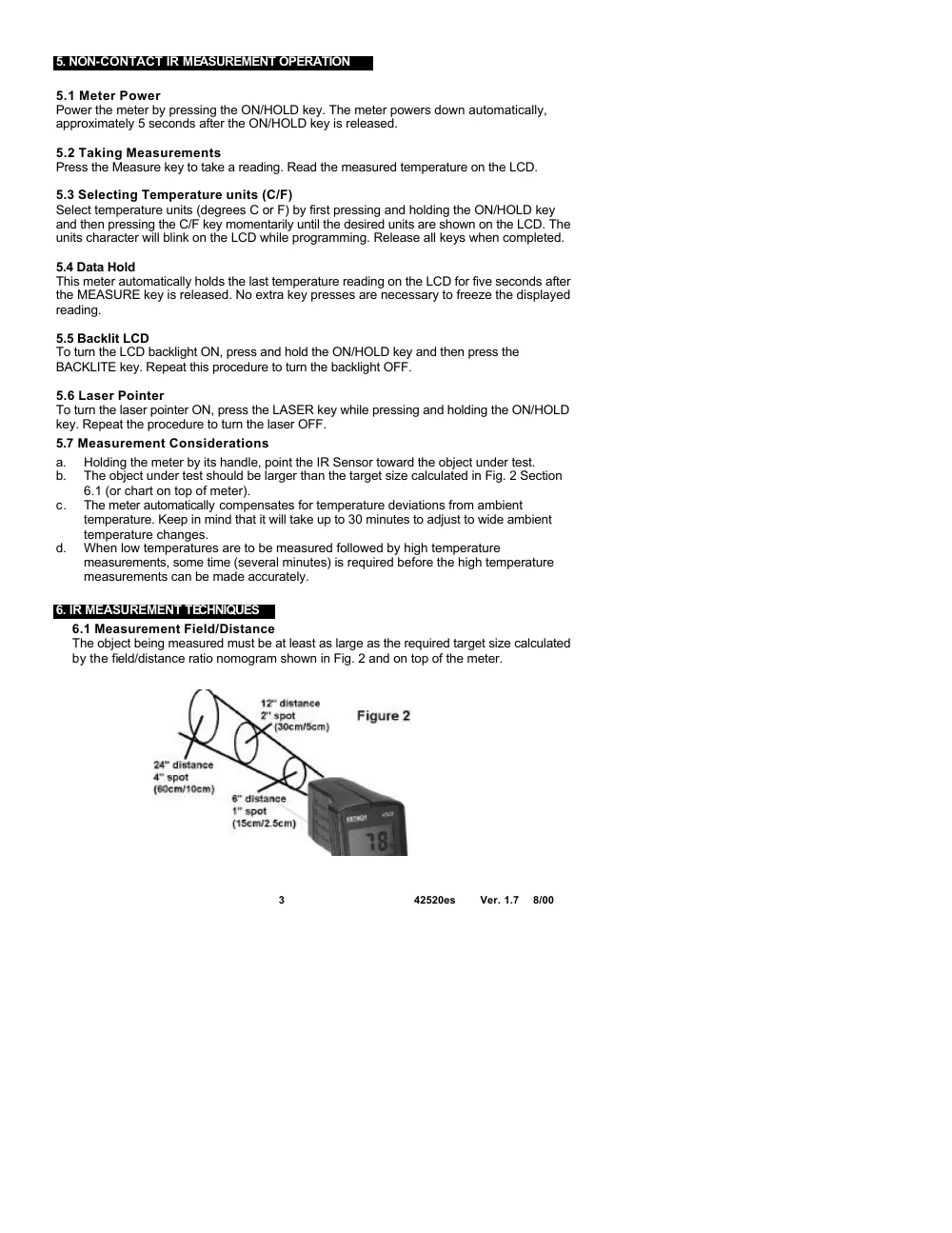
The text of page 3, from the PDF itself
5. NON-CONTACT IR MEASUREMENT OPERATION 5.1 Meter Power Power the meter by pressing the ON/HOLD key. The meter powers down automatically, approximately 5 seconds after the ON/HOLD key is released. 5.2 Taking Measurements Press the Measure key to take a reading. Read the measured temperature on the LCD. 5.3 Selecting Temperature units (C/F) Select temperature units (degrees C or F) by first pressing and holding the ON/HOLD key and then pressing the C/F key momentarily until the desired units are shown on the LCD. The units character will blink on the LCD while programming. Release all keys when completed. 5.4 Data Hold This meter automatically holds the last temperature reading on the LCD for five seconds after the MEASURE key is released. No extra key presses are necessary to freeze the displayed reading. 5.5 Backlit LCD To turn the LCD backlight ON, press and hold the ON/HOLD key and then press the BACKLITE key. Repeat this procedure to turn the backlight OFF. 5.6 Laser Pointer To turn the laser pointer ON, press the LASER key while pressing and holding the ON/HOLD key. Repeat the procedure to turn the laser OFF. 5.7 Measurement Considerations a. Holding the meter by its handle, point the IR Sensor toward the object under test. b. The object under test should be larger than the target size calculated in Fig. 2 Section 6.1 (or chart on top of meter). c. The meter automatically compensates for temperature deviations from ambient temperature. Keep in mind that it will take up to 30 minutes to adjust to wide ambient temperature changes. d. When low temperatures are to be measured followed by high temperature measurements, some time (several minutes) is required before the high temperature measurements can be made accurately. 6. IR MEASUREMENT TECHNIQUES 6.1 Measurement Field/Distance The object being measured must be at least as large as the required target size calculated by the field/distance ratio nomogram shown in Fig. 2 and on top of the meter.
342520esVer. 1.78/00
Page4of 4
Open in the PDF
The text of page 4, from the PDF itself
6.2 High InfraRed Energy Disturbances Objects having low emissivity and objects with low temperatures but high emissivity emit little infrared energy. Because of this, measurements are adversely effected by powerful infrared energy radiated from nearby objects having high emissivity or high temperature. For example, when such objects are measured in sunlight, erratic measurements are caused by powerful radiated energy from the sun reflected on the surface of an object. 6.3 Measurement Surface Hindrances If the surface of an object to be measured is covered with frost, dust or other materials, surface cleaning must be performed before accurate measurements can be made. 6.4 High Reflective Surfaces If the surface of an object to be measured is highly reflective, apply masking tape or apply flat black paint to the surface since this paint has a known emissivity value. 7. BATTERY REPLACEMENT A flashing display indicates that the battery voltage has fallen into the critical region (6.5 to 7.5 V). Reliable readings can be obtained for several hours however, after the first appearance of the low battery indication. Open the Battery compartment, replace the battery, and close the compartment cover. 8. CALIBRATION / REPAIR SERVICES Extech offers complete repair and calibration services for all of the products we sell. For periodic calibration, NIST certification or repair of any Extech product, call customer service for details on services available. Extech recommends that calibration be performed on an annual basis to insure calibration integrity. 9. WARRANTY EXTECH INSTRUMENTS CORPORATION warrants this instrument to be free of defects in parts and workmanship for one year from date of shipment (a six month limited warranty applies on sensors and cables). If it should become necessary to return the instrument for service during or beyond the warranty period, contact the Customer Service Department at (781) 890-7440 for authorization. A Return Authorization (RA) number must be issued before any product is returned to Extech. The sender is responsible for shipping charges, freight, insurance and proper packaging to prevent damage in transit. This warranty does not apply to defects res ulting from action of the user such as misuse, improper wiring, operation outside of specification, improper maintenance or repair, or unauthorized modification. Extech specifically disclaims any implied warranties or merchantability or fitness for a specific purpose and will not be liable for any direct, indirect, incidental or consequential damages. Extech's total liability is limited to repair or replacement of the product. The warranty set forth above is inclusive and no other warranty, whether written or oral, is expressed or implied. Copyright © 1999 Extech Instruments Corporation. All rights reserved including the right of reproduction in whole or in part in any form.
442520esVer. 1.78/00