


Manual · Eltron
Orion Thermal Printer User's Manual
Manual24 pagesPDF 943 KB
User's manual for the Eltron Orion LP2443 desktop direct thermal label printer: installation, label loading and troubleshooting.
Covers · 1 model
The models it covers
Summary
What is in it
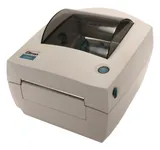
The user's manual for the Orion (LP2443) series desktop direct thermal printers, which print labels, tags or continuous receipts from DOS, Windows or ASCII-based computers. It shows how to unpack the printer, attach the power supply and parallel or serial interface cable, load labels and fan-fold media, run the AutoSense gap sensor adjustment, use the label dispenser option and install the software, with a troubleshooting table and serial cable wiring in the appendix.
Its parts
- Installation and Operation
- Appendix A - Troubleshooting
From the manual · read page by page
Key facts from this manual
Each line names its page in the PDF.
A 1999 Zebra Technologies user's manual for the Orion (LP2443) series of Eltron desktop direct thermal printers. It walks through setup, loading labels and fan-fold media, the AutoSense gap sensor adjustment and the label dispenser option. It also gives troubleshooting steps, serial cable wiring, print head cleaning and a list of accessories.
- Device
- Low cost desktop direct thermal printer for labels, tags or continuous receipts, with or without bar codes p. 7
- Host computers
- DOS, Windows or ASCII-based compatible computers p. 7
- Serial cables
- Female DB-9 to male DB-9: P/N 300017-006 (6') or 300017-010 (10'); female DB-25 to male DB-9: P/N 300018-006 (6') p. 21
- Accessory power
- +5 volts at 150 mA on serial pin 1 for an external device such as a KDU or scanner p. 21
- Media
- Direct thermal labels and tags on rolls or fan-fold; linerfree labels with the guides at the widest position p. 13, 17, 19
- Label dispenser
- Optional; switch set to I for Dispense or 0 for Batch p. 16
- Accessories
- Parallel and serial interface cables, power rewinder (120V or 230V), Create-A-Label 3 software for DOS or Windows, Keyboard Display Unit p. 23
- Programming
- EPL2; the troubleshooting table refers to the EPL2 Programming manual p. 19
- Software install
- From the supplied compact disc (CD) p. 18
- Manual number
- User's Manual No. 980176-001, Rev. E p. 1
- Compliance
- The manual states FCC Part 15, Subpart B, Class B digital device and Industry Canada ICS-003 class B p. 2
What this manual walks you through
- Attaching the power supply p. 10
- Attaching a parallel or serial interface cable p. 11
- Loading a label roll and threading it through the guides p. 12, 13
- Running the AutoSense gap sensor adjustment p. 14, 15
- Setting up the label dispenser option p. 16
- Using fan-fold media p. 17
- Troubleshooting power, print quality and stopped printing p. 19
- Wiring a serial cable to a DB-9 or DB-25 host port p. 21
- Cleaning the print head with a cleaning pen p. 22
Good to know
- Never run the printer or power supply where either can get wet. p. 4
- Do not switch the power off while reloading labels during a job, or data may be lost. p. 4
- Adhesive labels that do not lie flat on the liner can peel off inside and jam the printer. p. 4
- The AutoSense gap sensor adjustment cannot be done with the label dispenser option in use. p. 14
- Do not clean the roller; wait one minute after cleaning the head before closing the printer. p. 22
Questions this manual answers
What kind of labels does the Eltron LP2443 print on?
Direct thermal labels, tags or receipts, loaded with the direct thermal side facing up. p. 19
How do I calibrate the LP2443 gap sensor?
With the power off, hold the feed button and power on; release it when the indicator flashes, then tap the feed button to begin normal operation. p. 14, 15
What serial cable does the Orion LP2443 use?
A female DB-9 to male DB-9 cable, P/N 300017-006 (6') or 300017-010 (10'), or a female DB-25 to male DB-9 cable, P/N 300018-006 (6'). p. 21
Why does my LP2443 stop printing with an orange or red light?
The manual lists running the AutoSense gap sensor adjustment, label stock problems, a label jam, too little memory for the label size, or a software problem. p. 19
Why does the LP2443 feed labels but print nothing?
The labels may not be direct thermal, the roll may be loaded with the wrong side up, or the print head needs cleaning. p. 19
The whole text · 3 parts
Read the manual here as text
Its text as extracted from the PDF, unedited, in parts; each page opens the PDF at that page.
The file