Manual · Dell
Dell Axim X50 Owner's Manual
Manual174 pagesPDF 2.4 MB
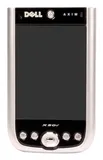
Owner's manual for the Dell Axim X50 handheld (models HC03U, HC03UL and HD04U) running Windows Mobile 2003 Second Edition.
Filed with · 1 model
Also filed with these models on the old site
Summary
What is in it
Dell owner's manual for the Axim X50 handheld, models HC03U, HC03UL and HD04U, in QVGA and VGA display versions. It covers safety, the device's buttons, battery, cradle and sync cable, memory cards and resets, then Windows Mobile 2003 Second Edition, entering text, settings, ActiveSync, Pocket Outlook, adding programs, Pocket Word and Excel, Pocket Internet Explorer and connecting by infrared, Bluetooth, Wi-Fi, modem, Ethernet and VPN. The appendix lists specifications, regulatory notices and warranties.
Its parts
- About Your Device
- Using Microsoft Windows Mobile 2003 Second Edition
- Entering Information
- Adjusting Settings
- Using the Microsoft ActiveSync Program
- Scheduling and Communicating
- Adding and Removing Programs
- Using Companion Programs
- Using Microsoft Pocket Internet Explorer
- Getting Connected
From the manual
Key facts from this manual
Each line names its page in the PDF.
Dell's owner's manual for the Axim X50 handheld, models HC03U, HC03UL and HD04U, in QVGA and VGA display versions; the name X50v does not appear in it. It explains the buttons, battery, cradle and sync cable, memory cards, resets and wireless connections under Windows Mobile 2003 Second Edition, and ends with full specifications.
- Processor
- Intel XScale PXA270 at up to 624 MHz p. 99
- Memory
- 64-MB SDRAM; 64-MB or 128-MB Intel StrataFlash ROM p. 99
- Operating system
- Microsoft Windows Mobile 2003 Second Edition p. 99
- Display
- 16-bit color transflective touch screen, 65,536 colors: 3.5 inch 240 x 320 (QVGA) or 3.7 inch 480 x 640 (VGA) p. 99
- Expansion slots
- One Secure Digital slot (3.3v, 1-bit and 4-bit SDIO) and one CompactFlash Type II slot (3.3v) p. 100
- Ports
- Infrared v1.2 (115 kbps), 36-pin cradle/sync connector, stereo headphone and mono microphone connectors p. 100
- Wireless
- Bluetooth 1.2, Class II; IEEE 802.11b WLAN at 1, 2, 5.5 or 11 Mbps on WLAN units p. 18, 101, 102
- Main battery
- 1100-mAh lithium-ion standard (full charge within 5 hours) or 2200-mAh optional (within 10 hours) p. 22, 102
- Backup battery
- 20-mAh rechargeable nickel metal hydride button cell p. 102
- AC adapter
- 100 to 240 VAC, 50 to 60 Hz in; 5.4 VDC at 2.41 A out p. 102
- Size and weight
- 119.0 x 73.0 x 16.9 mm (4.69 x 2.87 x 0.67 in); 165 g QVGA or 175 g VGA with standard battery p. 100, 101
- Temperature
- Operating 0 to 40 C (32 to 104 F); storage -20 to 60 C p. 103
- USB charging
- In the cradle from a 5V/500mA USB port while the device is off; stops after 7 hours p. 26
- Projector output
- VGA model only: VGA cable (ordered separately) on the sync connector plus the Viewer program p. 28
What this manual walks you through
- Installing, removing and charging the battery p. 20, 21, 22
- Connecting to a computer with the cradle or sync cable p. 23, 24, 25, 27
- Charging over USB p. 26
- Connecting the VGA model to a projector p. 28
- Checking built-in storage p. 29
- Installing CompactFlash and Secure Digital cards p. 29, 30, 31
- Soft and hard resets p. 32, 33
- Beaming items over infrared p. 91, 92
- Setting up Bluetooth and Wi-Fi connections p. 92, 93
- Setting up modem, Ethernet and VPN connections p. 94, 95, 96
Good to know
- Charge the main battery for at least 8 hours before first use. p. 20
- USB charging does not happen while the device is on, and a 5V/100mA hub port may cause a voltage drop. p. 26
- A hard reset erases all stored data and installed programs. p. 33
- Press the two side buttons on the sync connector before pulling it out. p. 27
- Do not remove the main battery when the backup battery is low. p. 23
Questions this manual answers
What battery does the Dell Axim X50 use?
A removable 1100-mAh lithium-ion battery as standard, or an optional 2200-mAh one. p. 102
How do I hard reset a Dell Axim X50?
Hold the power button and, with the stylus, hold the reset button for about 2 seconds, then follow the screen. It erases all data and installed programs. p. 33
What memory cards fit the Dell Axim X50?
It has one CompactFlash Type II slot and one Secure Digital slot that also takes SDIO cards. p. 29, 100
Can the Dell Axim X50 connect to a projector?
Only the VGA model, through a VGA cable on the sync connector with the Viewer program installed. p. 28
What AC adapter does the Dell Axim X50 use?
One rated 100 to 240 VAC, 50 to 60 Hz in, with 5.4 VDC at 2.41 A out. p. 102
Contents
Chapters and sections
Each line opens the PDF at its page.
The whole text · 20 parts
Read the manual here as text
Its text as extracted from the PDF, unedited, in parts; each page opens the PDF at that page.
- Pages 1 to 101-10
- Pages 11 to 1411-14
- Pages 15 to 2415-24
- Pages 25 to 3425-34
- Using Microsoft® Windows Mobile™ 2003 Second Edition35-42
- Entering Information43-52
- Pages 53 to 5653-56
- Scheduling and Communicating57-70
- Adding and Removing Programs71-76
- Using Companion Programs77-84
- Using Microsoft® Pocket Internet Explorer85-90
- Getting Connected91-98
- Appendix, pages 99 to 10899-108
- Appendix, pages 109 to 118109-118
- Appendix, pages 119 to 128119-128
- Appendix, pages 129 to 138129-138
- Appendix, pages 139 to 148139-148
- Appendix, pages 149 to 158149-158
- Appendix, pages 159 to 168159-168
- Appendix, pages 169 to 174169-174
The file