Manual · Datamax
OC-3 Series of Printers User Guide
Manual28 pagesPDF 256 KB
User guide for the Datamax-O'Neil OC-3 series portable label and receipt printers: battery, media, connection and control panel.
Covers · 1 model
The models it covers
Summary
What is in it
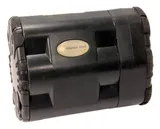
Datamax-O'Neil's user guide for the OC-3 series of portable printers, which print label media and receipt paper. It shows the printer views, then covers unpacking, removing the battery isolator, installing and charging the battery, loading media, printing a self-test, connecting by cable or radio (802.11b and Bluetooth parameters) and the belt clip. It explains the control panel buttons, LEDs and beeps, the optional CardReader, maintenance, troubleshooting, supplies and agency approvals.
Its parts
- Setting up your printer
- Using the control panel
- Using a CardReader
- Maintenance and troubleshooting
From the manual · read page by page
Key facts from this manual
Each line names its page in the PDF.
A user guide for the Datamax-O'Neil OC-3 series of portable printers, which print labels and receipt paper. It shows how to fit and charge the battery, load media, connect the printer by cable or radio, read its buttons, lights and beeps, and clean and troubleshoot it.
- Device
- Portable printer for label media and receipt paper, set up to print labels p. 11
- Media
- Linered back label media or receipt paper, 1 in to 3.125 in wide, roll capacity 2.25 in diameter p. 11
- Connections
- Data cable to the data port, or Bluetooth and/or 802.11b radio p. 14, 15
- Battery
- Rechargeable; voltage varies between 6.2 and 8.4 volts; one complete charge takes 4 to 5 hours p. 9
- Power supply
- US/Canada: Datamax-O'Neil part number 220240-100 only p. 10
- Operating temperature
- 50° C; limited to 40° C when charging with the Datamax-O'Neil power supply p. 10
- Controls
- Power, media advance, radio enable and reset buttons; battery status LED p. 5
- 802.11b settings
- ESS ID, IP address (if not DHCP), DHCP, subnet mask, WEP encryption, port, network type p. 15
- Bluetooth settings
- Device name, authentication, bondable, discoverable, connectable, encryption p. 15
- Configuration
- Windows configuration program, also used to upgrade firmware p. 15
- Options
- Magnetic CardReader; belt clip on a swivel socket p. 16, 21
What this manual walks you through
- Removing the battery isolator from a new printer p. 6
- Installing and removing the battery p. 7, 8
- Charging the battery and reading its condition from the LED p. 8, 9
- Loading label or receipt media p. 11, 12, 13
- Printing a self-test p. 14
- Connecting a data cable or setting radio parameters p. 14, 15
- Installing the belt clip p. 16
- Reading the control panel buttons, lights and beeps p. 17, 18, 19, 20
- Using the CardReader option p. 21
- Maintenance and troubleshooting p. 22, 23
Good to know
- On a new printer, the battery isolator must come out before the printer is used or charged. p. 6
- Batteries are shipped uncharged. p. 8
- Replacing the battery with an incorrect type risks an explosion. p. 9
- The tear bar and printhead cover may be hot or sharp. p. 13
- Unplug the printer and remove the battery before cleaning. p. 22
Questions this manual answers
How long does the Datamax OC-3 battery take to charge?
One complete charge takes 4 to 5 hours. The battery status LED flashes red while charging and turns solid green when full. p. 9
Which power supply does the OC-3 printer use?
For the US and Canada, the guide says to use only Datamax-O'Neil part number 220240-100. p. 10
How do I print a self-test on the OC-3?
Press and hold the power button for about three seconds until printing begins, then release it. p. 14
OC-3 battery LED flashes orange slowly
The charge has timed out. Restart the battery charge; the battery may be bad. p. 18
What paper width does the OC-3 take?
Label media or receipt paper from 1 in to 3.125 in wide. p. 11
The whole text · 3 parts
Read the manual here as text
Its text as extracted from the PDF, unedited, in parts; each page opens the PDF at that page.
The file