Manual · Datalogic
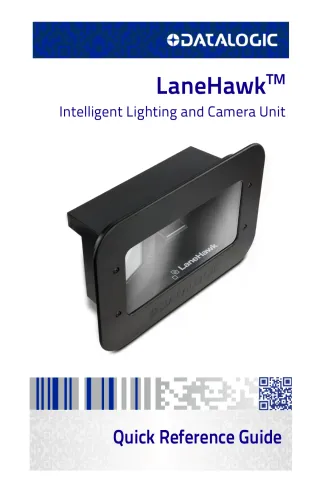
LaneHawk Intelligent Lighting and Camera Unit Quick Reference Guide
Manual16 pagesPDF 2.2 MB
Quick reference guide for the Datalogic LaneHawk bottom-of-basket camera unit: connection, POS screens, status lights and fixes.
Filed with · 1 model
Also filed with these models on the old site
Summary
What is in it
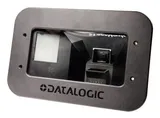
A short quick reference guide for the Datalogic LaneHawk, an intelligent lighting and camera unit that works as a Bottom of Basket (BoB) loss prevention unit at a checkout lane. It identifies the unit's parts and labels, shows how to connect the Ethernet and power cables and what the start-up sequence looks like, gives examples of POS screens showing LaneHawk is connected and has detected an item, and covers window cleaning, the status lights, troubleshooting and the warranty.
Its parts
- Introduction
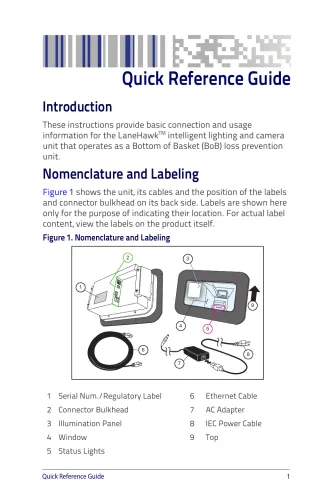
- Nomenclature and Labeling
- Connection
- Communication with the POS
- Maintenance
- Status Lights
- Troubleshooting
From the manual · read page by page
Key facts from this manual
Some pages are scans or cannot be read; this says only what the readable text supports. Each line names its page in the PDF.
Quick reference guide for the Datalogic LaneHawk intelligent lighting and camera unit, a Bottom of Basket loss prevention unit for checkout lanes; the guide prints no model number. It shows how to connect the cables, what the start-up sequence and status lights mean, how the POS screen shows that LaneHawk is connected, how to clean the window and how to troubleshoot.
- Device
- Intelligent lighting and camera unit used as a Bottom of Basket (BoB) loss prevention unit p. 3
- Network
- Ethernet cable to an Ethernet wall jack; the unit talks to a LaneHawk server p. 4, 10
- Power
- AC adapter with an IEC power cable to the outlet p. 3, 4
- Boot time
- About 30 seconds p. 4
- Status lights
- Red power light, amber Ethernet link light, green LaneHawk server light p. 5
- Cleaning
- Window only, with a soft, lint-free cloth dampened with ammonia-based window cleaner p. 9
- Document number
- 820068514 (Rev B), March 2015 p. 16
What this manual walks you through
- Connecting the Ethernet and power cables p. 4
- Checking the start-up sequence of the status lights p. 5
- Confirming on the POS screen that LaneHawk is connected p. 6, 7, 8
- Cleaning and inspecting the window p. 9
- What each status light means p. 10
- Troubleshooting power, network and server problems p. 11
Good to know
- Do not use abrasive cleaners or pads; harsh chemicals, disinfectants and cleansers can damage the unit. p. 9
- Plug the Ethernet cable in first, then the power connector, and the IEC power cable last. p. 4
- The POS screen indications vary with the POS equipment and software at each site. p. 6
- If the window is damaged, the guide says to contact the service provider. p. 9
Questions this manual answers
What is the Datalogic LaneHawk?
An intelligent lighting and camera unit that works as a Bottom of Basket (BoB) loss prevention unit at the checkout. p. 3
What does a flashing green light on the LaneHawk mean?
The network connection is live but the unit is not talking to the LaneHawk server. Check that the server is running and the Ethernet cables are secure, then cycle power. p. 11
LaneHawk red power light is off, what do I check?
Make sure all power connections are secure and that the outlet is live. p. 11
Why has LaneHawk performance dropped?
The troubleshooting table points to a dirty window; clean the window. p. 11
How long does the LaneHawk take to start up?
About 30 seconds. The red power light stays on while the other lights flash during boot. p. 4
Contents
Chapters and sections
Each line opens the PDF at its page.
The whole text · 2 parts
Read the manual here as text
Its text as extracted from the PDF, unedited, in parts; each page opens the PDF at that page.
The file