


Spec sheet · Datalogic
Datalogic DLL2020 and DLL2021 Spec Sheet
Spec sheet2 pagesPDF 193 KB
Both pages are below, each with its text.
Filed with · 2 models
Also filed with these models on the old site
From the sheet · read page by page
Key facts from this sheet
Each line names its page in the PDF.
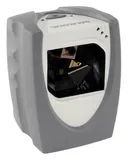
Datalogic's two-page spec sheet (printed May 2001) for the DLL2020/21-W DIAMOND omni-directional presentation scanner for the point of sale. It covers the DLL2020-W0 and the DLL2021-W0 with its single line option, and lists specifications, cables and accessories.
- Device
- Compact omni-directional presentation scanner with a built-in protecting sleeve p. 1
- Scan pattern
- 16 lines, 800 scan lines per second, visible laser diode p. 1
- Interfaces
- RS232, Keyboard Wedge p. 2
- Power
- +5 VDC ±5%, direct power from host supported; under 250 mA at 5 VDC p. 2
- Bar codes
- EAN/UPC/JAN including AddOn, Code 128, EAN128, Code 39, Code 32, Codabar, Interleaved 2/5 p. 2
- Depth of field
- 150 mm (EAN 100%) p. 2
- Size and weight
- 100 x 70 x 65 mm, 300 g (with sleeve); ABS case p. 2
- Temperature
- Operating 0 to 40°C; storage -40 to 70°C; humidity 0 - 95% p. 2
- Single line mode
- DLL2021: pressing the button turns it into a single line scanner for aiming by hand p. 1
- Accessories
- EAS kit, universal adapter cable, RS232 and IBM PS/2 or AT/XT wedge cables, USB adapter, retail stand, power supply unit p. 2
- Cable length
- 2m p. 2
What this sheet walks you through
- Choosing between the presentation scanner and the single line option model p. 2
- Picking interface cables and accessories by order number p. 2
- Full specifications, dimensions and scan pattern p. 2
Good to know
- The cables marked with an asterisk in the accessory list need CAB376 to connect to the DLL2020. p. 2
- On the DLL2021-W in single line mode, the bar code is decoded once the button is released. p. 1
Questions this sheet answers
Can the Datalogic DLL2020 be powered from the POS without a power supply?
Yes. The sheet says it can be powered directly by the POS system, without the external power supply. p. 1
Does the DLL2020 support EAS tag deactivation?
Yes, with the optional EAS kit, which deactivates EAS tags at the time of scanning. p. 1
The file
Size and text
Every page · 2
Read it here
Each page as it is printed, and its words beside it, so a phone can search and copy them.
Page1of 2
Open in the PDF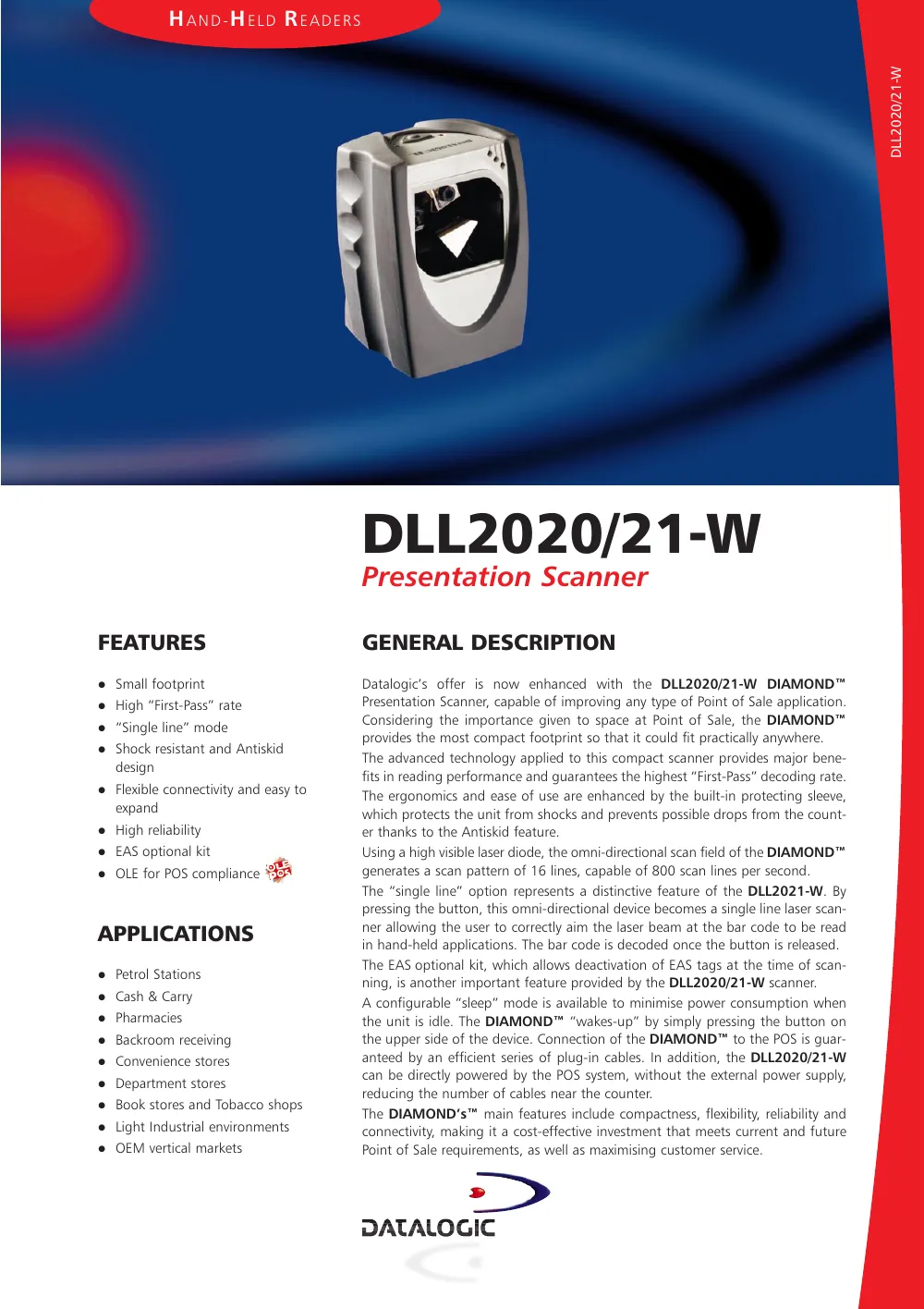
The text of page 1, from the PDF itself
DLL2020/21-W
H AND-H ELD R EADERS
DLL2020/21-W Presentation Scanner FEATURES l
Small footprintlHigh “First-Pass” ratel“Single line” model
Shock resistant and Antiskid design
l
Flexible connectivity and easy to expand
lHigh reliabilitylEAS optional kitlOLE for POS complianceAPPLICATIONS lPetrol StationslCash & CarrylPharmacieslBackroom receivinglConvenience storeslDepartment storesl
Book stores and Tobacco shops
l
Light Industrial environments
l
OEM vertical markets
GENERAL DESCRIPTION Datalogic’s offer is now enhanced with the DLL2020/21-W DIAMOND™ Presentation Scanner, capable of improving any type of Point of Sale application. Considering the importance given to space at Point of Sale, the DIAMOND™ provides the most compact footprint so that it could fit practically anywhere. The advanced technology applied to this compact scanner provides major benefits in reading performance and guarantees the highest “First-Pass” decoding rate. The ergonomics and ease of use are enhanced by the built-in protecting sleeve, which protects the unit from shocks and prevents possible drops from the counter thanks to the Antiskid feature. Using a high visible laser diode, the omni-directional scan field of the DIAMOND™ generates a scan pattern of 16 lines, capable of 800 scan lines per second. The “single line” option represents a distinctive feature of the DLL2021-W. By pressing the button, this omni-directional device becomes a single line laser scanner allowing the user to correctly aim the laser beam at the bar code to be read in hand-held applications. The bar code is decoded once the button is released. The EAS optional kit, which allows deactivation of EAS tags at the time of scanning, is another important feature provided by the DLL2020/21-W scanner. A configurable “sleep” mode is available to minimise power consumption when the unit is idle. The DIAMOND™ “wakes-up” by simply pressing the button on the upper side of the device. Connection of the DIAMOND™ to the POS is guaranteed by an efficient series of plug-in cables. In addition, the DLL2020/21-W can be directly powered by the POS system, without the external power supply, reducing the number of cables near the counter. The DIAMOND’s™ main features include compactness, flexibility, reliability and connectivity, making it a cost-effective investment that meets current and future Point of Sale requirements, as well as maximising customer service.
Page2of 2
Open in the PDF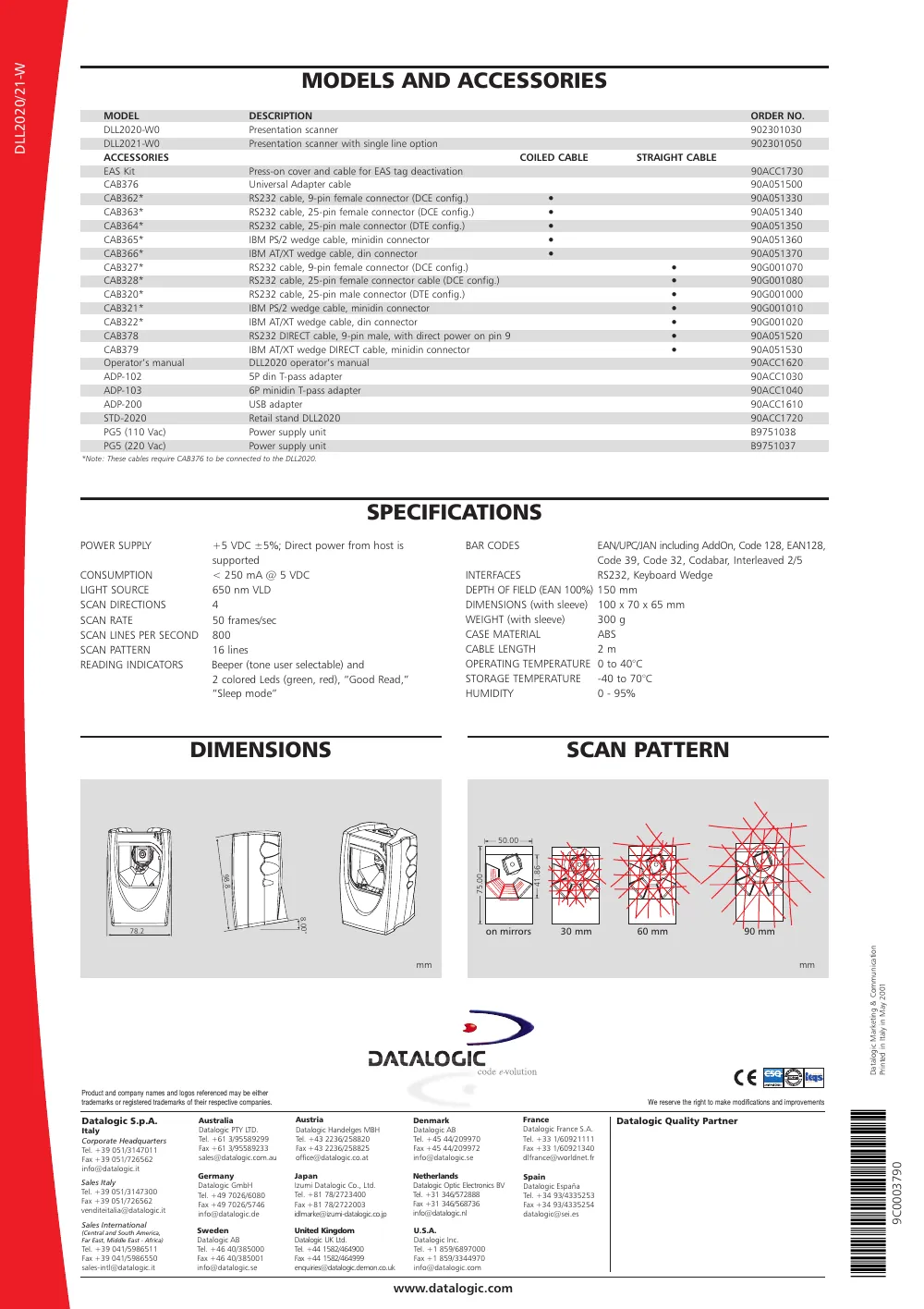
The text of page 2, from the PDF itself
MODEL DLL2020-W0 DLL2021-W0 ACCESSORIES EAS Kit CAB376 CAB362* CAB363* CAB364* CAB365* CAB366* CAB327* CAB328* CAB320* CAB321* CAB322* CAB378 CAB379 Operator’s manual ADP-102 ADP-103 ADP-200 STD-2020 PG5 (110 Vac) PG5 (220 Vac)
DESCRIPTION Presentation scanner Presentation scanner with single line option
ORDER NO. 902301030 902301050 COILED CABLE
Press-on cover and cable for EAS tag deactivation Universal Adapter cable RS232 cable, 9-pin female connector (DCE config.) RS232 cable, 25-pin female connector (DCE config.) RS232 cable, 25-pin male connector (DTE config.) IBM PS/2 wedge cable, minidin connector IBM AT/XT wedge cable, din connector RS232 cable, 9-pin female connector (DCE config.) RS232 cable, 25-pin female connector cable (DCE config.) RS232 cable, 25-pin male connector (DTE config.) IBM PS/2 wedge cable, minidin connector IBM AT/XT wedge cable, din connector RS232 DIRECT cable, 9-pin male, with direct power on pin 9 IBM AT/XT wedge DIRECT cable, minidin connector DLL2020 operator’s manual 5P din T-pass adapter 6P minidin T-pass adapter USB adapter Retail stand DLL2020 Power supply unit Power supply unit
STRAIGHT CABLE
l l l l l l l l l l l l
90ACC1730 90A051500 90A051330 90A051340 90A051350 90A051360 90A051370 90G001070 90G001080 90G001000 90G001010 90G001020 90A051520 90A051530 90ACC1620 90ACC1030 90ACC1040 90ACC1610 90ACC1720 B9751038 B9751037
*Note: These cables require CAB376 to be connected to the DLL2020.
SPECIFICATIONS POWER SUPPLY CONSUMPTION LIGHT SOURCE SCAN DIRECTIONS SCAN RATE SCAN LINES PER SECOND SCAN PATTERN READING INDICATORS
+5 VDC ±5%; Direct power from host is supported < 250 mA @ 5 VDC 650 nm VLD 4 50 frames/sec 800 16 lines Beeper (tone user selectable) and 2 colored Leds (green, red), “Good Read,” “Sleep mode”
BAR CODES
EAN/UPC/JAN including AddOn, Code 128, EAN128, Code 39, Code 32, Codabar, Interleaved 2/5 INTERFACES RS232, Keyboard Wedge DEPTH OF FIELD (EAN 100%) 150 mm DIMENSIONS (with sleeve) 100 x 70 x 65 mm WEIGHT (with sleeve) 300 g CASE MATERIAL ABS CABLE LENGTH 2m OPERATING TEMPERATURE 0 to 40°C STORAGE TEMPERATURE -40 to 70°C HUMIDITY 0 - 95%
DIMENSIONSSCAN PATTERN98.841.8650.0075.00C C8.00°on mirrors30 mm60 mmmmmm
Product and company names and logos referenced may be either trademarks or registered trademarks of their respective companies.
Datalogic S.p.A.
Italy Corporate Headquarters Tel. +39 051/3147011 Fax +39 051/726562 info@datalogic.it Sales Italy Tel. +39 051/3147300 Fax +39 051/726562 venditeitalia@datalogic.it Sales International
(Central and South America, Far East, Middle East - Africa)
Tel. +39 041/5986511 Fax +39 041/5986550 sales-intl@datalogic.it
90 mm
We reserve the right to make modifications and improvements
Australia Datalogic PTY LTD. Tel. +61 3/95589299 Fax +61 3/95589233 sales@datalogic.com.au
Austria Datalogic Handelges MBH Tel. +43 2236/258820 Fax +43 2236/258825 office@datalogic.co.at
Denmark Datalogic AB Tel. +45 44/209970 Fax +45 44/209972 info@datalogic.se
France Datalogic France S.A. Tel. +33 1/60921111 Fax +33 1/60921340 dlfrance@worldnet.fr
Germany Datalogic GmbH Tel. +49 7026/6080 Fax +49 7026/5746 info@datalogic.de
Japan Izumi Datalogic Co., Ltd. Tel. +81 78/2723400 Fax +81 78/2722003 idlmarke@izumi-datalogic.co.jp
Netherlands Datalogic Optic Electronics BV Tel. +31 346/572888 Fax +31 346/568736 info@datalogic.nl
Spain Datalogic España Tel. +34 93/4335253 Fax +34 93/4335254 datalogic@sei.es
Sweden Datalogic AB Tel. +46 40/385000 Fax +46 40/385001 info@datalogic.se
United Kingdom Datalogic UK Ltd. Tel. +44 1582/464900 Fax +44 1582/464999 enquiries@datalogic.demon.co.uk
U.S.A. Datalogic Inc. Tel. +1 859/6897000 Fax +1 859/3344970 info@datalogic.com
www.datalogic.com
Datalogic Quality Partner
9C0003790
78.2
Datalogic Marketing & Communication Printed in Italy in May 2001
DLL2020/21-W
MODELS AND ACCESSORIES