


Manual · Datalogic
Datalogic Gryphon I GM4100 Base Station Configuration
Manual1 pagePDF 95 KB
The page is below, with its text.
Filed with · 1 model
Also filed with these models on the old site
From the manual · read page by page
Key facts from this manual
Each line names its page in the PDF.
A one-page Datalogic sheet (820002460 Rev A, 2009) titled Gryphon I GM4100, Configuring the Base Station. It shows how to set the cordless reader's base charger/station to hold the reader lying horizontal or standing. The page does not name the BC4030.
- Covers
- Base charger/station for the Gryphon I GM4100 cordless reader p. 1
- Positions
- Holds the reader in a horizontal or a standing position p. 1
- Position parts
- Two alternate sets of mechanical parts, supplied with the cordless kit p. 1
- Document number
- 820002460 (Rev A), 2/09 p. 1
What this manual walks you through
- Changing the base station between horizontal and standing positions p. 1
Questions this manual answers
Can the Gryphon GM4100 base station stand upright?
Yes. The base charger/station can hold the reader either horizontal or standing. p. 1
How do I change the position of the GM4100 base station?
Fit the set of mechanical parts for the position you want; two alternate sets come with the cordless kit. p. 1
Where do the parts for the standing base position come from?
They are one of two sets of mechanical parts available with the cordless kit. p. 1
The file
Size and text
Every page · 1
Read it here
Each page as it is printed, and its words beside it, so a phone can search and copy them.
Page1of 1
Open in the PDF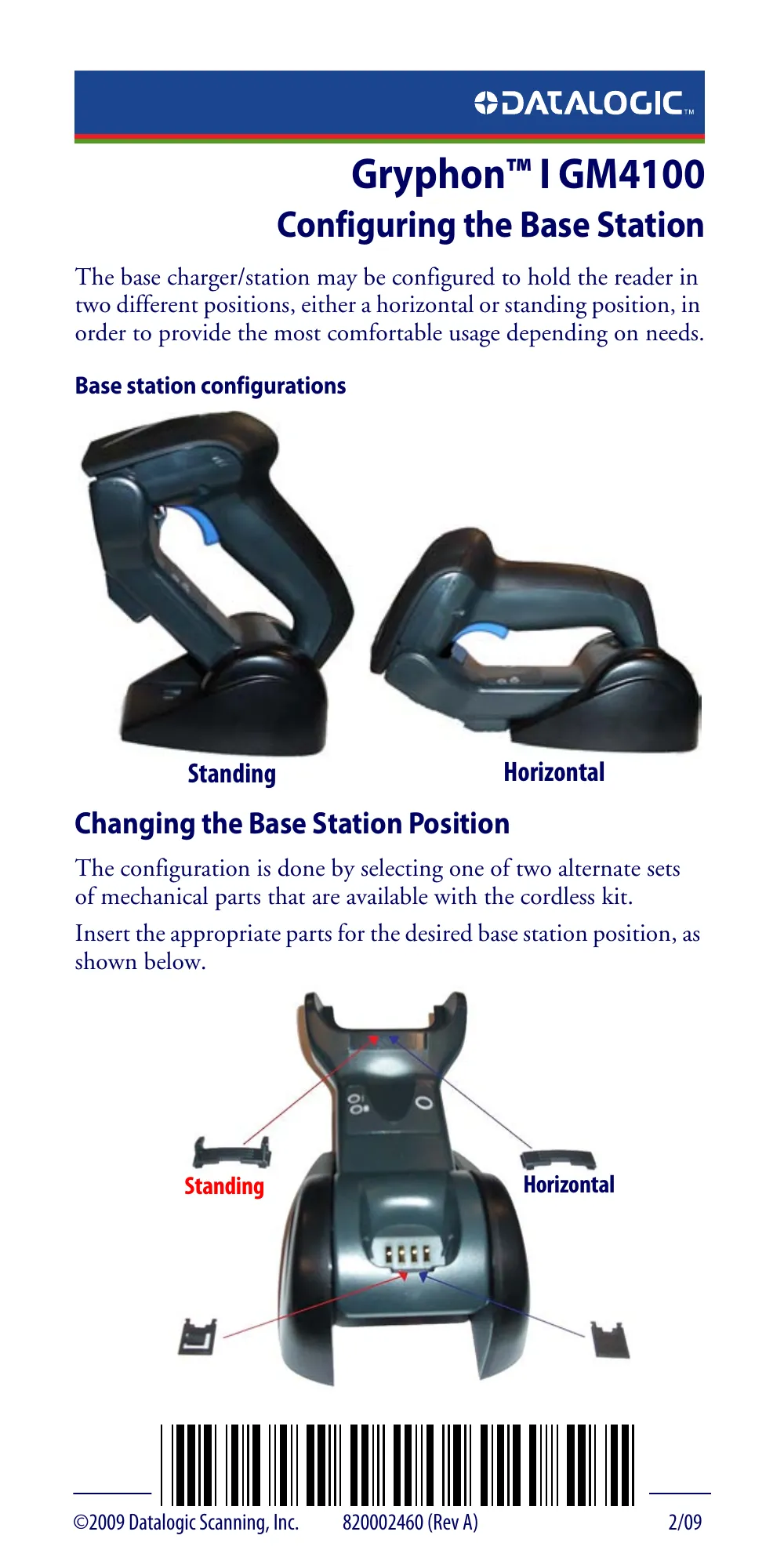
The text of page 1, from the PDF itself
Gryphon™ I GM4100 Configuring the Base Station The base charger/station may be configured to hold the reader in two different positions, either a horizontal or standing position, in order to provide the most comfortable usage depending on needs. Base station configurations
Horizontal
Standing
Changing the Base Station Position The configuration is done by selecting one of two alternate sets of mechanical parts that are available with the cordless kit. Insert the appropriate parts for the desired base station position, as shown below.
Horizontal
Standing
©2009 Datalogic Scanning, Inc.
820002460 (Rev A)
2/09