


Manual · DAP
DAP PC9500 Manual
Manual3 pagesPDF 43 KB
All 3 pages are below, each with its text.
Covers · 1 model
The models it covers
From the manual · read page by page
Key facts from this manual
Each line names its page in the PDF.
Three-page note from Electronic Data Solutions giving recommended settings for running the DataPlus DOS software on the DAP Technologies Microflex PC9500 handheld. It records the test setup and the communication settings for direct and modem connections to a host PC.
- What it is
- Recommended settings for running DataPlus DOS software on the PC9500, from bench testing p. 1
- Handshaking
- DTR/DSR only for hardware handshaking; no DCD (Data Carrier Detect) connection p. 1
- Com ports
- Com 2 is the Lemo connector; Com 1 is optical with the cradle; both gave the same results p. 2
- Test setup
- Main font 2 (25 x 16 screen size), RAM Drive (A:), no PCMCIA card p. 2
- Modem
- 100% Hayes compatible; tested with a Hayes Accura 144+Fax144 p. 3
- Modem baud rate
- PC9500: 9,600 for sending an application, 38,400 for transferring data; PC: 115,200 or lower p. 3
- Keyboard
- All keyboard combinations used by DataPlus are available p. 1
What this manual walks you through
- Settings for sending an application to the handheld over a direct connection p. 2
- Settings for transferring data to the PC in host mode p. 2, 3
- Settings for connecting the handheld through a modem p. 3
Good to know
- For a direct connection, the settings on the PC9500 and on the PC must match exactly. p. 2
- The PC9500 has no DCD (Data Carrier Detect) connection. p. 1
Questions this manual answers
What handshaking does the DAP PC9500 use?
It uses DTR/DSR only for hardware handshaking and has no DCD connection. p. 1
Which com port is the Lemo connector on the PC9500?
Com 2 is the Lemo connector; Com 1 is the optical port used with the cradle. p. 2
What modem works with the PC9500 and DataPlus?
A 100% Hayes compatible modem; a Hayes Accura 144+Fax144 was used in testing. p. 3
The file
Size and text
Every page · 3
Read it here
Each page as it is printed, and its words beside it, so a phone can search and copy them.
Page1of 3
Open in the PDF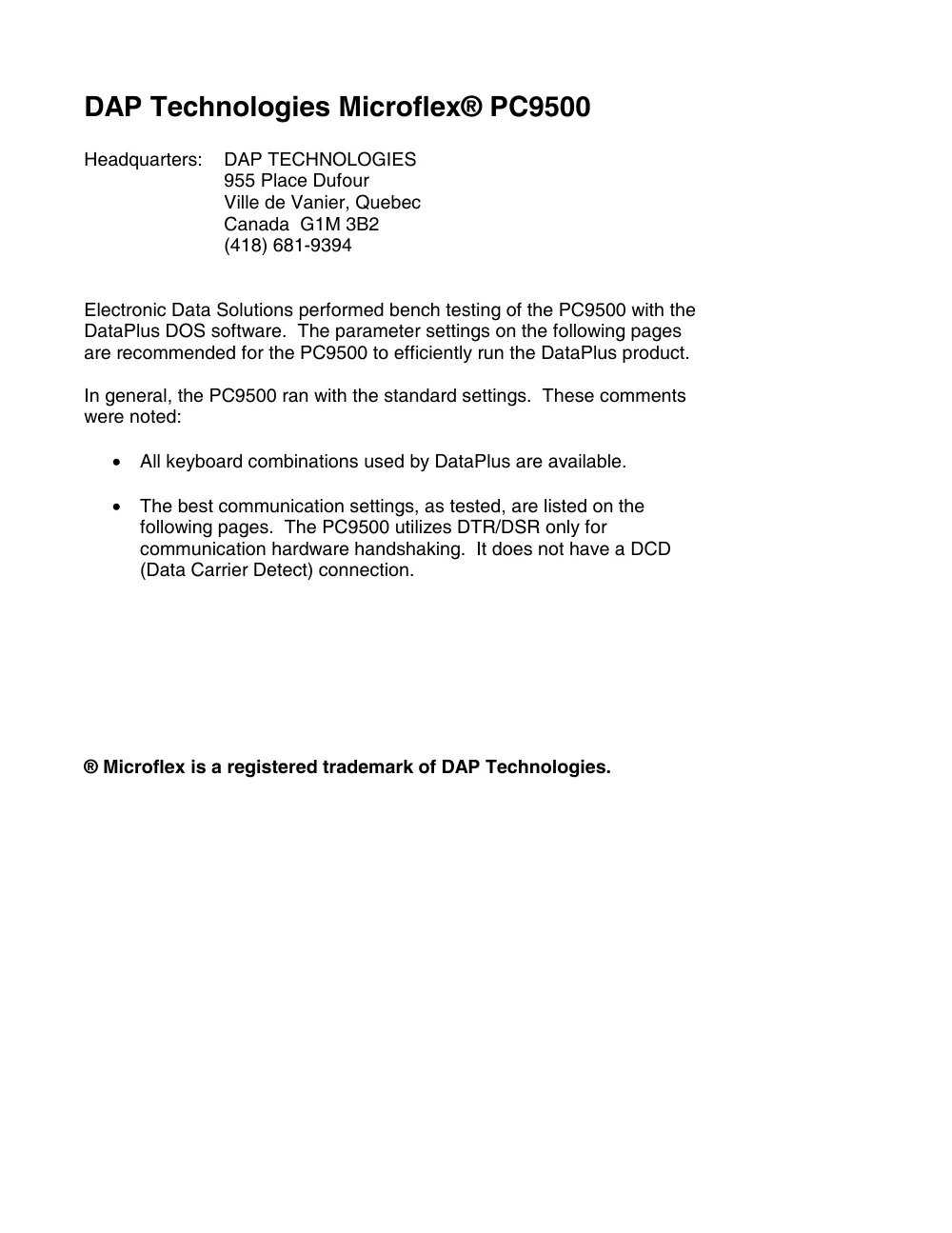
The text of page 1, from the PDF itself
DAP Technologies Microflex® PC9500 Headquarters:
DAP TECHNOLOGIES 955 Place Dufour Ville de Vanier, Quebec Canada G1M 3B2 (418) 681-9394
Electronic Data Solutions performed bench testing of the PC9500 with the DataPlus DOS software. The parameter settings on the following pages are recommended for the PC9500 to efficiently run the DataPlus product. In general, the PC9500 ran with the standard settings. These comments were noted:
All keyboard combinations used by DataPlus are available.
The best communication settings, as tested, are listed on the following pages. The PC9500 utilizes DTR/DSR only for communication hardware handshaking. It does not have a DCD (Data Carrier Detect) connection.
® Microflex is a registered trademark of DAP Technologies.
Page2of 3
Open in the PDF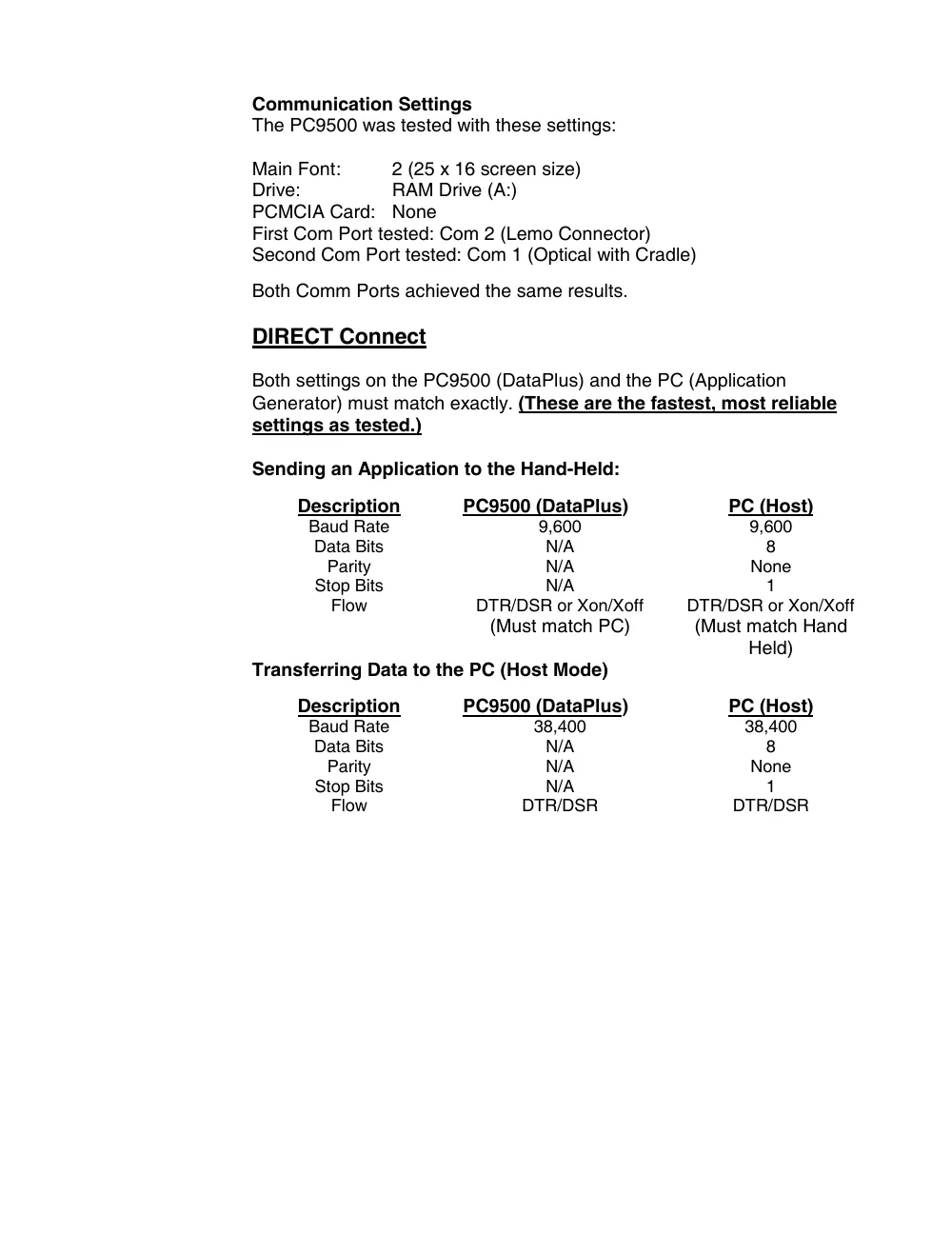
The text of page 2, from the PDF itself
Communication Settings The PC9500 was tested with these settings: Main Font : 2 (25 x 16 screen size) Drive: RAM Drive (A:) PCMCIA Card: None First Com Port tested: Com 2 (Lemo Connector) Second Com Port tested: Com 1 (Optical with Cradle) Both Comm Ports achieved the same results.
DIRECT Connect Both settings on the PC9500 (DataPlus) and the PC (Application Generator) must match exactly. (These are the fastest, most reliable settings as tested.) Sending an Application to the Hand-Held: Description Baud Rate Data Bits Parity Stop Bits Flow
PC9500 (DataPlus)
PC (Host)
9,600 N/A N/A N/A DTR/DSR or Xon/Xoff
9,600 8 None 1 DTR/DSR or Xon/Xoff
(Must match PC)
(Must match Hand Held)
Transferring Data to the PC (Host Mode) Description Baud Rate Data Bits Parity Stop Bits Flow
PC9500 (DataPlus) 38,400 N/A N/A N/A DTR/DSR
PC (Host) 38,400 8 None 1 DTR/DSR
Page3of 3
Open in the PDF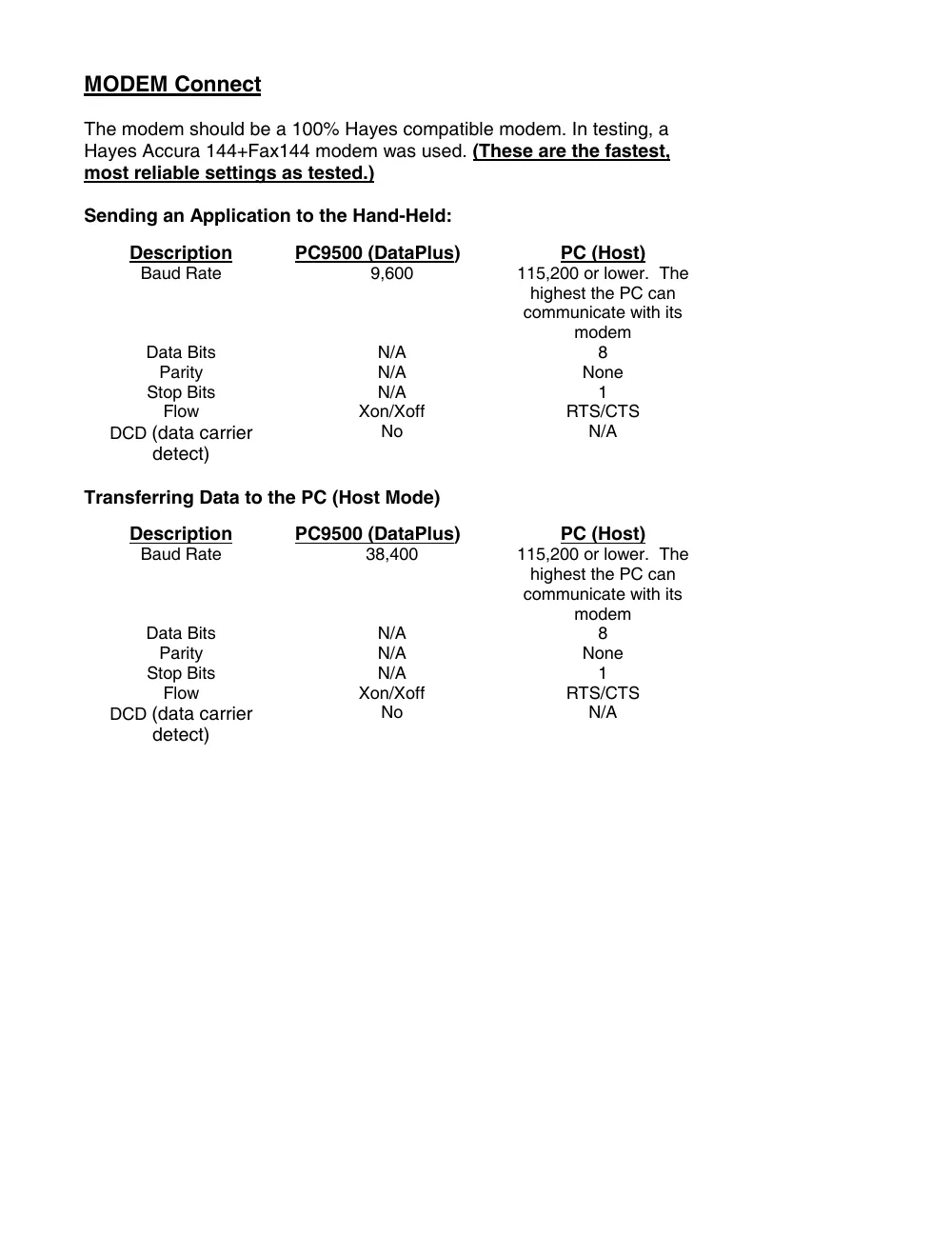
The text of page 3, from the PDF itself
MODEM Connect The modem should be a 100% Hayes compatible modem. In testing, a Hayes Accura 144+Fax144 modem was used. (These are the fastest, most reliable settings as tested.) Sending an Application to the Hand-Held: Description
PC9500 (DataPlus)Baud Rate9,600
Data Bits Parity Stop Bits Flow DCD (data carrier
N/A N/A N/A Xon/Xoff No
PC (Host) 115,200 or lower. The highest the PC can communicate with its modem 8 None 1 RTS/CTS N/A
detect) Transferring Data to the PC (Host Mode) Description
PC9500 (DataPlus)Baud Rate38,400
Data Bits Parity Stop Bits Flow DCD (data carrier
N/A N/A N/A Xon/Xoff No
detect)
PC (Host) 115,200 or lower. The highest the PC can communicate with its modem 8 None 1 RTS/CTS N/A