Manual · DAP
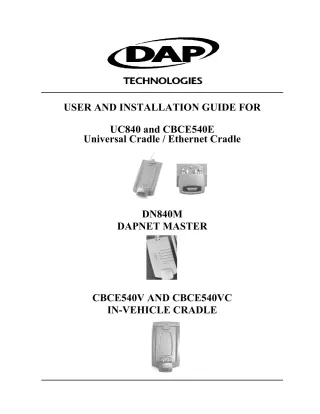
User and Installation Guide for UC840 and CBCE540E Universal Cradle / Ethernet Cradle, DN840M DAPNET Master, CBCE540V and CBCE540VC In-Vehicle Cradle
Manual22 pagesPDF 1.9 MB
User and installation guide for DAP Technologies cradles: UC840 universal, CBCE540E Ethernet, DN840M DAPNET master and CBCE540V in-vehicle.
Names · 1 model
The models it names
Filed with · 3 models
Also filed with these models on the old site
Summary
What is in it
A user and installation guide for the DAP Technologies cradles used with the PC9800 and CE5000 series hand-held computers: the UC840 universal cradle, CBCE540E Ethernet cradle, DN840M DAPNET master, and CBCE540V and CBCE540VC in-vehicle cradles. It explains each model, the indicator LEDs and connectors, inserting and installing the in-vehicle cradle, using a DC-DC converter with 24VDC, the universal cradle in DAPNET mode, the Ethernet cradle, and first use and configuration with a CE5000.
Its parts
- Warranty Statements
- CE Conformity & Notice
- DAP Technologies Locations
- Model Numbers and Characteristics
- Indicator LEDs and Connectors
- DAPNET Master
- In-Vehicle Cradle
- Universal Cradle in DAPNET Mode & COM.EXE
- Use of the Ethernet Cradle
- First Use of the UC840 / CBCE540V with a CE5000
From the manual · read page by page
Key facts from this manual
Each line names its page in the PDF.
DAP Technologies' user and installation guide (revision August 2001) for the UC840 universal cradle, CBCE540E Ethernet cradle, DN840M DAPNET master and CBCE540V and CBCE540VC in-vehicle cradles, used with the PC9800 and CE5000 series hand-held computers. It explains the LEDs and connectors, vehicle mounting, power in 24 V vehicles, DAPNET speed settings, the Ethernet cradle and cradle setup with a CE5000. It does not name the CBC840V or CBCE840.
- Cradle family
- UC840 universal cradle, DN840M DAPNET master, CBCE540V and CBCE540VC in-vehicle cradles, CBCE540E Ethernet cradle p. 8
- DN840M
- DN840M: master cradle for the UC840 in DAPNET mode p. 8
- DN840M connectors
- DN840M: RS-232 male DB-9 from the computer; RJ-11 DAPNET connectors to the UC840; power line input, 20 V maximum p. 13
- Chargers
- Power line input of 20 V maximum on the DN840M, in-vehicle and Ethernet cradles; DAP charger models CS810, CS820, CS512 or CS512SCH p. 10, 11, 13
- DN840M LEDs
- DN840M: RXD and TXD character LEDs and a power indicator p. 12
- UC840
- UC840: universal cradle for the PC9800 (LS), RS232 and DAPNET modes; also used with the CE5000 series in RS-232 mode; for office use p. 8
- UC840 connectors
- UC840: RJ-11 DAPNET connectors (not used in RS232 mode) and male DB-9 RS-232 connector (not used in DAPNET mode) p. 10
- UC840 base number
- UC840: display shows 00 for RS-232 mode, 01 to 31 for the DAPNET base number p. 9
- CBCE540V
- CBCE540V: in-vehicle charging cradle for the CE5000 and PC9800 series with RS-232 (male DB-9) p. 8, 10
- CBCE540VC
- CBCE540VC: in-vehicle cradle for charging only (no RS232, no DAPNET), with a latch and a metal plate for a pedestal p. 8
- CBCE540E
- CBCE540E: Ethernet cradle with RJ-45 connector; the CE5000 needs its onboard Ethernet option p. 8, 11
- 24 VDC vehicles
- CBCE540V and CBCE540VC need a DC-DC converter with regulated 12 Volts DC output, up to 2.0 amps; Mean Well SD-25B-12 tested p. 18
- Pedestal option
- DC813: 2 screws and lock nuts, socket arm RAM-B-201, 2 anti-vibration balls RAM-B-202 p. 15
- DAPNET speeds
- UC840 in DAPNET mode: COM N0 for 300 to 38400 BPS, COM N1 for 58 400 BPS, COM N2 for 115 200 BPS p. 19
What this manual walks you through
- Reading the cradle and DAPNET master LEDs p. 9, 12
- Inserting and removing the hand-held in the in-vehicle cradle p. 14
- Mounting the in-vehicle cradle on the DC813 pedestal p. 15, 16, 17
- Powering the in-vehicle cradle from 24 VDC with a DC-DC converter p. 18
- Setting the DAPNET speed with COM.EXE p. 19
- Activating the Ethernet cradle and reading its taskbar icons p. 20, 21
- Configuring the UC840 or CBCE540V for a CE5000 with BaseCE p. 22
Good to know
- The in-vehicle cradle holds the hand-held through normal bumps and vibration but is not designed to secure it in a collision. p. 8
- When configuring with BaseCE, the base must not be connected to any computer or peripheral, or it may show error 6 and refuse. p. 22
- The guide suggests installing the in-vehicle cradle below the head level of the driver and passenger. p. 17
- The cradles and the MICROFLEX have no user serviceable parts. p. 3
- These are Class A products that may cause radio interference in a home. p. 6
Questions this manual answers
What charger do the DAP DN840M and CBCE540E use?
DAP charger models CS810, CS820, CS512 or CS512SCH, into a power line input of 20 V maximum. p. 11, 13
Can the CBCE540V in-vehicle cradle run on 24 volts?
Only through a DC-DC converter with a regulated 12 Volts DC output that can supply up to 2.0 amps. p. 18
What is the difference between the CBCE540V and CBCE540VC?
The CBCE540VC only charges; the CBCE540V is the same cradle with RS-232 communication. p. 8
What does 00 on the UC840 display mean?
00 means RS-232 mode; 01 to 31 shows the cradle's base number in DAPNET mode. p. 9
Why does the cradle show error 6 when configuring it?
It can happen if the base is connected to a computer or peripheral while configuring it with BaseCE. p. 22
Contents
Chapters and sections
Each line opens the PDF at its page.
- WARRANTY STATEMENTS3
- TABLE OF CONTENTWARRANTY STATEMENTS1TABLE OF CONTENT3CE CONFORMITY & NOTICE4DAP TECHNOLOGIES LOCATIONS5Headquarters:5U.S.A subsidiary:5European subsidiary:5MODEL NUMBERS AND CHARACTERISTICS6INDICATOR LEDS AND CONNECTORS7INDICATOR LEDS7CONNECTORS ON THE U5
- CE CONFORMITY & NOTICE6
- DAP TECHNOLOGIES LOCATIONS7
- MODEL NUMBERS AND CHARACTERISTICS8
- INDICATOR LEDS AND CONNECTORS9
- DAPNET MASTER12
- IN-VEHICLE CRADLE14
- UNIVERSAL CRADLE IN DAPNET MODE & COM.EXE19
- USE OF THE ETHERNET CRADLE20
- FIRST USE OF THE UC840 / CBCE540V WITH A CE500022
The whole text · 3 parts
Read the manual here as text
Its text as extracted from the PDF, unedited, in parts; each page opens the PDF at that page.
The file