


Spec sheet · Computerwise
Computerwise TT6 Spec Sheet
Spec sheet2 pagesPDF 147 KB
Both pages are below, each with its text.
Covers · 1 model
The models it covers
From the sheet · read page by page
Key facts from this sheet
Each line names its page in the PDF.
A two-page Computerwise product sheet for the TransTerm 6 (TT6), a data entry terminal with a full-size keyboard for jobs such as time and attendance, work flow tracking and inventory control. It covers the display, keyboard, RS-232C and TNET connections with the DB-25F pin list, operating modes, options, accessories, size, weight and power draw. The option descriptions on its second page name the TransTerm 4C.
- Device
- Compact aluminum terminal for alphanumeric data entry with a full-size keyboard p. 1
- Display
- Two line, 80 character LC display p. 1
- Keyboard
- 53 key hermetically sealed membrane keyboard, QWERTY layout, eight blue programmable special purpose keys, rated 10MM cycles per switch p. 2
- Host interface
- Standard RS-232C serial on a DB-25F connector p. 1, 2
- Network
- Optional RS-422 TNET interface, up to 250 terminals under the Computerwise TIM1 network controller p. 2
- Operating modes
- TTY, Block Send and TNET Multidrop p. 1
- Power input
- Pin 20 of the DB-25F carries DTR output or an optional 12VDC power input p. 2
- Current draw
- 130ma basic terminal; +35ma with backlight display; +30ma with current loop option p. 2
- Options
- Bar code decoding with a 5-pin DIN port, magnetic stripe reader interface for the MR-211, auxiliary serial port, pulse output, counter input p. 2
- Bar code option codes
- Code 39, Extended Code 39, UPC-A, UPC-E, EAN-8, EAN-13, Codabar, I2of5, Code 128 p. 2
- Accessories
- CCD 81T CCD scanner, SL1003I slot reader, MR211 card reader, WA5100 wand, wand holder 910219, tilt bracket, QS6000 laser scanner, WA3800 image scanner p. 2
- Weight
- Basic unit 1.50 lbs.; power adapter 0.500 lbs. p. 2
- Software
- Data collection program for a Win9x or NT computer available p. 1
What this sheet walks you through
- Choosing between TTY, Block Send and TNET modes p. 1
- Wiring the DB-25F serial connector p. 2
- Networking terminals over TNET p. 1, 2
- Adding bar code, card reader, serial, pulse and counter options p. 2
Good to know
- In TNET mode a terminal only receives data or sends entered data when selected by its unique address. p. 1
- In Block Send and TNET modes, keyed data is sent only after ENTER is pressed. p. 1
- The option descriptions on the TT6 features page name the TransTerm 4C. p. 2
Questions this sheet answers
What display does the TransTerm 6 have?
A two line LC display showing 80 characters. p. 1
How does the TransTerm 6 connect to a computer?
Through its standard RS-232C port on a DB-25F connector, or over the optional RS-422 TNET network. p. 1, 2
How many TransTerm 6 terminals can be on one TNET network?
Up to 250 terminals. p. 2
What scanners can I use with the TT6?
The sheet lists a CCD 81T CCD scanner, QS6000 laser scanner, WA5100 wand and WA3800 image scanner as accessories. p. 2
The file
Size and text
Every page · 2
Read it here
Each page as it is printed, and its words beside it, so a phone can search and copy them.
Page1of 2
Open in the PDF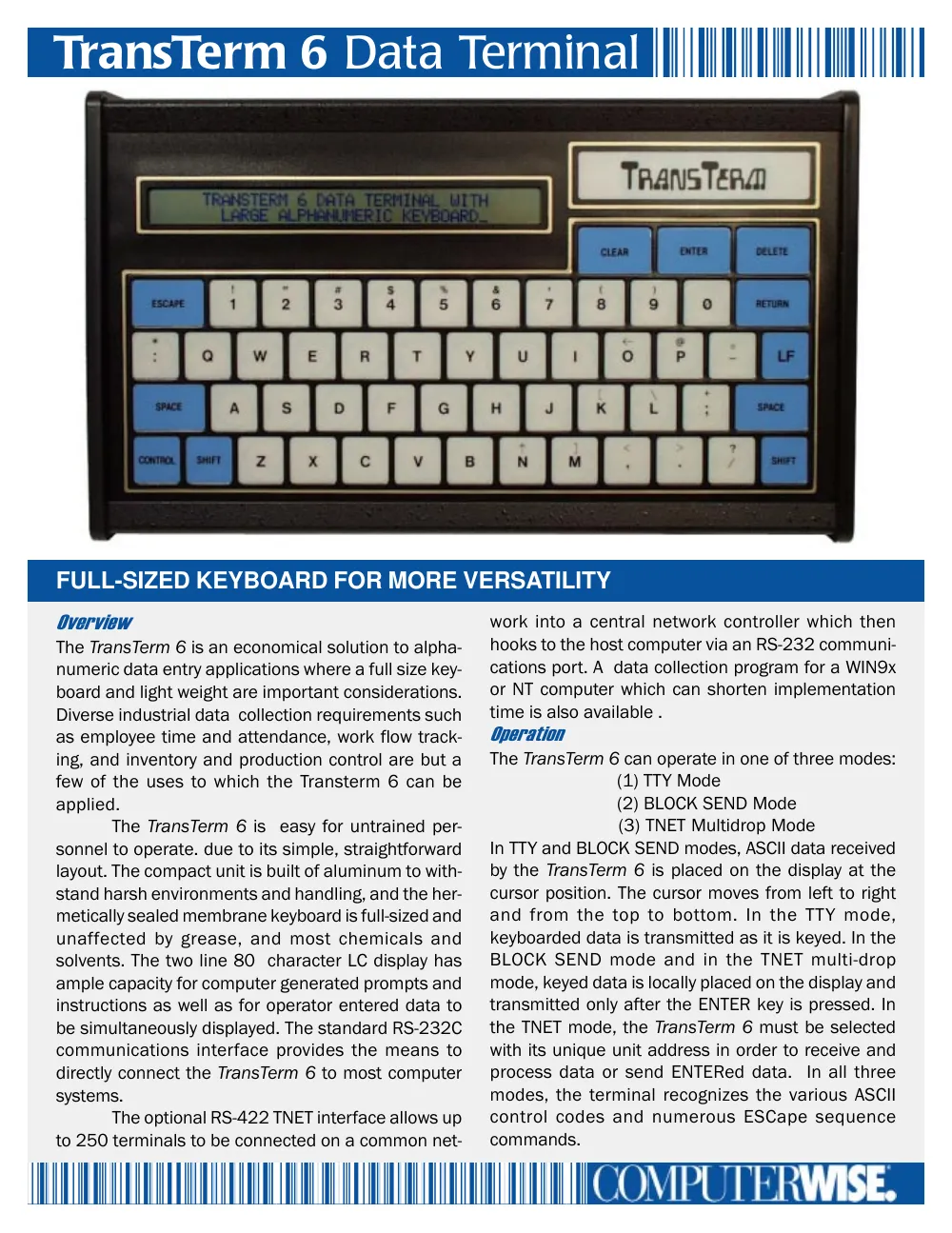
The text of page 1, from the PDF itself
TransTerm 6 Data Terminal
2389434O34
FULL-SIZED KEYBOARD FOR MORE VERSATILITY Overview
The TransTerm 6 is an economical solution to alphanumeric data entry applications where a full size keyboard and light weight are important considerations. Diverse industrial data collection requirements such as employee time and attendance, work flow tracking, and inventory and production control are but a few of the uses to which the Transterm 6 can be applied. The TransTerm 6 is easy for untrained personnel to operate. due to its simple, straightforward layout. The compact unit is built of aluminum to withstand harsh environments and handling, and the hermetically sealed membrane keyboard is full-sized and unaffected by grease, and most chemicals and solvents. The two line 80 character LC display has ample capacity for computer generated prompts and instructions as well as for operator entered data to be simultaneously displayed. The standard RS-232C communications interface provides the means to directly connect the TransTerm 6 to most computer systems. The optional RS-422 TNET interface allows up to 250 terminals to be connected on a common net-
work into a central network controller which then hooks to the host computer via an RS-232 communications port. A data collection program for a WIN9x or NT computer which can shorten implementation time is also available .
Operation
The TransTerm 6 can operate in one of three modes: (1) TTY Mode (2) BLOCK SEND Mode (3) TNET Multidrop Mode In TTY and BLOCK SEND modes, ASCII data received by the TransTerm 6 is placed on the display at the cursor position. The cursor moves from left to right and from the top to bottom. In the TTY mode, keyboarded data is transmitted as it is keyed. In the BLOCK SEND mode and in the TNET multi-drop mode, keyed data is locally placed on the display and transmitted only after the ENTER key is pressed. In the TNET mode, the TransTerm 6 must be selected with its unique unit address in order to receive and process data or send ENTERed data. In all three modes, the terminal recognizes the various ASCII control codes and numerous ESCape sequence commands.
COMUTERWISE2311RCH199975513
Page2of 2
Open in the PDF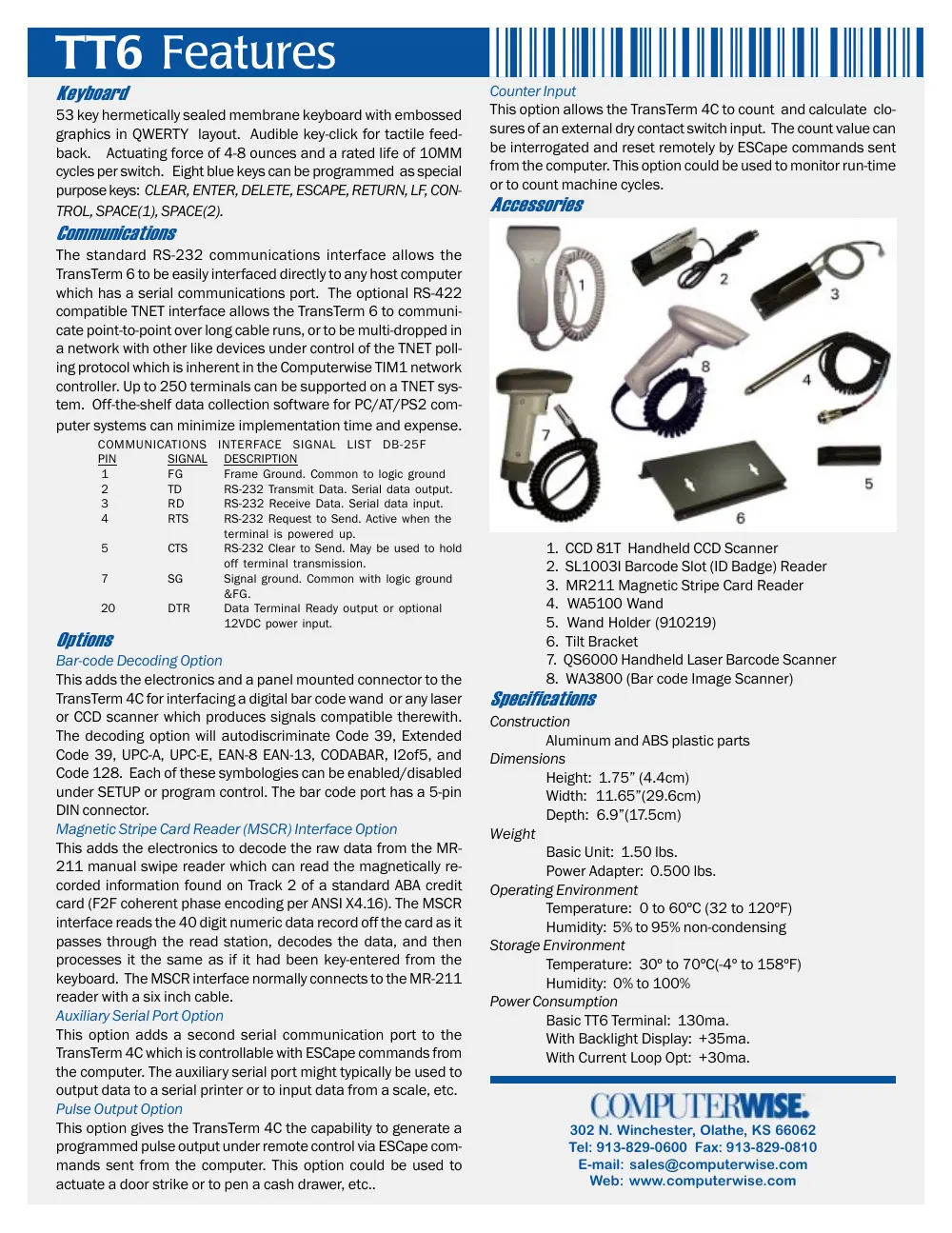
The text of page 2, from the PDF itself
TT6 Features Keyboard
53 key hermetically sealed membrane keyboard with embossed graphics in QWERTY layout. Audible key-click for tactile feedback. Actuating force of 4-8 ounces and a rated life of 10MM cycles per switch. Eight blue keys can be programmed as special purpose keys: CLEAR, ENTER, DELETE, ESCAPE, RETURN, LF, CONTROL, SPACE(1), SPACE(2).
COMPUTER44WIS Counter Input This option allows the TransTerm 4C to count and calculate closures of an external dry contact switch input. The count value can be interrogated and reset remotely by ESCape commands sent from the computer. This option could be used to monitor run-time or to count machine cycles.
Accessories
Communications
The standard RS-232 communications interface allows the TransTerm 6 to be easily interfaced directly to any host computer which has a serial communications port. The optional RS-422 compatible TNET interface allows the TransTerm 6 to communicate point-to-point over long cable runs, or to be multi-dropped in a network with other like devices under control of the TNET polling protocol which is inherent in the Computerwise TIM1 network controller. Up to 250 terminals can be supported on a TNET system. Off-the-shelf data collection software for PC/AT/PS2 computer systems can minimize implementation time and expense. COMMUNICATIONS INTERFACE SIGNAL LIST DB-25F PIN SIGNAL DESCRIPTION 1 FG Frame Ground. Common to logic ground 2 TD RS-232 Transmit Data. Serial data output. 3 RD RS-232 Receive Data. Serial data input. 4 RTS RS-232 Request to Send. Active when the terminal is powered up. 5 CTS RS-232 Clear to Send. May be used to hold off terminal transmission. 7 SG Signal ground. Common with logic ground &FG. 20 DTR Data Terminal Ready output or optional 12VDC power input.
Options
Bar-code Decoding Option This adds the electronics and a panel mounted connector to the TransTerm 4C for interfacing a digital bar code wand or any laser or CCD scanner which produces signals compatible therewith. The decoding option will autodiscriminate Code 39, Extended Code 39, UPC-A, UPC-E, EAN-8 EAN-13, CODABAR, I2of5, and Code 128. Each of these symbologies can be enabled/disabled under SETUP or program control. The bar code port has a 5-pin DIN connector. Magnetic Stripe Card Reader (MSCR) Interface Option This adds the electronics to decode the raw data from the MR211 manual swipe reader which can read the magnetically recorded information found on Track 2 of a standard ABA credit card (F2F coherent phase encoding per ANSI X4.16). The MSCR interface reads the 40 digit numeric data record off the card as it passes through the read station, decodes the data, and then processes it the same as if it had been key-entered from the keyboard. The MSCR interface normally connects to the MR-211 reader with a six inch cable. Auxiliary Serial Port Option This option adds a second serial communication port to the TransTerm 4C which is controllable with ESCape commands from the computer. The auxiliary serial port might typically be used to output data to a serial printer or to input data from a scale, etc. Pulse Output Option This option gives the TransTerm 4C the capability to generate a programmed pulse output under remote control via ESCape commands sent from the computer. This option could be used to actuate a door strike or to pen a cash drawer, etc..
1. CCD 81T Handheld CCD Scanner 2. SL1003I Barcode Slot (ID Badge) Reader 3. MR211 Magnetic Stripe Card Reader 4. WA5100 Wand 5. Wand Holder (910219) 6. Tilt Bracket 7. QS6000 Handheld Laser Barcode Scanner 8. WA3800 (Bar code Image Scanner)
Specifications
Construction Aluminum and ABS plastic parts Dimensions Height: 1.75” (4.4cm) Width: 11.65”(29.6cm) Depth: 6.9”(17.5cm) Weight Basic Unit: 1.50 lbs. Power Adapter: 0.500 lbs. Operating Environment Temperature: 0 to 60ºC (32 to 120ºF) Humidity: 5% to 95% non-condensing Storage Environment Temperature: 30º to 70ºC(-4º to 158ºF) Humidity: 0% to 100% Power Consumption Basic TT6 Terminal: 130ma. With Backlight Display: +35ma. With Current Loop Opt: +30ma.
302 N. Winchester, Olathe, KS 66062 Tel: 913-829-0600 Fax: 913-829-0810 E-mail: sales@computerwise.com Web: www.computerwise.com