Manual · Code
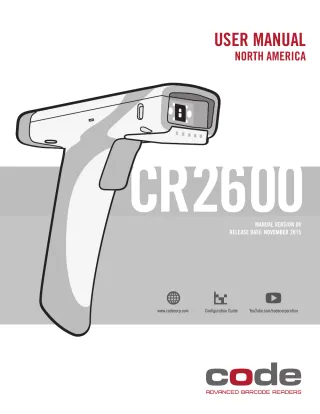
Code Reader 2600 (CR2600) User Manual, North America
Manual17 pagesPDF 827 KB
User manual for the Code CR2600 cordless barcode reader (CR2611, CR2612): setup, charging, Bluetooth and USB, batch mode and ranges.
Covers · 1 model
The models it covers
Summary
What is in it
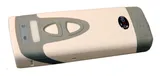
A short, mostly pictorial user manual for the Code Reader 2600 (CR2600), sold as model CR2611 or CR2612. It covers the included items, setup, battery installation and the fuel gauge, charging, powering on and off, scanning, pairing over Bluetooth, sending batch data over Bluetooth or USB, USB downloader mode, LED and beep feedback, reading ranges, the symbologies on and off by default, dimensions of the reader and chargers, maintenance and warranty.
Its parts
- Included Items
- Set Up
- Battery Installation and Removal
- Fuel Gauge Battery Status Indicator
- Charging the CR2600
- Powering On/Off the Reader
- Scanning
- Establishing a Bluetooth Connection
- Transmitting Batch Data via Bluetooth Communication
- Transmitting Batch Data via USB Communication
- Wired Communication via USB Downloader Mode
- Reader Feedback
- Reading Ranges
- Symbologies Defaulted On
- Symbologies Defaulted Off
From the manual · read page by page
Key facts from this manual
Some pages are scans or cannot be read; this says only what the readable text supports. Each line names its page in the PDF.
The Code Reader 2600 (CR2600) User Manual for North America, manual version 08, released November 2015. It names the CR2611 and CR2612 model numbers. It walks through the battery, charging, Bluetooth and USB connection, batch data transfer, reader feedback, reading ranges, default symbologies and the dimensions of the reader and its chargers.
- Device
- Barcode reader using CMOS imaging technology, much like a digital camera p. 16
- Model numbers
- CR2611 or CR2612 p. 5
- Communication
- Bluetooth; USB keyboard mode; USB Downloader (HID) mode p. 10, 11
- Items if ordered
- USB 2.0 cable, RS232 cable, 5VDC power supply, mountable palm charger, charging station, charging station with embedded CodeXML modem, CodeXML M3 modem, battery cartridge p. 5
- Battery gauge
- Fuel gauge levels: under 10%, under 25%, 25-50%, 50-75%, 75-100% p. 7
- Range, 13 mil UPC
- 1.1 to 11 in (28 to 280 mm) p. 12
- Range, Code 39
- 3 mil: 3.1 to 4.0 in (80 to 102 mm); 7.5 mil: 1.3 to 7.2 in (33 to 182 mm) p. 12
- Range, Data Matrix
- 4.2 mil: 1.9 to 4.3 in (48 to 110 mm); 20.8 mil: 1.1 to 13.5 in (28 to 343 mm) p. 12
- Symbologies on
- Aztec, Codabar, Code 39, Code 93, Code 128, Data Matrix, Data Matrix Rectangle, all GS1 DataBar, Interleaved 2 of 5, PDF417, QR Code, UPC/EAN/UPC-E p. 12
- Symbologies off
- Off by default include Codablock F, Code 11, Code 32, Composite, Han Xin Code, Maxicode, Micro PDF417, MSI Plessey, Postal Codes p. 12
- Batch mode
- Saves scans to reader memory; sent over Bluetooth or by docking in the charging station over USB p. 10
- Palm charger mounting
- M4-.7 internal thread inserts, 4.7 mm length; CRA-A111 hole mounting pattern p. 15
- Software
- CortexTools, used with USB Downloader (HID) mode p. 11
What this manual walks you through
- Installing and removing the battery and reading the fuel gauge p. 7
- Powering the reader on and off p. 8
- Establishing a Bluetooth connection p. 9
- Sending stored batch data over Bluetooth p. 10
- Sending stored batch data over USB through the charging station p. 10
- Wired communication in USB Downloader (HID) mode p. 11
- Reading the LED, beep and vibrate feedback p. 11
- Finding the reader ID and firmware version p. 13
- Cleaning the reader window p. 16
Good to know
- Charge the battery completely before first use. p. 7
- Do not touch the window; a dirty window may stop the reader from reading barcodes. p. 16
- After cleaning the window with a mild detergent, wipe it with a cloth or tissue moistened with water. p. 16
- Reading ranges were measured with high quality barcodes at a 10 degree angle and default AGC settings, accuracy plus or minus 10%. p. 12
Questions this manual answers
What model numbers does the CR2600 come as?
The manual lists the CR2600 as model number CR2611 or CR2612. p. 5
How far away can the CR2600 read a UPC barcode?
A 13 mil UPC reads from 1.1 in (28 mm) to 11 in (280 mm). p. 12
How do I check the CR2600 firmware version?
Open a text editor and scan the Reader ID and Firmware configuration barcode; a text string with the firmware version and reader ID appears. p. 13
What does it mean when the CR2600 batch icon flashes fast?
A batch icon flashing 5 times a second means the memory space for batching is full. p. 11
How do I upload stored CR2600 scans over USB?
Scan the USB Keyboard Communication Mode barcode and the Batch Mode Enable - Send and Log barcode, then open an application and dock the reader in the charging station. p. 10
The whole text · 2 parts
Read the manual here as text
Its text as extracted from the PDF, unedited, in parts; each page opens the PDF at that page.
The file