


Spec sheet · Cisco
Cisco WIC-1AM Spec Sheet
Spec sheet3 pagesPDF 14 KB
All 3 pages are below, each with its text.
Covers · 1 model
The models it covers
From the sheet · read page by page
Key facts from this sheet
Each line names its page in the PDF.
A Cisco technical note (Document ID 7257) on the WIC-1AM and WIC-2AM analog modem WAN interface cards. It covers their product numbers, features, platform support, LEDs and where to find configuration help.
- Device
- WAN interface card with an internal V.90 analog modem for incoming or outgoing calls p. 1
- WIC-1AM ports
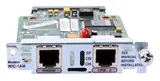
- WIC-1AM: one port for a standard telephone line and one for an analog telephone used while the modem is idle p. 1
- WIC-2AM ports
- WIC-2AM: dual RJ-11 connectors p. 1
- Uses
- Router management, dial backup and access in low density applications p. 2
- Speed
- 56 Kbps (V.90) when the peer is a digital modem; not when connecting to an analog modem p. 2
- Firmware
- Modem firmware is not upgradeable; V.92 is not supported p. 2
- Software
- Supported in all Cisco IOS feature sets, including the base (IP Only) feature set p. 3
- LEDs
- SP, CN and OH, showing speed, connect (carrier detect) and off-hook status p. 3
What this sheet walks you through
- Configuring the modem WIC, by reference to the NM-8AM and NM-16AM dialout setup p. 3
- Which Cisco router platforms support the cards p. 2, 3
Good to know
- V.92 is not supported. p. 2
- The 56 Kbps limit against analog modems is a limit of V.90 itself, not a hardware fault. p. 2
Questions this sheet answers
Can the Cisco WIC-1AM connect at 56k?
Yes, when the far end is a digital modem, such as an AS5xxx on a T1 or E1 line; against an analog modem V.90 cannot reach 56 Kbps. p. 2
Can the WIC-1AM modem firmware be upgraded?
No. The note states the modem firmware is not upgradeable. p. 2
What is the second jack on the WIC-1AM for?
A basic analog telephone that shares the line when the modem is idle. p. 1, 2
Does the WIC-1AM need a special IOS feature set?
No. It is supported in all feature sets, including the base (IP Only) set. p. 3
The file
Size and text
Every page · 3
Read it here
Each page as it is printed, and its words beside it, so a phone can search and copy them.
Page1of 3
Open in the PDF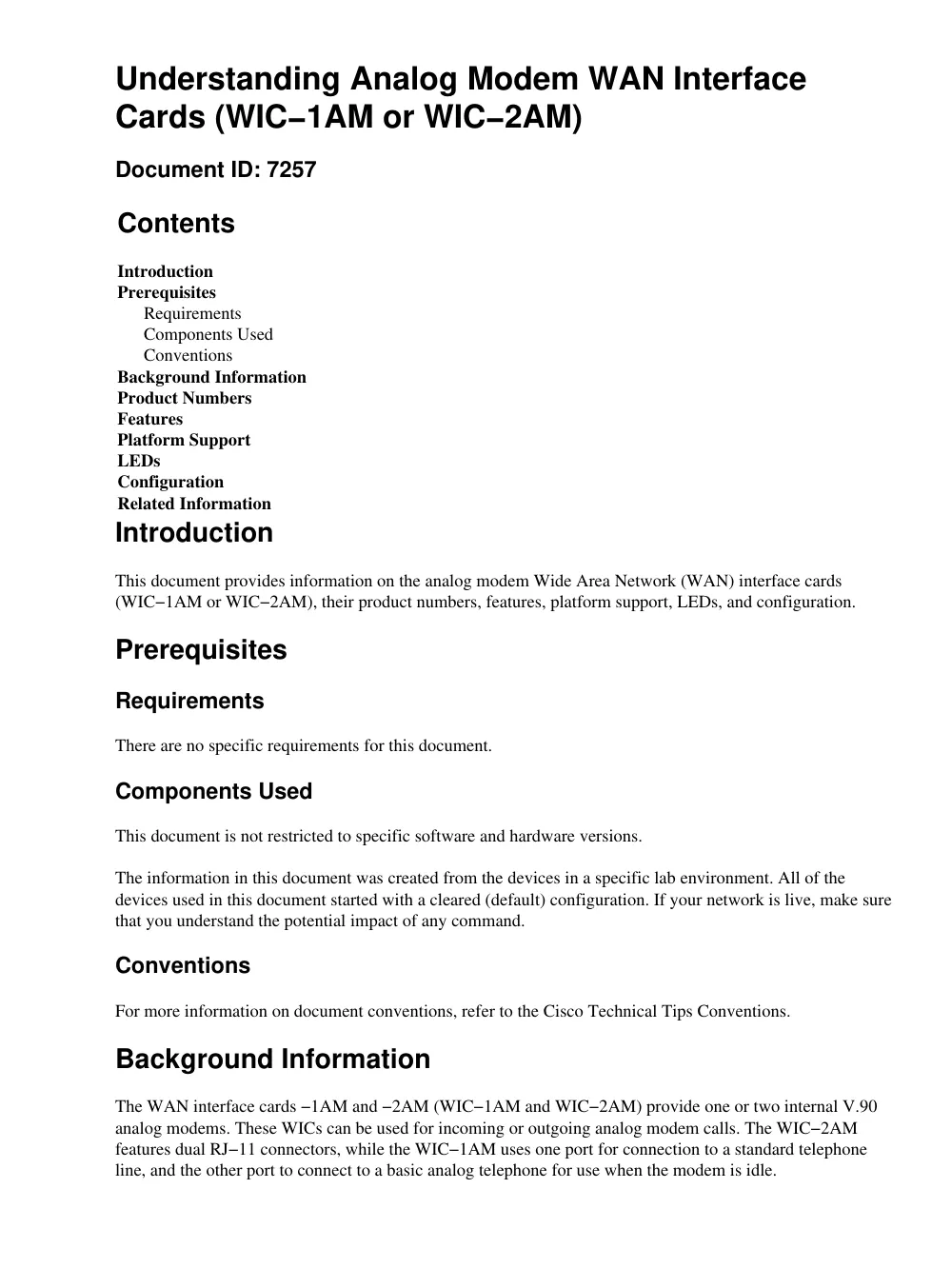
The text of page 1, from the PDF itself
Understanding Analog Modem WAN Interface Cards (WIC−1AM or WIC−2AM) Document ID: 7257
Contents Introduction Prerequisites Requirements Components Used Conventions Background Information Product Numbers Features Platform Support LEDs Configuration Related Information
Introduction This document provides information on the analog modem Wide Area Network (WAN) interface cards (WIC−1AM or WIC−2AM), their product numbers, features, platform support, LEDs, and configuration.
Prerequisites Requirements There are no specific requirements for this document.
Components Used This document is not restricted to specific software and hardware versions. The information in this document was created from the devices in a specific lab environment. All of the devices used in this document started with a cleared (default) configuration. If your network is live, make sure that you understand the potential impact of any command.
Conventions For more information on document conventions, refer to the Cisco Technical Tips Conventions.
Background Information The WAN interface cards −1AM and −2AM (WIC−1AM and WIC−2AM) provide one or two internal V.90 analog modems. These WICs can be used for incoming or outgoing analog modem calls. The WIC−2AM features dual RJ−11 connectors, while the WIC−1AM uses one port for connection to a standard telephone line, and the other port to connect to a basic analog telephone for use when the modem is idle.
Page2of 3
Open in the PDF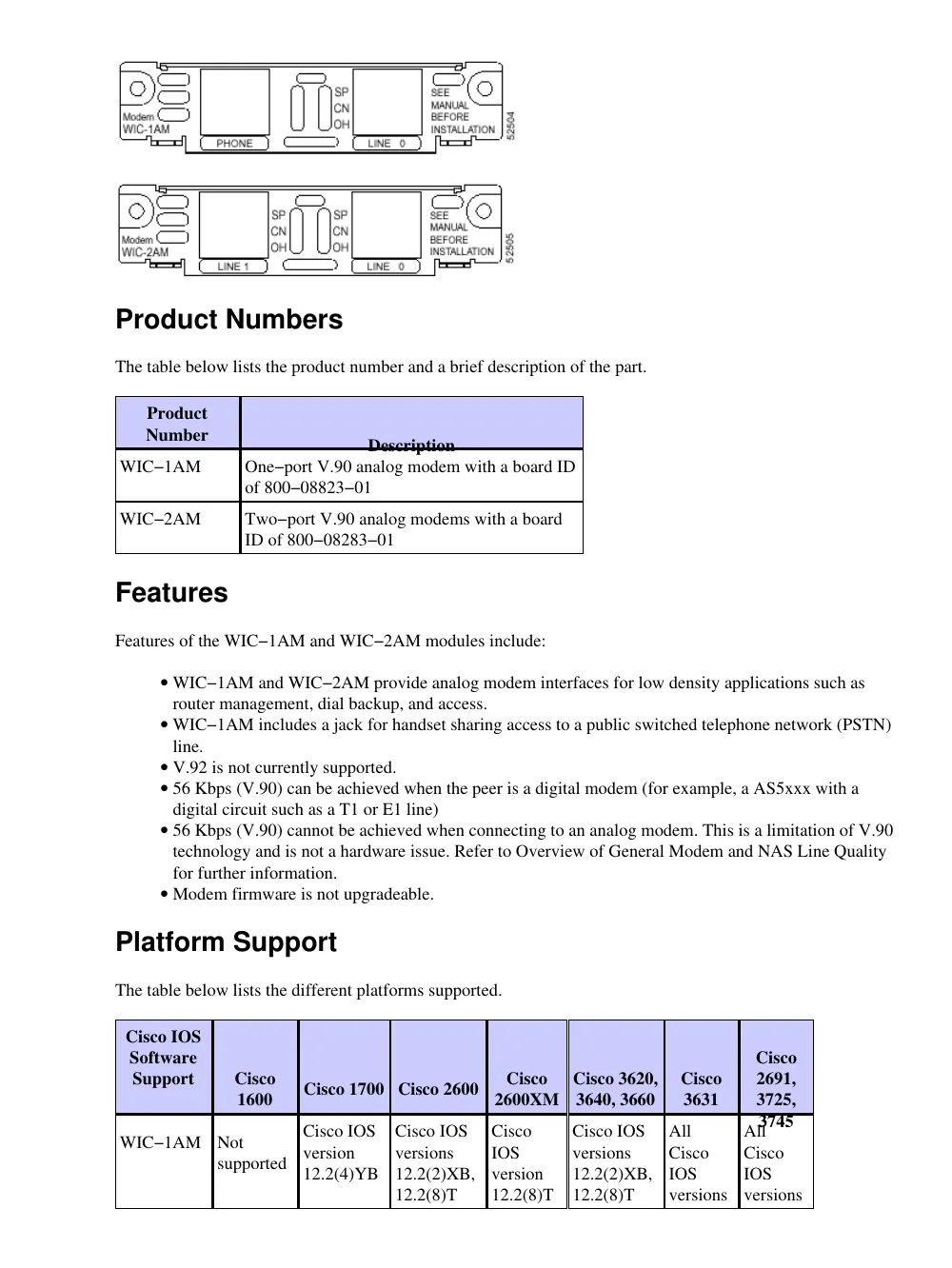
The text of page 2, from the PDF itself
Product Numbers The table below lists the product number and a brief description of the part. Product Number WIC−1AM WIC−2AM
Description One−port V.90 analog modem with a board ID of 800−08823−01 Two−port V.90 analog modems with a board ID of 800−08283−01
Features Features of the WIC−1AM and WIC−2AM modules include:
- WIC−1AM and WIC−2AM provide analog modem interfaces for low density applications such as router management, dial backup, and access.
- WIC−1AM includes a jack for handset sharing access to a public switched telephone network (PSTN) line.
- V.92 is not currently supported.
- 56 Kbps (V.90) can be achieved when the peer is a digital modem (for example, a AS5xxx with a digital circuit such as a T1 or E1 line)
- 56 Kbps (V.90) cannot be achieved when connecting to an analog modem. This is a limitation of V.90 technology and is not a hardware issue. Refer to Overview of General Modem and NAS Line Quality for further information.
- Modem firmware is not upgradeable.
Platform Support The table below lists the different platforms supported. Cisco IOS Software Support
Cisco 1600
Cisco 2691, 3725, 3745 Cisco IOS All All versions Cisco Cisco 12.2(2)XB, IOS IOS 12.2(8)T versions versions
Cisco Cisco 3620, Cisco 1700 Cisco 2600 2600XM 3640, 3660
Cisco IOS Cisco IOS WIC−1AM Not version versions supported 12.2(4)YB 12.2(2)XB, 12.2(8)T
Cisco IOS version 12.2(8)T
Cisco 3631
Page3of 3
Open in the PDF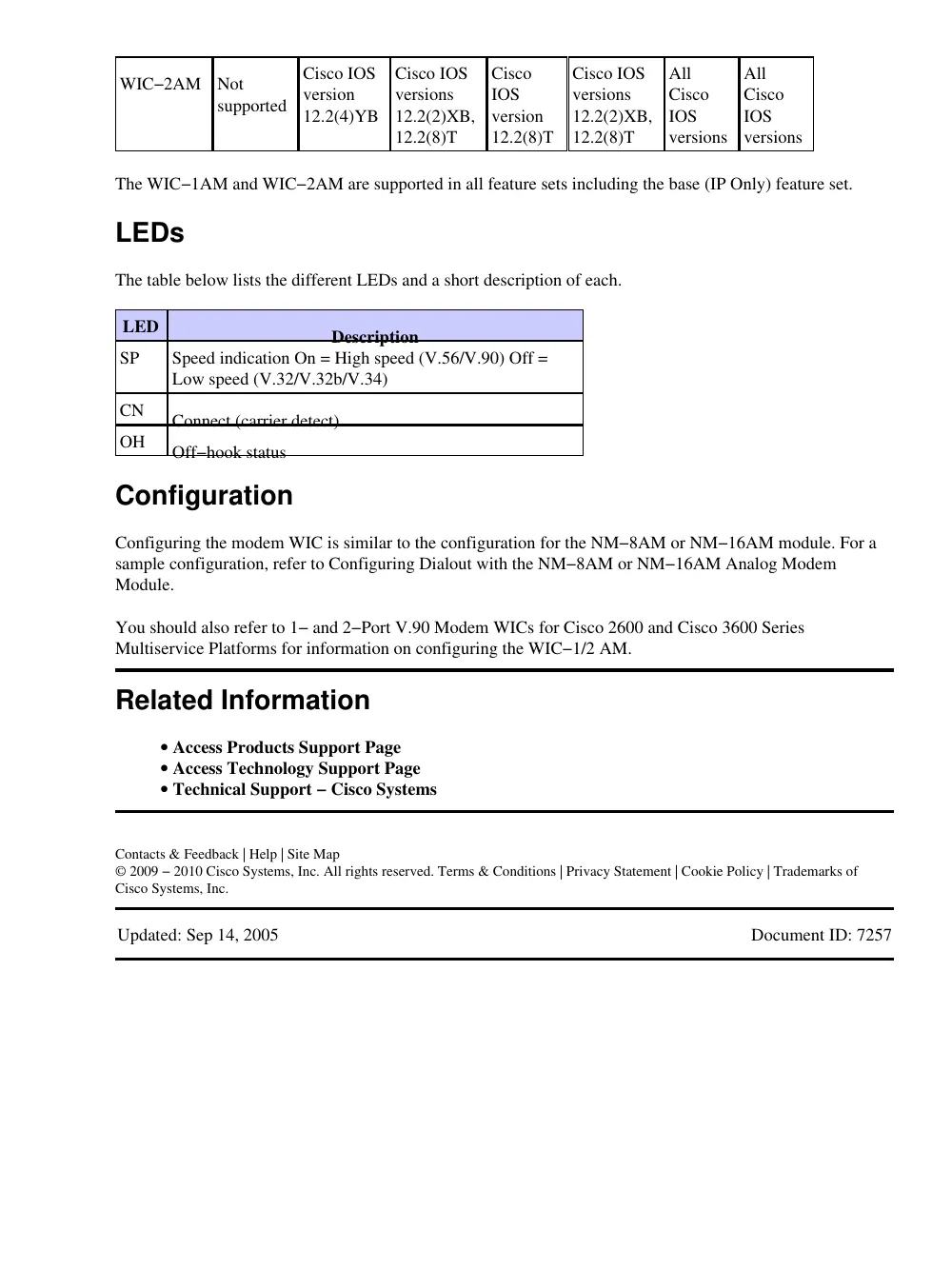
The text of page 3, from the PDF itself
Cisco IOS Cisco IOS WIC−2AM Not version versions supported 12.2(4)YB 12.2(2)XB, 12.2(8)T
Cisco IOS version 12.2(8)T
Cisco IOS versions 12.2(2)XB, 12.2(8)T
All Cisco IOS versions
All Cisco IOS versions
The WIC−1AM and WIC−2AM are supported in all feature sets including the base (IP Only) feature set.
LEDs The table below lists the different LEDs and a short description of each. LED SP CN OH
Description Speed indication On = High speed (V.56/V.90) Off = Low speed (V.32/V.32b/V.34) Connect (carrier detect) Off−hook status
Configuration Configuring the modem WIC is similar to the configuration for the NM−8AM or NM−16AM module. For a sample configuration, refer to Configuring Dialout with the NM−8AM or NM−16AM Analog Modem Module. You should also refer to 1− and 2−Port V.90 Modem WICs for Cisco 2600 and Cisco 3600 Series Multiservice Platforms for information on configuring the WIC−1/2 AM.
Related Information
- Access Products Support Page
- Access Technology Support Page
- Technical Support − Cisco Systems
Contacts & Feedback | Help | Site Map © 2009 − 2010 Cisco Systems, Inc. All rights reserved. Terms & Conditions | Privacy Statement | Cookie Policy | Trademarks of Cisco Systems, Inc.
Updated: Sep 14, 2005
Document ID: 7257