Manual · Cisco
Quick Start Guide: Cisco Aironet 1000 Series Lightweight Access Points
Manual28 pagesPDF 723 KB
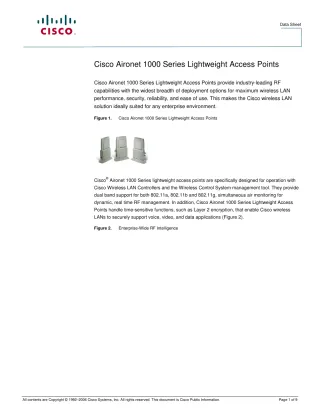
Quick start guide for the Cisco Aironet 1000 Series lightweight access points (AP 1010, AP 1020, AP 1030), with warranty terms.
Covers · 1 model
The models it covers
Summary
What is in it
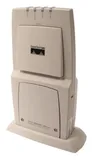
Cisco's quick start guide for installing and minimally configuring the Aironet 1000 Series lightweight access points (AP 1010, AP 1020 and AP 1030), which are configured automatically by a Cisco Wireless LAN Controller over LWAPP. It covers safety, the controller discovery process, package contents, connectors and LEDs, installation and deployment, local power, priming the access point, DHCP option 43, troubleshooting and the low power condition, plus documentation, support and the one-year limited hardware warranty.
Its parts
- About this Guide
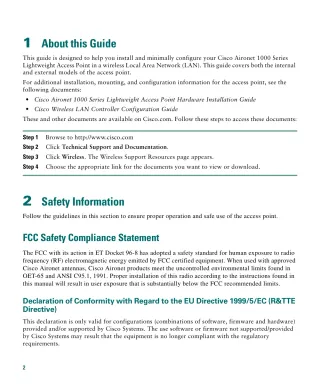
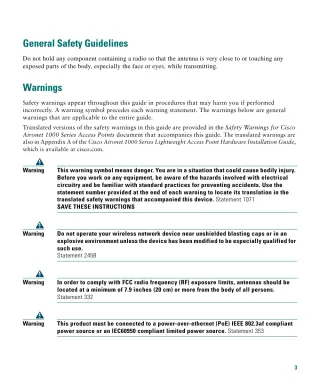
- Safety Information
- Introduction to the Access Point
- Unpacking the Access Point
- Installing and Deploying the Access Point
- In Case of Difficulty
- Obtaining Documentation
- Documentation Feedback
- Cisco Product Security Overview
- Obtaining Technical Assistance
- Obtaining Additional Publications and Information
- Cisco One-Year Limited Hardware Warranty Terms
From the manual
Key facts from this manual
Each line names its page in the PDF.
Cisco quick start guide for the Aironet 1000 Series lightweight access points (AP 1010, AP 1020 and AP 1030). It explains how the access point finds and joins a wireless LAN controller, what comes in the box, the connectors and LEDs, and how to deploy or prime access points. It also gives a DHCP Option 43 example and an LED troubleshooting table.
- Device
- Lightweight access point with a 2.4-GHz 802.11g radio and a 5-GHz 802.11a radio, configured by a Cisco Wireless LAN Controller over LWAPP p. 4
- Models
- AP 1010 with integrated patch antennas only; AP 1020 and AP 1030 also have external antenna connectors p. 4
- Power
- IEEE 802.3af inline power or the 48-VDC power module AIR-PWR-1000=; needs 10 watts of input power p. 19
- Connectors
- Left side: RJ-45 Ethernet port, 48-VDC power port, 2.4-GHz antenna connector, security cable keyslot; right side: 5-GHz and 2.4-GHz antenna connectors p. 8
- LEDs
- Four on top: Power, Alarm, 2.4-GHz and 5-GHz p. 9
- Package contents
- Access point, ceiling mounting kit (base, two clips, two screws, two washers), translated safety warnings, this guide p. 6
- Power module input
- Plugs into a 100- to 240-VAC outlet and connects to the 48-VDC power port p. 12
- Controller discovery
- Finds the controller IP address by DHCP, DNS, OTAP or IP subnet broadcast p. 11
- LWAPP ports
- UDP 12222 and 12223 open on the route to a controller on another subnet p. 11
What this manual walks you through
- How the access point discovers and joins a controller p. 5, 6
- Basic installation and placement guidelines p. 9, 10
- Deploying access points on the wireless network p. 10, 11, 12
- Connecting to Ethernet with the local power module p. 12
- Priming access points before mounting them p. 13, 14, 15
- Configuring DHCP Option 43 on a Cisco IOS DHCP server p. 15, 16
- Reading the LEDs to troubleshoot p. 18, 19
- Low power condition with inline power p. 19
Good to know
- External antennas are not supplied with the AP1020 and AP1030 and must be mounted indoors only. p. 6, 10
- When the access point runs on inline power, do not also connect the power module. p. 12
- Once access points are deployed, no controller should stay configured as the master controller. p. 12
- DHCP Option 43 is limited to one access point type per DHCP pool. p. 15
- With address translation, the access point and controller need a static 1-to-1 NAT; Port Address Translation is not supported. p. 17
Questions this manual answers
How does a Cisco AP1000 find its wireless LAN controller?
It finds the controller IP address by DHCP, DNS, OTAP or IP subnet broadcast. The guide describes DHCP Option 43, which gives the access point a list of controller IP addresses. p. 11, 15
What should I do if the red Alarm LED on the AP1000 stays on?
If it stays on for more than 1 minute, remove power from the access point and contact Cisco TAC. p. 18
How much power does the Cisco AP1000 need?
The access point needs 10 watts of input power. On PoE, the power drawn from the switch or injector is higher, depending on cable length. p. 19
Are external antennas included with the AP1020 or AP1030?
No. External antennas are not supplied with the AP1020 and AP1030; the user must supply them. p. 4, 6
Why prime an AP1000 before mounting it?
Priming helps find and fix Ethernet and power problems before the access point goes into a hard-to-reach location. p. 13
Contents
Chapters and sections
Each line opens the PDF at its page.
- Cisco Aironet 1000 Series Lightweight Access Points1
- 1 About this Guide2
- 2 Safety Information2
- 3 Introduction to the Access Point4
- 4 Unpacking the Access Point6
- 5 Installing and Deploying the Access Point9
- 6 In Case of Difficulty16
- 7 Obtaining Documentation20
- 8 Documentation Feedback21
- 9 Cisco Product Security Overview21
- 10 Obtaining Technical Assistance23
- 11 Obtaining Additional Publications and Information24
- 12 Cisco One-Year Limited Hardware Warranty Terms25
The whole text · 3 parts
Read the manual here as text
Its text as extracted from the PDF, unedited, in parts; each page opens the PDF at that page.
The file