Manual · Cisco
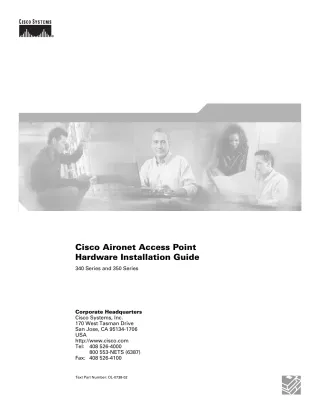
Cisco Aironet Access Point Hardware Installation Guide, 340 Series and 350 Series
Manual70 pagesPDF 1.9 MB
Hardware installation guide for Cisco Aironet 340 and 350 series wireless access points: features, installation, basic setup and troubleshooting.
Filed with · 1 model
Also filed with these models on the old site
Summary
What is in it
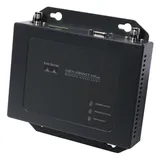
Cisco's hardware installation guide for the Aironet 340 Series and 350 Series access points, wireless LAN transceivers that link wireless clients to a wired network. It describes key features (inline power, omni-directional antennas, Ethernet and serial ports, indicators), network configuration examples and specifications, then covers installation guidelines and site surveys, connecting cables, basic configuration through a browser or terminal emulator, troubleshooting, safety warnings and regulatory information.
Its parts
- Preface
- Overview
- Installation
- Basic Configuration
- Troubleshooting
From the manual
Key facts from this manual
Each line names its page in the PDF.
This is the Cisco Aironet Access Point Hardware Installation Guide for the 340 series and 350 series access points; its FCC declaration lists the AIR-AP340, AIR-AP341, AIR-AP342 and AIR-AP352. It gives the features and specifications, the cabling and power options for each series, the default basic settings, the meaning of the indicator lights and basic troubleshooting.
- What it is
- Wireless LAN access point (340 and 350 series): root unit on a wired LAN, repeater, or central unit of an all-wireless network p. 13, 17
- Radio
- Direct Sequence Spread Spectrum, 2.400 to 2.497 GHz depending on regulatory domain p. 20
- Data rates
- 1, 2, 5.5 and 11 Mbps p. 20
- Power output
- 350 series: 100, 50, 30, 20, 5 or 1 mW; 340 series: 30, 20, 5 or 1 mW p. 20
- Power
- 350 series: through the Ethernet cable, 24 to 60 VDC, from a power injector, inline power switch or power patch panel; 340 series: regulated 5 VDC from a plug-in AC adapter p. 14, 20
- Connectors
- RJ-45 10/100 Ethernet jack and nine-pin serial connector; 340 series also has a power connector p. 20
- Serial console
- 9600 baud, 8 data bits, no parity, 1 stop bit, Xon/Xoff flow control p. 15
- Antennas
- Two captured 2.2 dBi antennas, or two reverse-TNC connectors for separate antennas; some 340 series models have one antenna p. 21
- Range
- Indoor 150 ft at 11 Mbps, 350 ft at 1 Mbps; outdoor 800 ft at 11 Mbps, 2000 ft at 1 Mbps (shorter for 340 series) p. 20
- Size
- 6.30 in. (16 cm) W x 4.72 in. (12 cm) D x 1.45 in. (3.7 cm) H p. 20
- Weight
- 340 and 350 series: less than 1 lb (0.45 kg); 350 series metal case: 1.43 lbs (0.64 kg) p. 20
- Operating temperature
- 340 and 350 series: 32 to 122°F (0 to 50°C); 350 series metal case: –4 to 131°F (–20 to 55°C); power injectors: 32 to 104°F (0 to 40°C) p. 20
- In the box
- Access point, power injector (350 series) or AC to DC power adapter (340 series), nine-pin straight-through serial cable, Quick Start Guide, CD-ROM p. 28
- Default settings
- IP address 10.0.0.1, subnet mask 255.255.255.0, config server protocol DHCP, SSID tsunami, role Access Point/Root p. 42
What this manual walks you through
- Choosing a role: root unit, repeater or central unit of an all-wireless network p. 17, 18, 19
- Placing the access point to avoid interference p. 25, 28
- Unpacking and checking the package contents p. 28
- Connecting Ethernet and power on 340 series access points p. 29
- Powering a 350 series access point by switch, patch panel or power injector p. 30, 31
- Reading the top panel indicators p. 44, 45
- Checking SSID and WEP settings when clients cannot connect p. 45
- Resetting the configuration to factory defaults p. 46, 47
Good to know
- Cisco Aironet power injectors are for 350 series access points and bridges only; other Ethernet devices can be damaged. p. 14
- 350 series units run on 24 to 60 VDC; higher voltage can damage them. p. 14
- Power injectors are not rated for a building's air handling space, such as above suspended ceilings. p. 21
- 340 series: connect the Ethernet cable before applying power; the unit has no on/off switch. p. 29
- The building's fuse or circuit breaker must be no larger than 120 VAC, 15A U.S. (240 VAC, 10A international). p. 24
Questions this manual answers
How is the Cisco Aironet 350 access point powered?
Through the Ethernet cable, from a Cisco Aironet power injector, a switch with inline power, or a power patch panel. The 340 series uses a separate power supply instead. p. 14
What does it mean when all three Aironet lights are steady red?
A firmware failure; the guide says to disconnect power from the unit and reapply it. p. 45
What serial settings does the Aironet console port use?
9600 baud, 8 data bits, no parity, 1 stop bit and Xon/Xoff flow control, over a nine-pin straight-through male-to-female cable. p. 15
What is the default IP address and SSID of the Aironet access point?
The default IP address is 10.0.0.1 and the default SSID is tsunami. p. 42, 45
Which Aironet models does this guide's FCC declaration list?
The AIR-AP340, AIR-AP341, AIR-AP342 and AIR-AP352. p. 60
Contents
Chapters and sections
Each line opens the PDF at its page.
The whole text · 8 parts
Read the manual here as text
Its text as extracted from the PDF, unedited, in parts; each page opens the PDF at that page.
The file